Visual Paradigm Use Case Modeling: A Comprehensive Guide to the Use-Case-Driven Approach and AI-Assisted Features

Read this post in:

Introduction

Use case modeling remains the most effective technique for capturing functional requirements from an outside-in, user-goal perspective. It answers the fundamental question: “What does the system do for its users?” without prematurely diving into implementation details. Visual Paradigm has evolved this discipline by embedding AI assistance directly into the modeling workflow, transforming what was once a time-consuming brainstorming exercise into a rapid, iterative, and standards-compliant process.
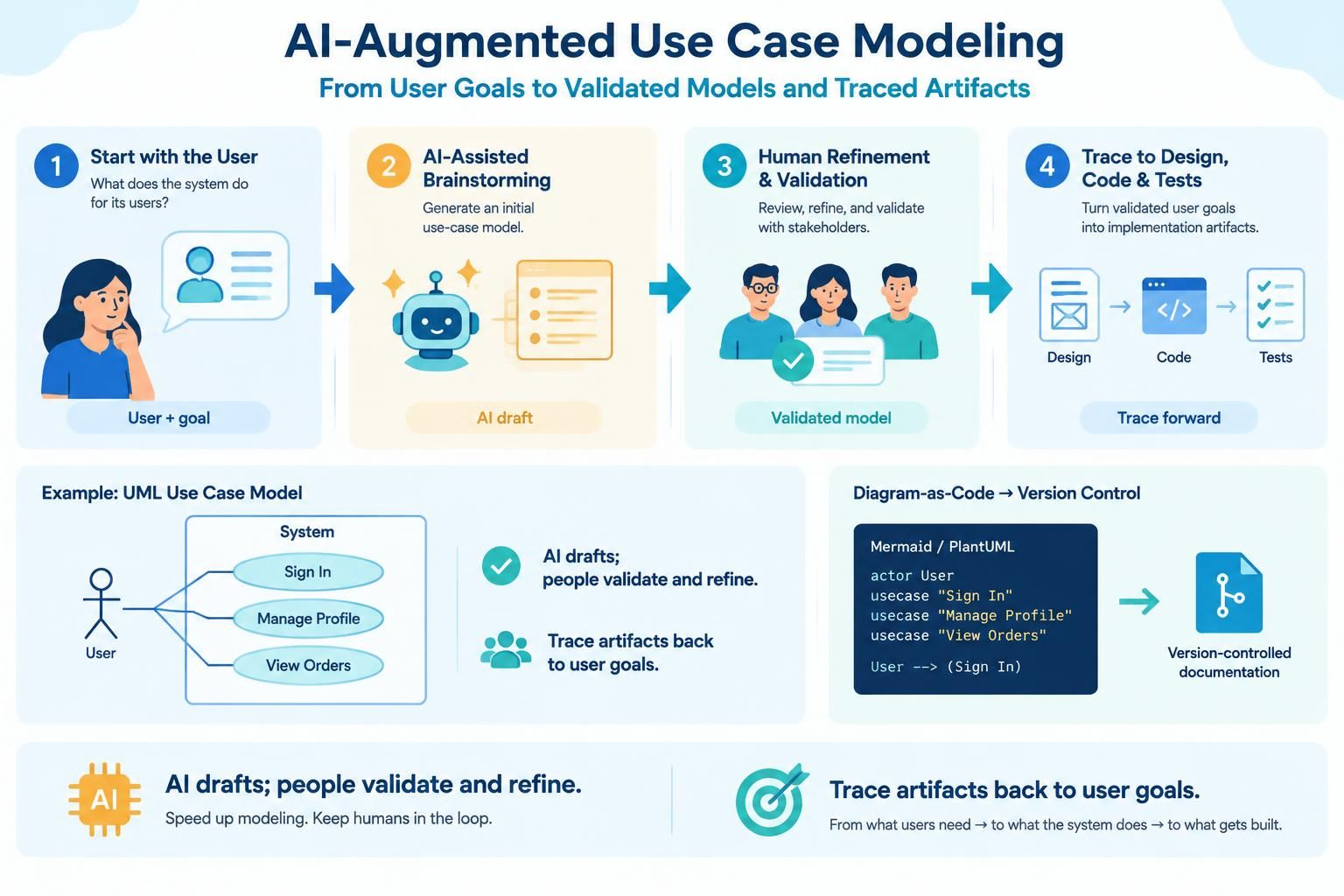
This guide explores how Visual Paradigm supports the use-case-driven approach, its AI-assisted features, and practical implementation strategies. It includes a Mermaid diagram example for version-controlled documentation, identifies who benefits most, and provides actionable tips for maximizing the tool’s potential.

Why Use Case Modeling with Visual Paradigm?

Use case modeling serves as the contract between stakeholders and development teams. It provides a natural boundary for the system, forcing teams to think in terms of value delivered rather than technical convenience . Visual Paradigm amplifies this by:

  • Accelerating Initial Discovery: AI suggests candidate actors and use cases based on a plain-language scope description, reducing days of brainstorming to minutes .

  • Ensuring UML Compliance: The tool enforces UML 2.5 standards, automatically suggesting proper «include» and «extend» relationships that many manual modelers overlook .

  • Bridging Requirements to Design: Use cases become the central thread tying together flow-of-events documentation, activity diagrams, sequence diagrams, and test cases within a single platform .

Who Benefits Most?

Role Key Benefit
Business Analysts Rapidly generate and refine use case diagrams from stakeholder interviews; document flows of events with AI-assisted descriptions .
Product Owners Visualize scope and prioritize use cases based on actor value; identify gaps (e.g., missing waitlist handling) through AI-suggested candidate lists .
Software Architects Use use cases as the driver for downstream design—sequence diagrams, class models, and test cases all trace back to validated use cases .
QA Engineers Derive test scenarios directly from main success and alternative flows documented in the use case specification .
Agile Teams Maintain lightweight, version-controlled diagrams via PlantUML/Mermaid integration while leveraging Visual Paradigm’s AI for refinement .

Standout AI-Assisted Features

1. AI Diagram Generation from Natural Language

Describe your system in plain English (e.g., “A library system where patrons borrow books, staff manage catalog, and fines are paid on late returns”). Visual Paradigm’s AI generates a complete use case diagram with actors, system boundary, and associations in seconds .

2. AI-Powered Use Case Refinement

After initial generation, the AI analyzes your diagram for relationship opportunities. It proposes «include» relationships for shared mandatory behavior (e.g., “Authenticate User” included by multiple use cases) and «extend» relationships for optional flows (e.g., “Apply Discount Coupon” extending “Book a Table”) . You review and approve each suggestion.

3. Intelligent Flow of Events Generation

Right-click any use case and open Use Case Details → Flow of Events. The AI can generate a numbered main success scenario and suggest alternative/exception flows based on the use case name and context. This bridges the gap between the diagram oval and a testable specification .

4. VPasCode Native AI for Diagram-as-Code

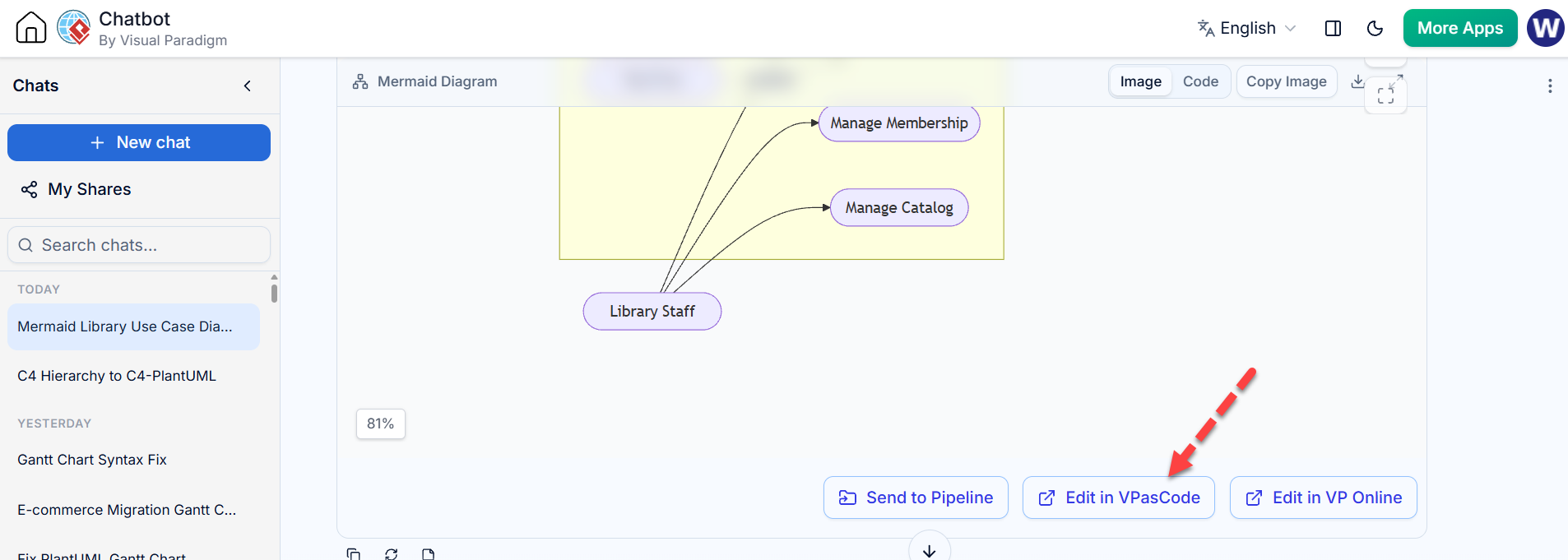
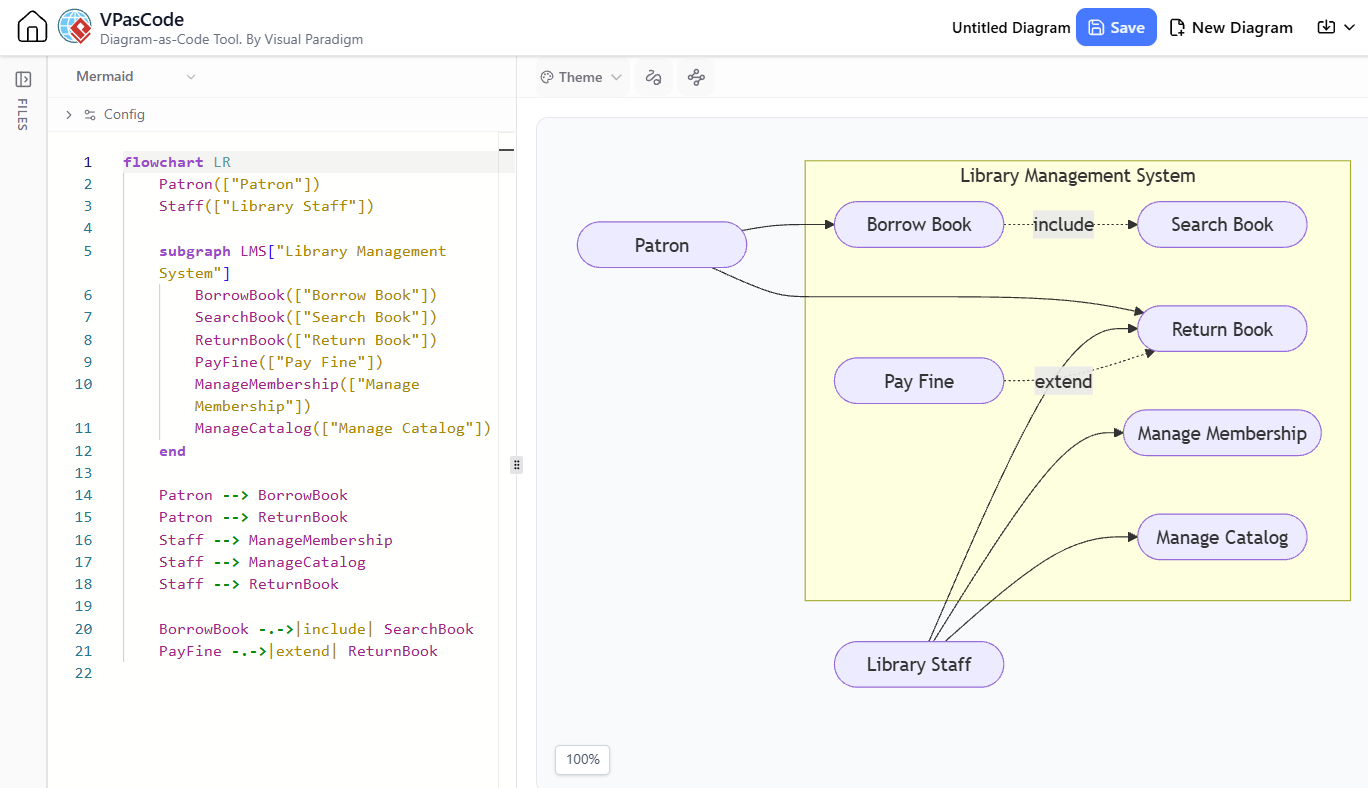
For teams practicing Diagram-as-Code, Visual Paradigm’s VPasCode editor includes native AI that generates PlantUML, Mermaid, and Graphviz directly from prompts. You can also use natural language to modify existing diagrams and receive side-by-side code diffs .

Example Diagram: Library Management System (Mermaid)

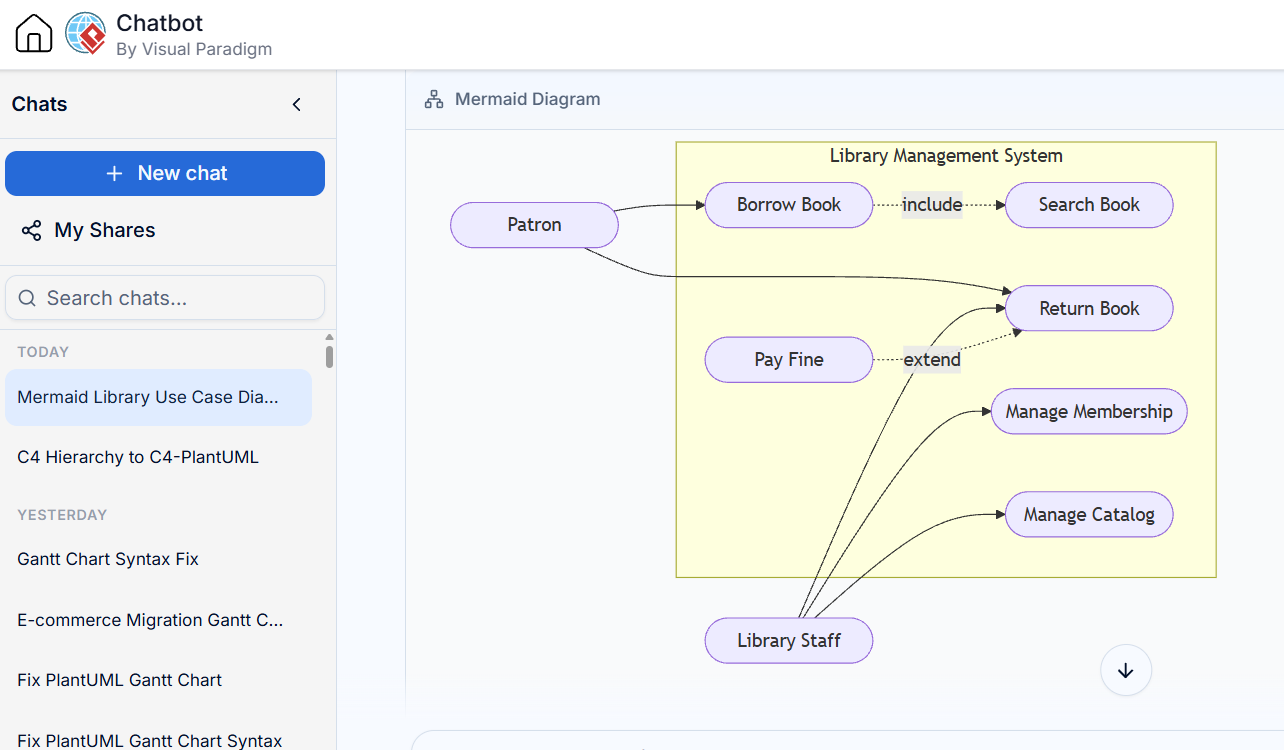
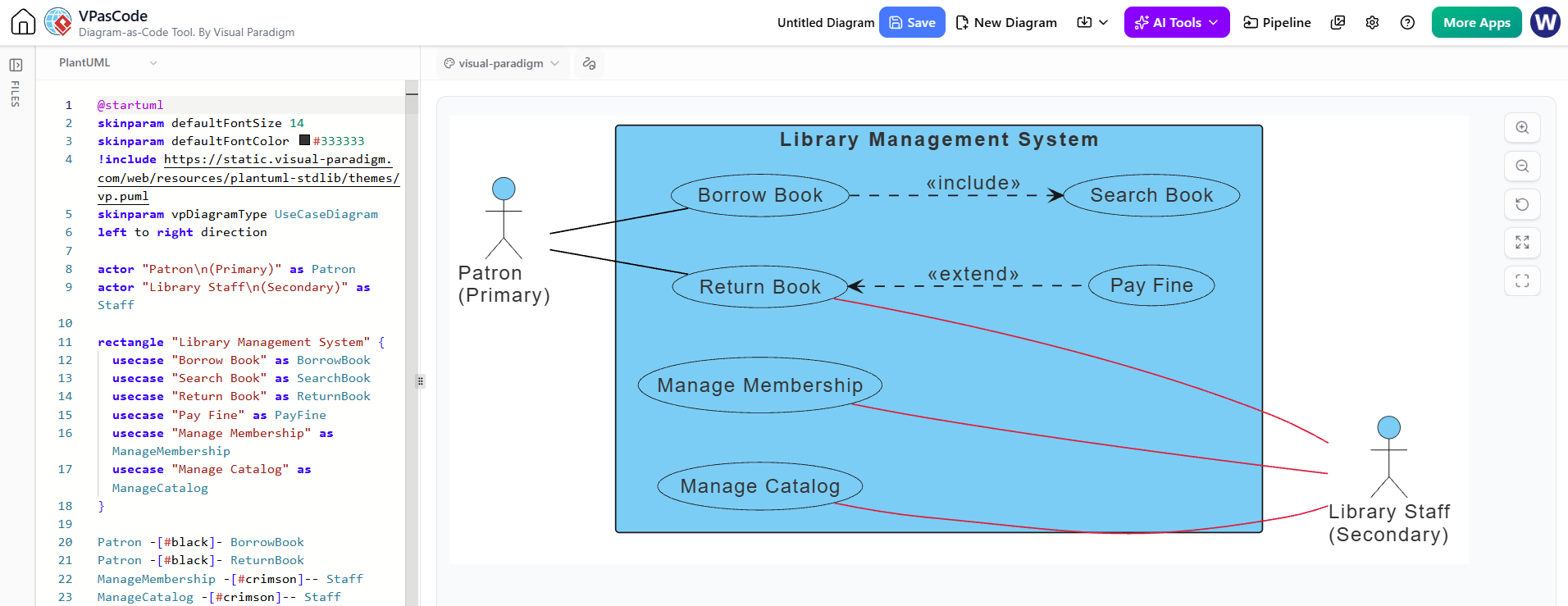
The following Mermaid code represents a use case diagram for a simplified Library Management System. It illustrates actors, system boundary, associations, and both «include» and «extend» relationships.

flowchart LR
    Patron(["Patron"])
    Staff(["Library Staff"])

    subgraph LMS["Library Management System"]
        BorrowBook(["Borrow Book"])
        SearchBook(["Search Book"])
        ReturnBook(["Return Book"])
        PayFine(["Pay Fine"])
        ManageMembership(["Manage Membership"])
        ManageCatalog(["Manage Catalog"])
    end

    Patron --> BorrowBook
    Patron --> ReturnBook
    Staff --> ManageMembership
    Staff --> ManageCatalog
    Staff --> ReturnBook

    BorrowBook -.->|include| SearchBook
    PayFine -.->|extend| ReturnBook


Diagram Notes:

  • Patron is the primary actor initiating borrowing and returning.

  • Library Staff is a secondary actor handling membership and catalog management.

  • Borrow Book includes Search Book because searching is a mandatory prerequisite in this simplified workflow .

  • Pay Fine extends Return Book because paying a fine is conditional—it only occurs when the return is late .


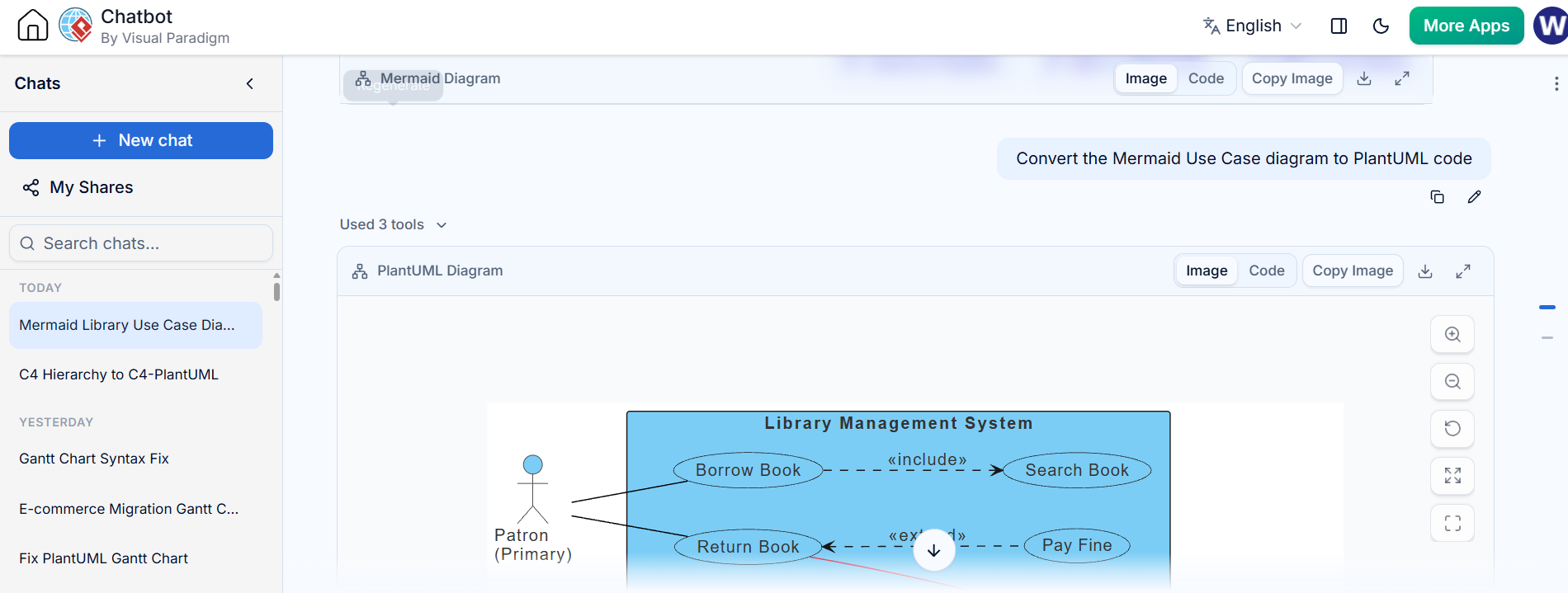
Convert to PlantUML Use Case Diagram:

Render the Use Case Diagram in PlantUML Code using VPasCode Tool:


@startuml
skinparam defaultFontSize 14
skinparam defaultFontColor #333333
!include https://static.visual-paradigm.com/web/resources/plantuml-stdlib/themes/vp.puml
skinparam vpDiagramType UseCaseDiagram
left to right direction

actor "Patron\n(Primary)" as Patron
actor "Library Staff\n(Secondary)" as Staff

rectangle "Library Management System" {
  usecase "Borrow Book" as BorrowBook
  usecase "Search Book" as SearchBook
  usecase "Return Book" as ReturnBook
  usecase "Pay Fine" as PayFine
  usecase "Manage Membership" as ManageMembership
  usecase "Manage Catalog" as ManageCatalog
}

Patron -[#black]- BorrowBook
Patron -[#black]- ReturnBook
ManageMembership -[#crimson]-- Staff
ManageCatalog -[#crimson]-- Staff
ReturnBook -[#crimson]-- Staff

BorrowBook ..> SearchBook : <<include>>
ReturnBook <.. PayFine : <<extend>>
@enduml

Tips and Tricks for Visual Paradigm Use Case Modeling

1. Start with AI, Then Refine Manually

Use Tools → AI Diagram Generation to create your first draft, but always review and edit. AI suggestions are starting points, not final answers. Rename vague use cases to goal-oriented verb-noun phrases (e.g., change “Payment” to “Process Payment”) .

2. Use the Resource Catalog for Rapid Associations

Instead of dragging lines manually, hover over an actor until the Resource Catalog icon appears. Drag it into the system boundary and select Association → Use Case. This automatically creates a properly named and connected use case .

3. Leverage the Flow of Events Editor for Testable Specifications

After drawing the diagram, right-click each use case and select Open Use Case Details → Flow of Events. Document the main success scenario as a numbered list. Use the Synchronize to Diagram button to auto-generate an activity or sequence diagram from the flow—a massive time-saver for design documentation .

4. Apply the “Authenticate User” Pattern

For systems requiring login, do not model authentication as a standalone use case connected to an actor. Instead, create an “Authenticate User” use case and have all protected use cases «include» it. This centralizes the behavior and keeps the diagram clean .

5. Use Actor Generalization for Role Hierarchies

If your system has roles like “Premium Customer” and “Standard Customer,” use Actor Generalization (solid line with hollow triangle). The specialized actor inherits all associations of the base actor, reducing duplicate lines and clarifying permissions .

6. Export to PlantUML/Mermaid for Version Control

Visual Paradigm supports exporting diagrams to PlantUML and Mermaid. For teams using Git, this enables Diagram-as-Code workflows where diagrams are reviewed in pull requests alongside code changes. Use VPasCode’s AI to generate or modify these textual representations .

7. Validate Completeness with the Actor-Goal Matrix

Before finalizing, create a simple table: rows = actors, columns = use cases, cells = “X” for associations. Any actor with no use cases or any use case with no actor is a red flag. Visual Paradigm’s AI candidate generation often surfaces missing pairs during this review .

Conclusion

Visual Paradigm transforms use case modeling from a purely manual diagramming exercise into an AI-augmented requirements discovery process. The use-case-driven approach ensures that every subsequent artifact—design, code, and tests—traces back to a validated user goal. By combining AI-generated starting points with human refinement, teams can produce standards-compliant, stakeholder-validated use case models in a fraction of the traditional time. The integration of Diagram-as-Code via Mermaid and PlantUML further extends this value to modern, version-controlled development workflows.

Leave a Reply