

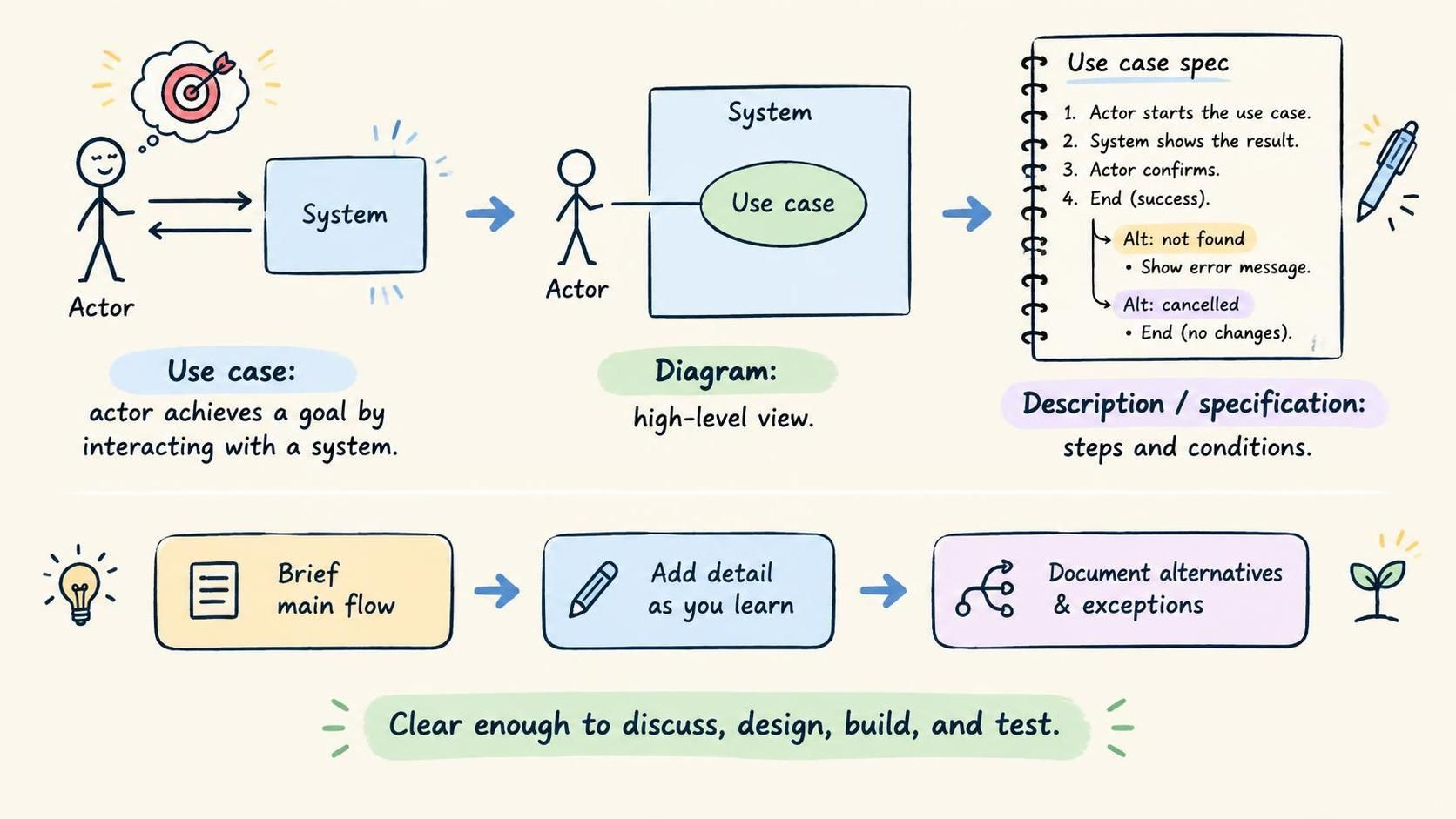
A use case describes a goal an actor achieves by interacting with a system. A use case description—also called a use case specification—explains the steps and conditions for achieving that goal. The diagram gives a high-level view; the description makes the behavior clear enough to discuss, design, build, and test. Use cases are usually elaborated iteratively: start with a brief main flow, add detail as you learn more, then document alternatives and exceptions.
1. Why write a use case description?
A use case description helps a team:
-
Clarify scope: agree what the system should do—and what is outside its boundary.
-
Align stakeholders: describe behavior in terms users and business stakeholders can review.
-
Reveal missing decisions: identify unclear rules, exceptions, permissions, and dependencies early.
-
Support design and implementation: provide a behavior-focused starting point without prematurely prescribing internal code.
-
Create test scenarios: turn each flow and outcome into something that can be checked.
-
Maintain traceability: link the goal to requirements, diagrams, and tests.
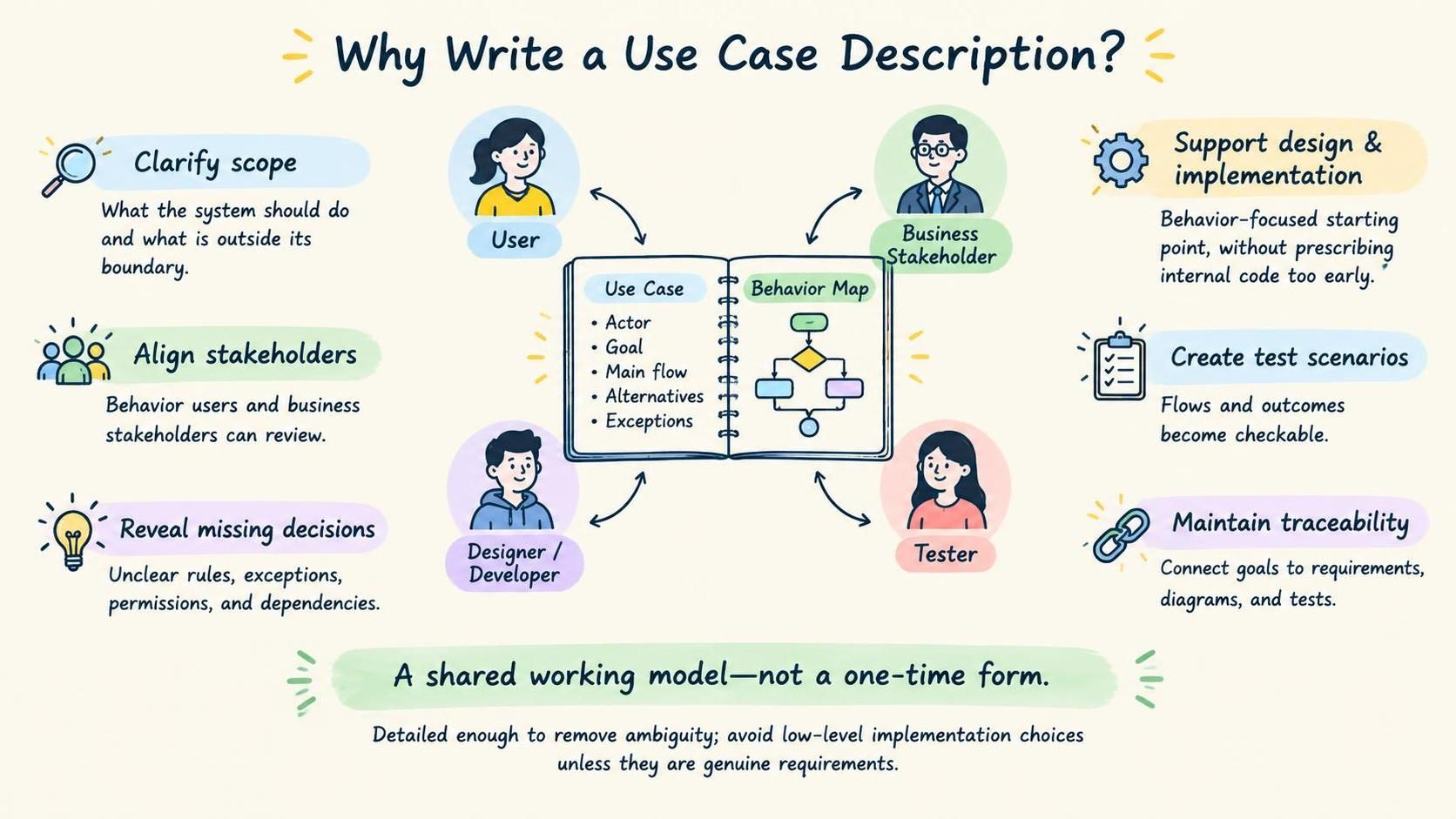
Treat it as a shared working model, not a one-time form to fill out. Keep it detailed enough to remove ambiguity, but avoid specifying low-level implementation choices unless they are genuine requirements.
2. Choose a useful use case
A good use case generally:
-
Has a clear goal that matters to an actor.
-
Starts when an actor or external event initiates it.
-
Ends with a defined outcome—or a clearly handled failure.
-
Describes observable behavior at the system boundary.
-
Is named as a goal, usually with a verb and object: Place Order, Reset Password, Withdraw Cash.
A step like “enter PIN” is usually too small to stand alone: it is one action within a larger goal such as Withdraw Cash. Conversely, “use the whole banking system” is too broad to be a useful single use case. Visual Paradigm’s guidance similarly emphasizes a single goal, start, and end, while allowing multiple paths through the use case.
3. What to include in the description
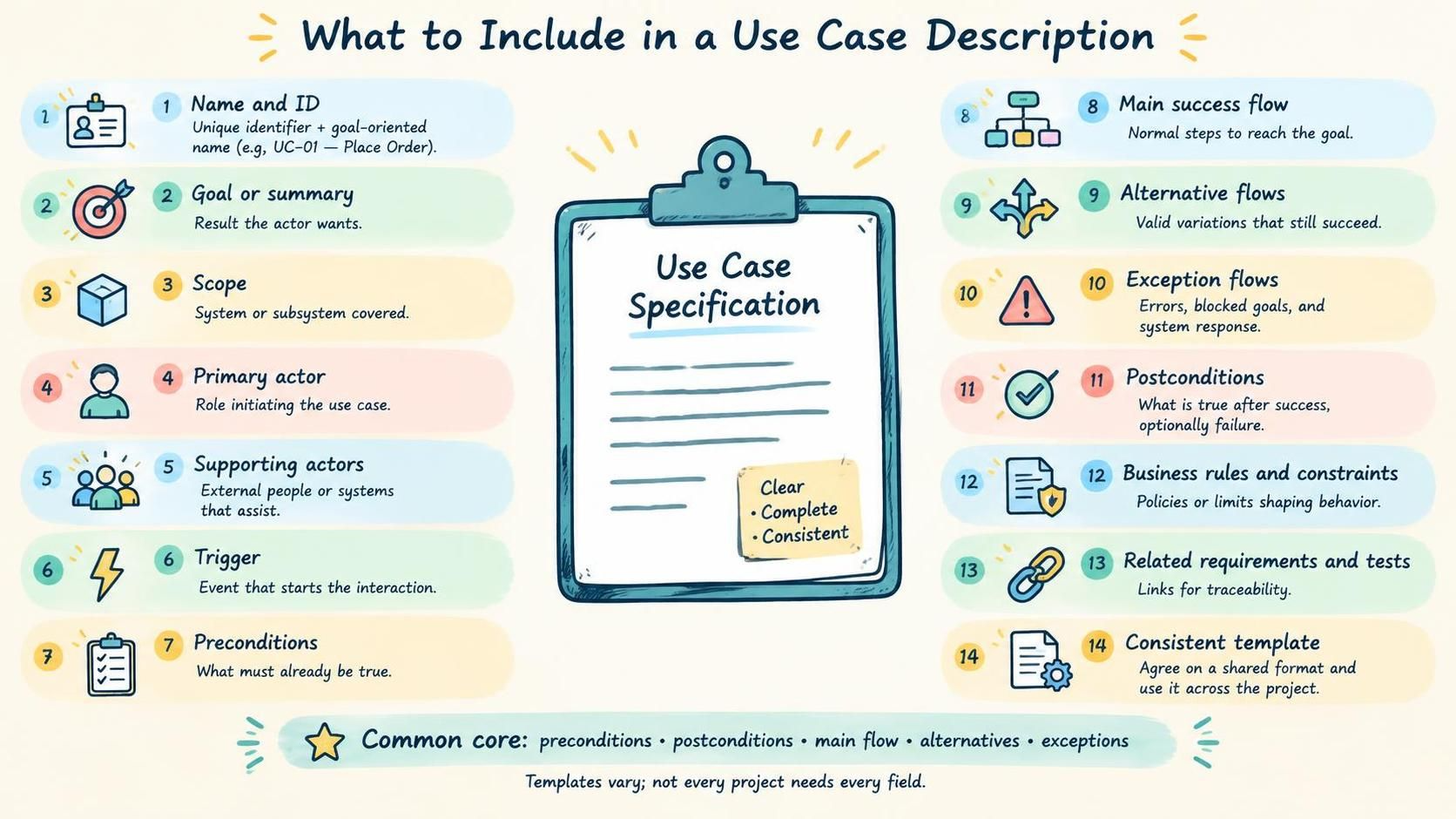
Teams may use different templates. A practical beginner-friendly description includes:
| Field | What to write |
|---|---|
| Name and ID | A unique identifier and goal-oriented name, such as UC-01 — Place Order. |
| Goal or summary | The result the actor wants. |
| Scope | The system or subsystem being described. |
| Primary actor | The role that initiates the use case to achieve the goal. |
| Supporting actors | External people or systems that assist, such as a payment service. |
| Trigger | The event that starts the interaction. |
| Preconditions | What must already be true before the flow starts. |
| Main success flow | The normal actor–system steps leading to the goal. |
| Alternative flows | Valid variations that still achieve the goal. |
| Exception flows | Errors or conditions that prevent the goal, and how the system responds. |
| Postconditions | What is true after success; optionally, what is true after failure. |
| Business rules and constraints | Policies or limits that shape behavior. |
| Related requirements and tests | Links that make the use case traceable through development. |
Not every project needs every field. Agree on a consistent template, then use it across the project. A use case specification commonly records preconditions, postconditions, a main flow, alternatives, and exceptions.
4. Write the flows clearly
Main success flow
Write a numbered exchange between the actor and the system. Each step should describe one meaningful action or response. Keep the wording at the level of what happens, not how the software is internally implemented.
A useful pattern is:
-
Actor does something.
-
System responds.
-
Actor makes a choice or provides information.
-
System validates or updates something.
-
System confirms the result.
Alternative flows
An alternative flow is a different valid route. Refer to the step where it branches, then say what happens and where the flow resumes. For example: “At step 4, if the customer chooses delivery, the system collects a delivery address; continue at step 6.”
Exception flows
An exception flow handles a problem or unmet condition. State the condition and the system’s response. For example: “At step 5, if the payment service declines the transaction, the system explains that payment was not completed and leaves the order unpaid.”
Avoid vague instructions such as “handle the error.” Specify the observable result: what the actor sees, whether the use case continues, and whether any data or status changes.
5. Example: Place an Order
ID and name: UC-01 — Place Order
Goal: A customer submits an order for available items.
Scope: Online shop
Primary actor: Customer
Supporting actor: Payment service
Trigger: Customer chooses to check out.
Preconditions: The shop is available; the customer has at least one item in the cart.
Success postconditions: The order is recorded with a unique reference; the customer receives confirmation.
Failure postcondition: If payment is not completed, no paid order is recorded.
Main success flow
-
The customer starts checkout.
-
The system shows the cart contents and current total.
-
The customer confirms the items and provides the required delivery details.
-
The system checks that the items are available and the details are complete.
-
The system shows the final total, including applicable charges.
-
The customer confirms the order and submits payment.
-
The system requests payment authorization from the payment service.
-
The payment service approves the payment.
-
The system records the order and marks it as paid.
-
The system shows an order reference and confirmation.
Alternative flow — item unavailable
-
At step 4, if an item is unavailable, the system identifies it and asks the customer to update the cart.
-
The customer changes or removes the item.
-
The flow resumes at step 2.
Exception flow — payment not approved
-
At step 8, if the payment service does not approve payment, the system tells the customer that payment was not completed.
-
The system does not mark the order as paid.
-
The customer may try another payment method or leave checkout.
Business rules to confirm
-
Which delivery details are mandatory?
-
When is stock reserved: during checkout or only after payment?
-
Can the customer retry payment on the same order?
-
What should happen if a payment response is delayed?
These questions are useful requirements work—not details to silently guess.
6. Creating and elaborating it in Visual Paradigm Desktop
Visual Paradigm Desktop’s use case details feature provides places to record general information, flows of events, requirements, additional diagrams, test plans, and references. The documented access path is to right-click a use case in a use case diagram and choose Use Case Details….
-
Create or open a project and use case diagram. Add the system boundary, actors, and goal-level use cases. Connect each actor to the use cases they participate in.
-
Create a use case for one actor goal. Use a name such as Place Order, not a screen name or internal implementation task.
-
Open its details. Right-click the use case shape and choose Use Case Details….
-
Record the basic information. Add a short summary, relevant actors, and priority or justification if your team uses those fields. Actors connected to the use case may be listed automatically; supporting actors can be added in the details.
-
Write the event flow. Start with the normal success path. Then add alternate and exception paths, clearly indicating their branch point and where they return—or that the use case ends. Visual Paradigm’s flow editor supports multiple flows and extensions to events.
-
Add preconditions and postconditions. Keep preconditions limited to facts that must already be true. Describe outcomes that can be observed or verified.
-
Link related requirements. Add existing requirements to the use case where appropriate; Visual Paradigm also supports inserting requirement links in supported detail fields.
-
Add supporting diagrams only when useful. A sequence diagram can clarify interactions among the actor, system, and external services; an activity diagram can clarify branching logic. Visual Paradigm lets you associate sub-diagrams with a use case.
-
Add test-planning notes. Record test setup and configuration in the test plan area; the event flows can inform detailed test procedures.
-
Review and generate documentation. Review the specification with stakeholders and the development and test teams. Visual Paradigm supports producing a use case specification report from documented use case details.
The precise labels and layout can vary by Visual Paradigm version. If a menu or tab name differs in your installation, use the application’s help or search its user guide for Documenting use case details.
7. How the description feeds later development
Think of the use case as a bridge from a user goal to progressively more detailed work:
-
Requirements review: Stakeholders confirm the goal, scope, terminology, business rules, and expected outcomes. Unresolved questions become decisions or new requirements—not assumptions hidden in the flow.
-
Analysis and design: Use the main and alternate flows to identify system responsibilities, external services, data needed, and important decision points. Add sequence or activity diagrams when they make a behavior clearer.
-
Planning: Prioritize use cases based on user or business value, risk, and dependencies. Break a larger use case into development-sized tasks or stories while retaining a link back to the goal.
-
Implementation: Developers use the agreed behavior and rules as a reference. The description should guide behavior, but it does not dictate a particular architecture or code structure unless that is separately specified.
-
Testing: Derive tests from the main flow, each alternative, each exception, and relevant business rules. Verify both the outcome and important state changes.
-
Acceptance and maintenance: Review whether the delivered system meets the described goal. When behavior changes, update the use case and related requirements, designs, and tests so the documentation stays aligned.
For the order example, the main success flow suggests a test for a successful checkout. The “item unavailable” alternative suggests checking that the customer can revise the cart. The payment exception suggests checking that a declined payment does not mark the order as paid.
8. Beginner quality checklist
Before treating a description as ready for review, check:
-
Does the name express an actor goal?
-
Is the system boundary clear?
-
Can a non-technical stakeholder follow the main flow?
-
Does every step say who acts—the actor or the system?
-
Are alternatives and failures described, not just the ideal path?
-
Are preconditions and postconditions testable?
-
Are business rules and unresolved questions visible?
-
Can each important flow be turned into a test?
-
Are related requirements linked, and are changes reflected in related artifacts?
-
Is the description detailed enough for the next decision, without burying the reader in UI or code details?
Start with a concise main flow, review it with people who understand the work, and elaborate the branches that matter. That approach keeps the description useful both for beginners and for the software team that will build and verify the system.