

Introduction
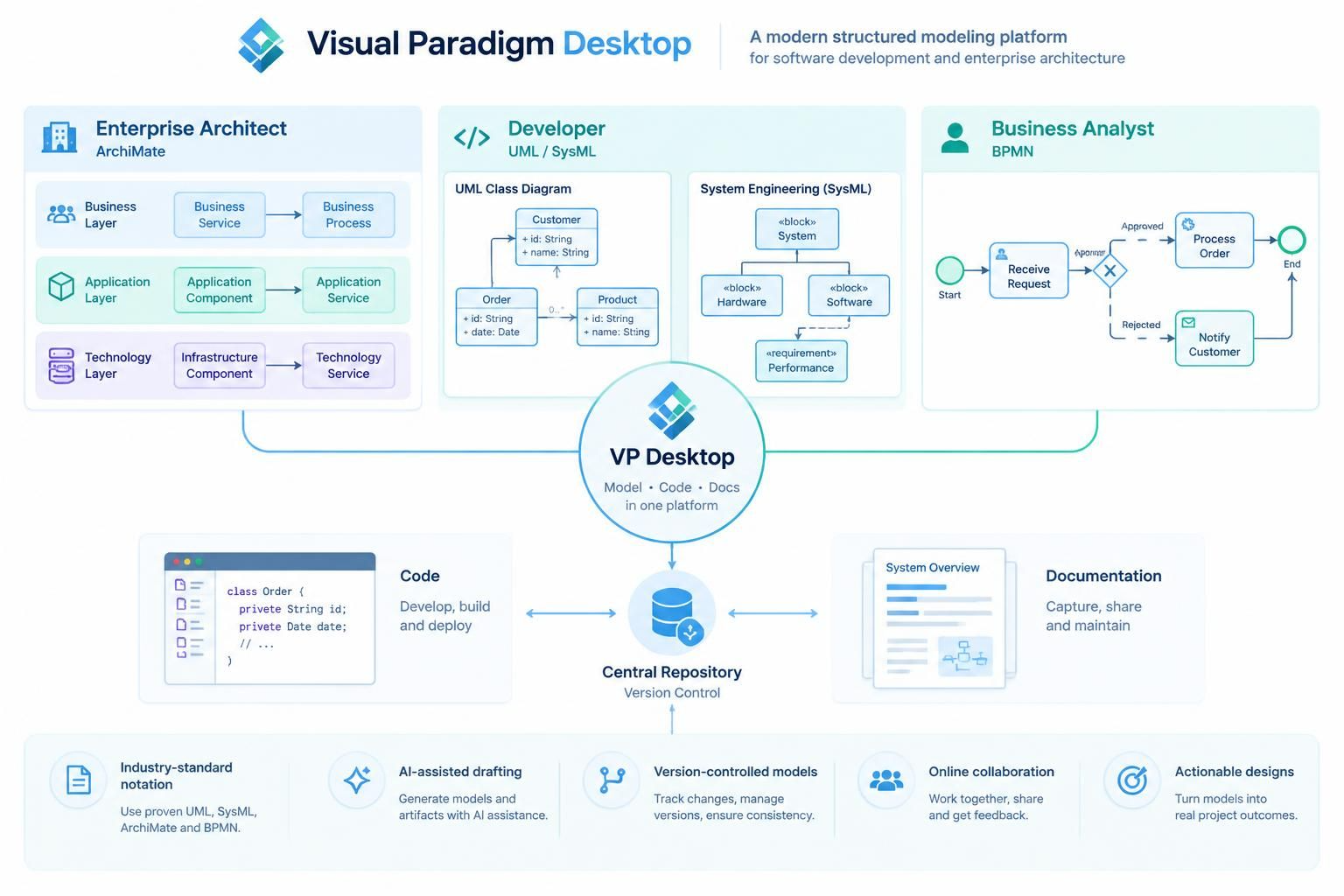
In today’s fast-paced software development and enterprise architecture landscape, static diagrams are no longer sufficient. Teams need structured, maintainable, and interconnected models that evolve alongside their code and documentation. Visual Paradigm Desktop (VP Desktop) has emerged as a powerhouse solution, bridging the gap between traditional visual modeling and modern DevOps practices.
This guide explores how VP Desktop transforms project modeling by integrating industry-standard notation, AI-assisted drafting, and seamless online collaboration. Whether you are an Enterprise Architect using ArchiMate, a Developer working with UML/sysml, or a Business Analyst mapping BPMN processes, this workflow ensures your designs remain aligned, version-controlled, and actionable.
Key Concepts
Before diving into the tooling, it is essential to understand the core principles that define the VP Desktop approach:
1. Structured Models vs. Static Images
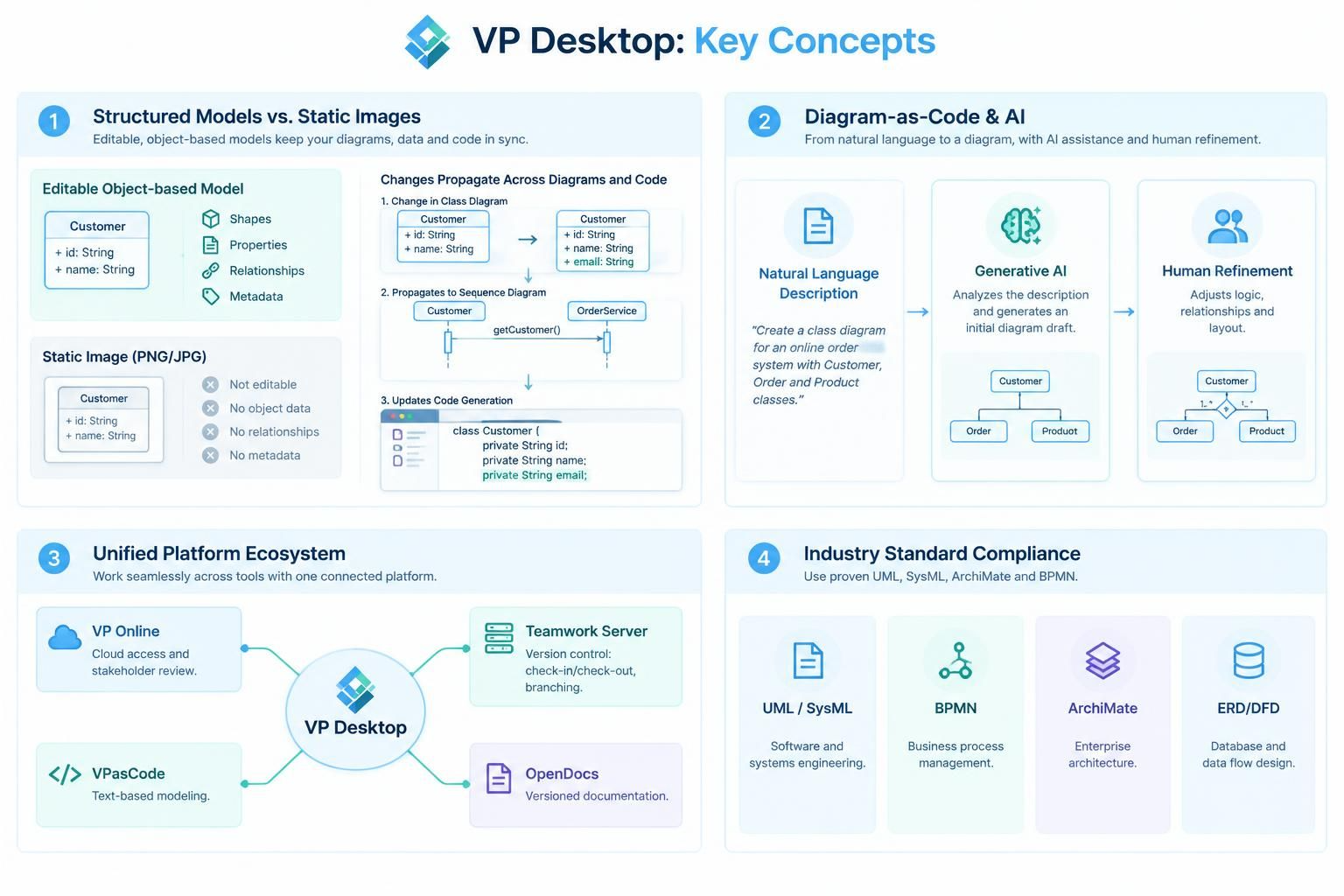
Unlike drawing tools that produce standalone images (e.g., PNG/JPG), VP Desktop creates editable project models. Every shape in a diagram is an object with properties, relationships, and metadata. If you update a class in a Class Diagram, that change can automatically reflect in related Sequence Diagrams or Code Generation outputs.
2. Diagram-as-Code & AI Integration
Modern teams demand speed. VP Desktop leverages Generative AI to convert natural language text descriptions into initial diagram drafts. This “AI-first” approach reduces the manual effort of placing shapes and connectors, allowing modelers to focus on refinement and logic rather than layout.
3. Unified Platform Ecosystem
VP Desktop does not exist in isolation. It integrates with:
-
VP Online: For cloud-based accessibility and stakeholder review.
-
Teamwork Server: For robust version control (check-in/check-out, branching).
-
VPasCode: For text-based modeling workflows.
-
OpenDocs: For generating versioned documentation from models.
4. Industry Standard Compliance
VP Desktop supports a wide array of standards, ensuring interoperability and professional rigor:
Tooling Deep Dive: The VP Desktop Workflow
The power of Visual Paradigm lies in the synergy between its desktop application, embedded AI features, and online integration. Here is how these components work together in a practical workflow.
Phase 1: AI-Assisted Drafting (Speed)
Gone are the days of starting from a blank canvas. VP Desktop’s embedded AI tools allow you to generate complex diagrams from simple text prompts.
-
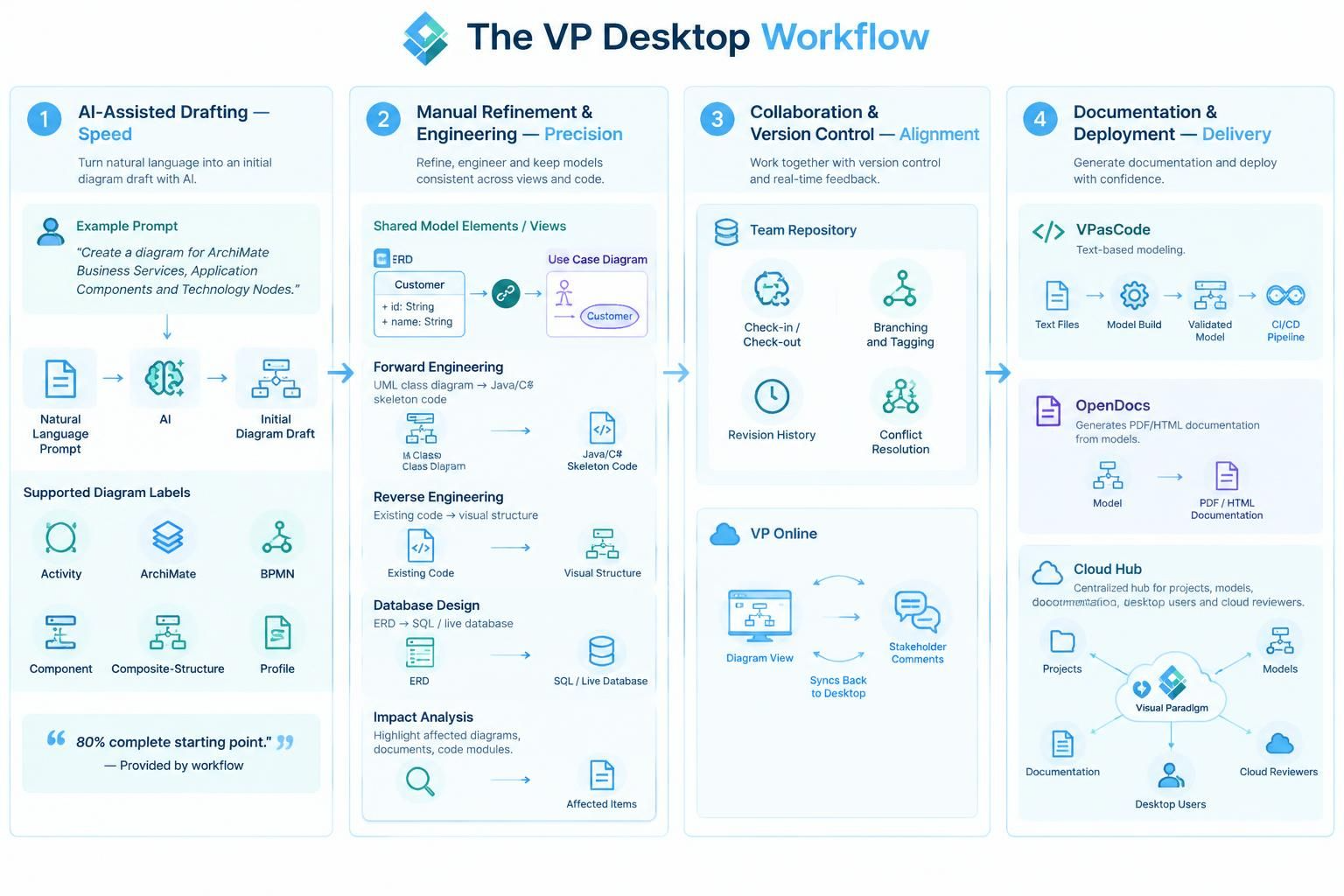
How it Works: You describe the system or process in natural language (e.g., “Create an ArchiMate diagram showing the relationship between Business Services, Application Components, and Technology Nodes”).
-
Supported Diagrams: Recent updates support AI generation for Activity, ArchiMate, BPMN, Component, Composite-Structure, and Profile diagrams.
-
Benefit: This provides a 80% complete starting point, drastically reducing setup time and ensuring standard-compliant structure from the outset.
Phase 2: Manual Refinement & Engineering (Precision)
Once the AI generates the initial draft, you switch to manual editing to add precision and depth.
-
Connected Diagrams: Because VP Desktop uses structured models, you can create multiple views of the same underlying elements. For example, a “Customer” entity defined in an ERD can be referenced in a Use Case Diagram without duplication.
-
Code & Database Engineering:
-
Forward Engineering: Generate skeleton code (Java, C#, etc.) directly from UML class diagrams.
-
Reverse Engineering: Import existing codebases to visualize their structure.
-
Database Design: Transform ERDs into SQL scripts or sync with live databases.
-
-
Impact Analysis: Before making changes, use VP’s impact analysis tools to see which other diagrams, documents, or code modules will be affected.
Phase 3: Collaboration & Version Control (Alignment)
Models are living artifacts that require team input. VP Desktop integrates with robust collaboration tools to prevent chaos.
-
Team Repository: Utilize check-in/check-out mechanisms to prevent conflicting edits. Features include:
-
Branching and Tagging for release management.
-
Revision History to track who changed what and when.
-
Conflict Resolution tools to merge changes safely.
-
-
Stakeholder Commenting: Share specific diagram views with non-technical stakeholders via VP Online. They can leave comments directly on the model, which sync back to the Desktop client for resolution.
Phase 4: Documentation & Deployment (Delivery)
The final step is turning models into actionable deliverables.
-
VPasCode & Diagram-as-Code: For teams preferring text-based workflows, VPasCode allows you to define models in code-like syntax, which VP Desktop can render and validate. This fits seamlessly into CI/CD pipelines.
-
OpenDocs Integration: Automatically generate comprehensive project documentation (PDF/HTML) from your models. As the model updates, so does the documentation, ensuring it never goes stale.
-
Visual Paradigm Unified Platform: Access all your projects, models, and documentation from a centralized cloud hub, bridging the gap between desktop power-users and cloud-based reviewers.
Practical Use Cases
| Role | Primary Diagram Types | Value Proposition |
|---|---|---|
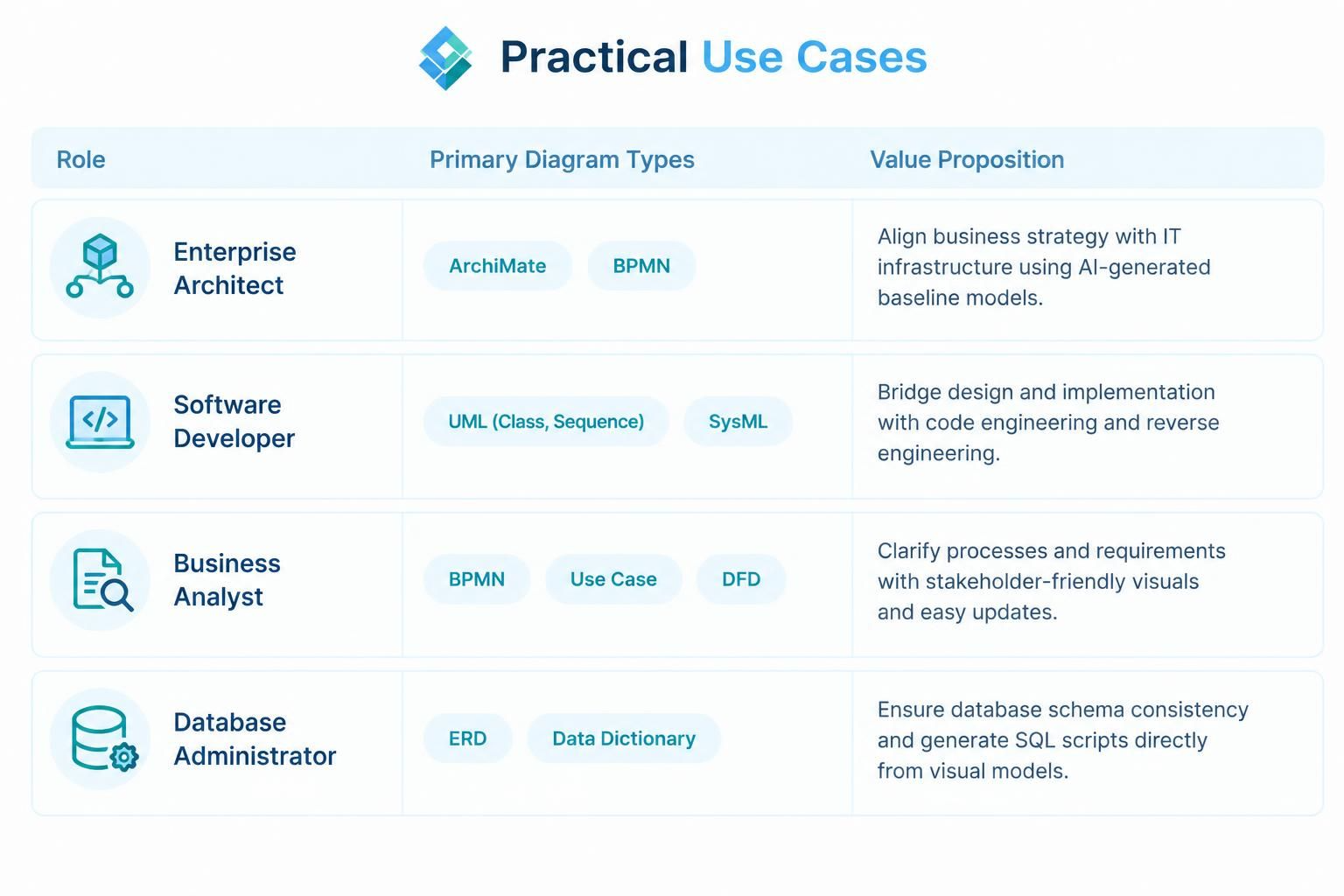
| Enterprise Architect | ArchiMate, BPMN | Align business strategy with IT infrastructure using AI-generated baseline models. |
| Software Developer | UML (Class, Sequence), SysML | Bridge design and implementation with code engineering and reverse engineering. |
| Business Analyst | BPMN, Use Case, DFD | Clarify processes and requirements with stakeholder-friendly visuals and easy updates. |
| Database Administrator | ERD, Data Dictionary | Ensure database schema consistency and generate SQL scripts directly from visual models. |
Getting Started: Best Practices
-
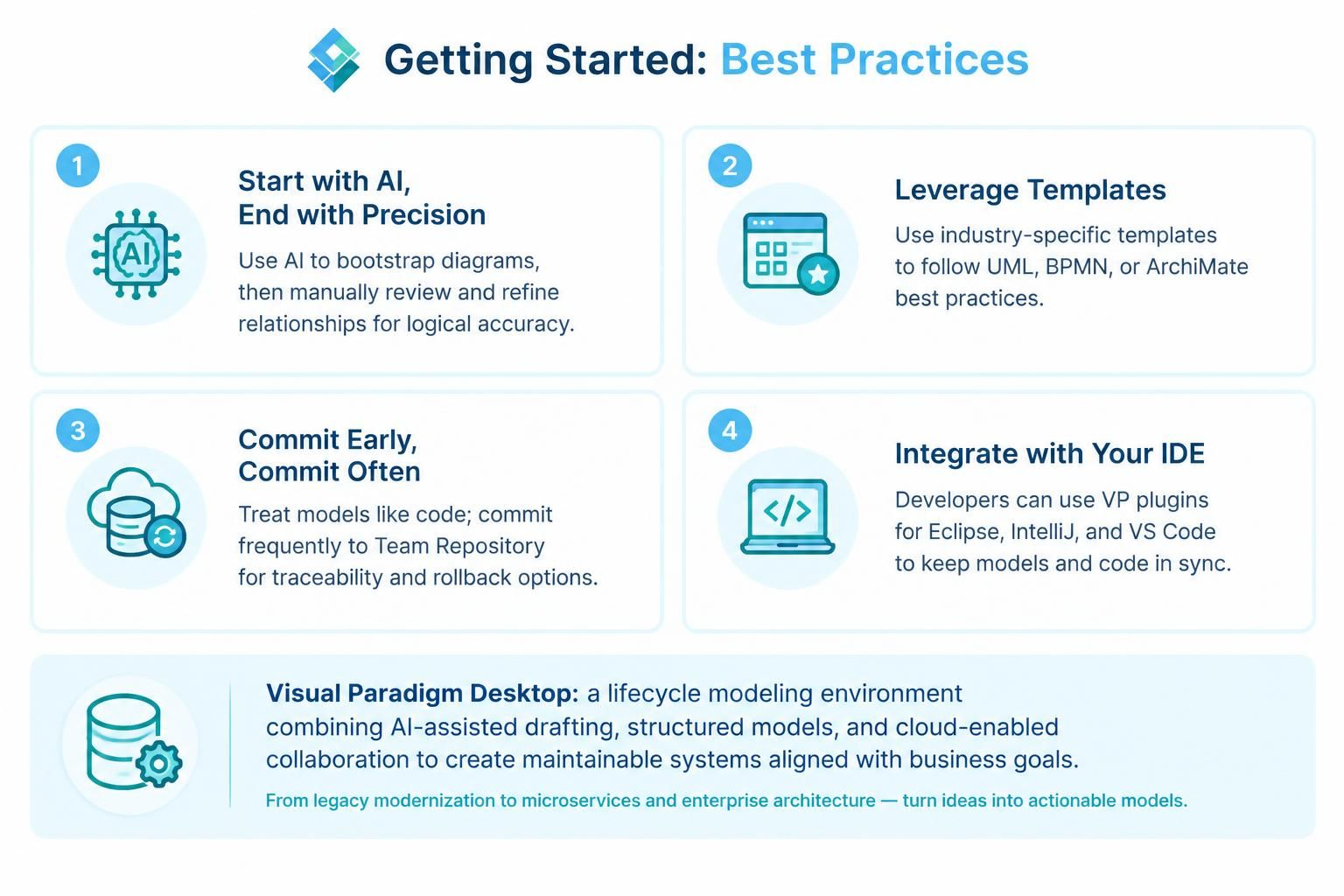
Start with AI, End with Precision: Use AI to bootstrap your diagrams, but always review and refine the relationships manually to ensure logical accuracy.
-
Leverage Templates: VP Desktop comes with industry-specific templates. Start with these to ensure you’re following best practices for UML, BPMN, or ArchiMate.
-
Commit Early, Commit Often: Treat your models like code. Use the Team Repository to commit changes frequently, enabling better traceability and rollback options.
-
Integrate with Your IDE: If you’re a developer, install the VP plugins for your preferred IDE (Eclipse, IntelliJ, VS Code) to keep your models and code in sync.
Conclusion
Visual Paradigm Desktop is more than a drawing tool; it is a comprehensive modeling environment that supports the entire lifecycle of project design. By combining the speed of AI-driven drafting, the rigor of structured modeling, and the flexibility of cloud-enabled collaboration, VP Desktop empowers teams to build systems that are not only well-designed but also maintainable and aligned with business goals.
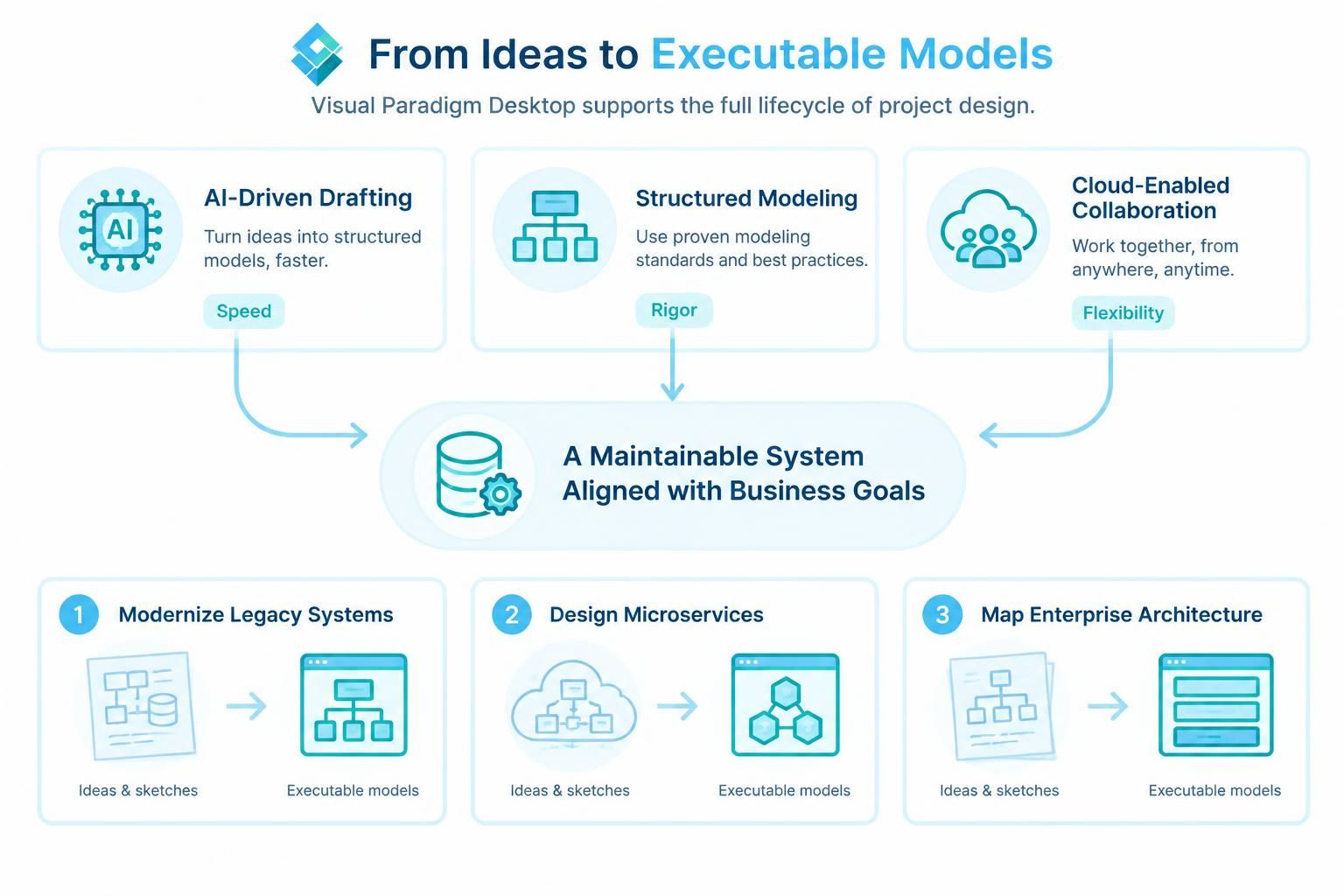
Whether you are modernizing legacy systems, designing new microservices, or mapping enterprise architecture, VP Desktop provides the toolkit needed to turn abstract ideas into concrete, executable models.