

Introduction
Diagram-as-code has revolutionized how technical teams document architecture, workflows, and system designs. Among the leading tools in this space, Mermaid.js stands out for its simplicity and versatility. However, while standard Mermaid.js provides a solid foundation, Visual Paradigm’s VPasCode platform elevates the experience by combining a powerful browser-based editor with AI-driven generation, advanced styling, and multi-syntax support.
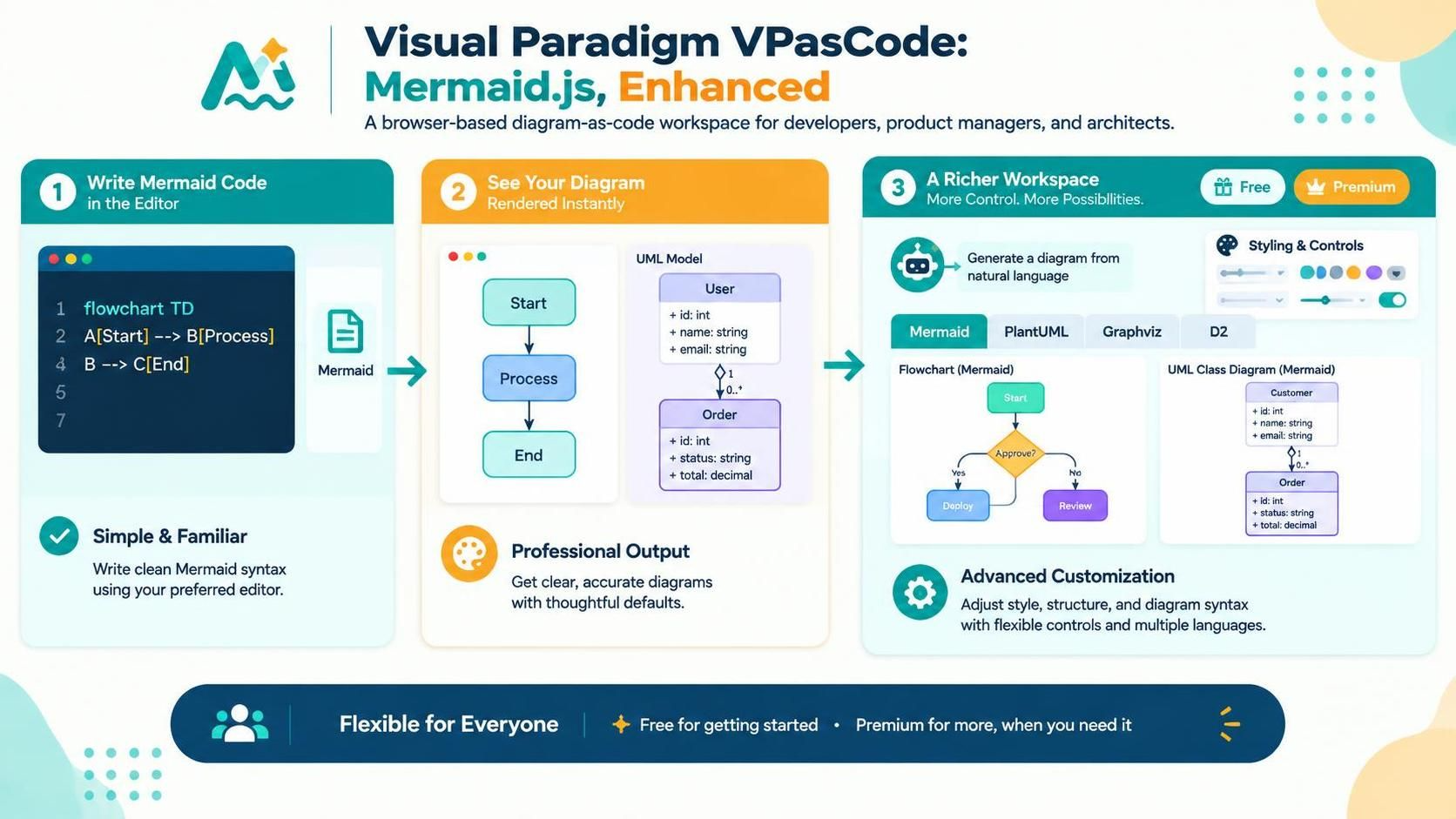
This guide explores how Visual Paradigm enhances Mermaid.js capabilities, offering both free and premium features that cater to developers, product managers, and architects who want to create professional-grade diagrams efficiently. Whether you’re drafting a simple flowchart or generating complex UML models from natural language, VPasCode streamlines the entire process.
Key Concepts
1. What is Mermaid.js?
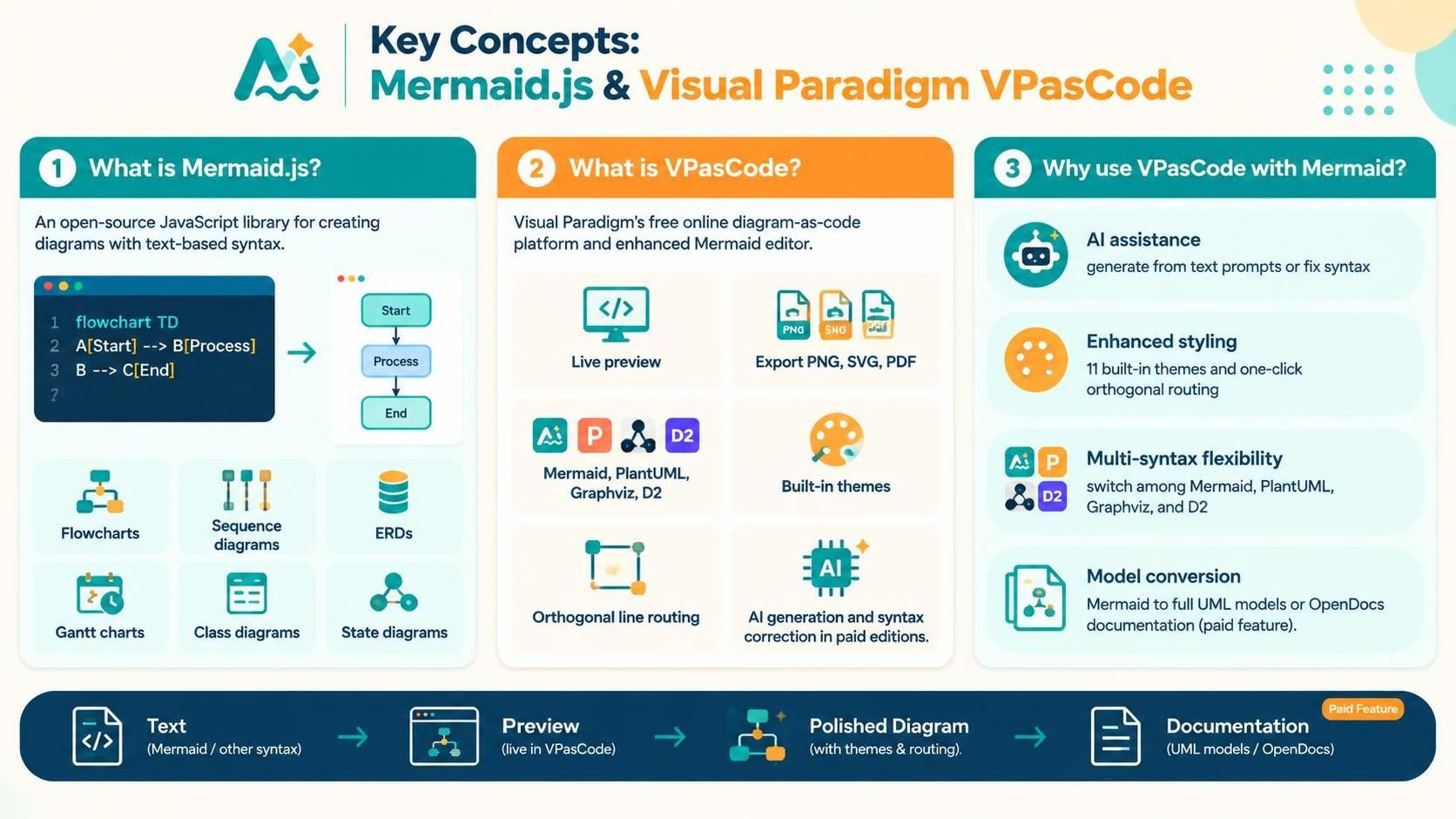
Mermaid.js is an open-source JavaScript library that allows users to create diagrams using text-based syntax. It supports various diagram types, including:
-
Entity-Relationship Diagrams (ERDs)
2. What is VPasCode?
VPasCode is Visual Paradigm’s free online diagram-as-code platform. It serves as an enhanced Mermaid editor with additional features such as:
-
Live preview rendering
-
Export options (PNG, SVG, PDF)
-
Support for multiple syntaxes (Mermaid, PlantUML, Graphviz, D2)
-
Built-in themes and orthogonal line routing
-
AI-powered diagram generation and syntax correction (in paid editions)
3. Why Use Visual Paradigm with Mermaid?
-
AI Assistance: Generate diagrams from text prompts or fix syntax errors automatically.
-
Enhanced Styling: Access to 11 built-in themes and one-click orthogonal routing for cleaner layouts.
-
Multi-Syntax Flexibility: Switch between Mermaid, PlantUML, Graphviz, and D2 within the same workspace.
-
Model Conversion: Convert Mermaid code into full UML models or OpenDocs documentation (paid feature).
Diagram Examples Using Mermaid Code
Example 1: Simple Flowchart
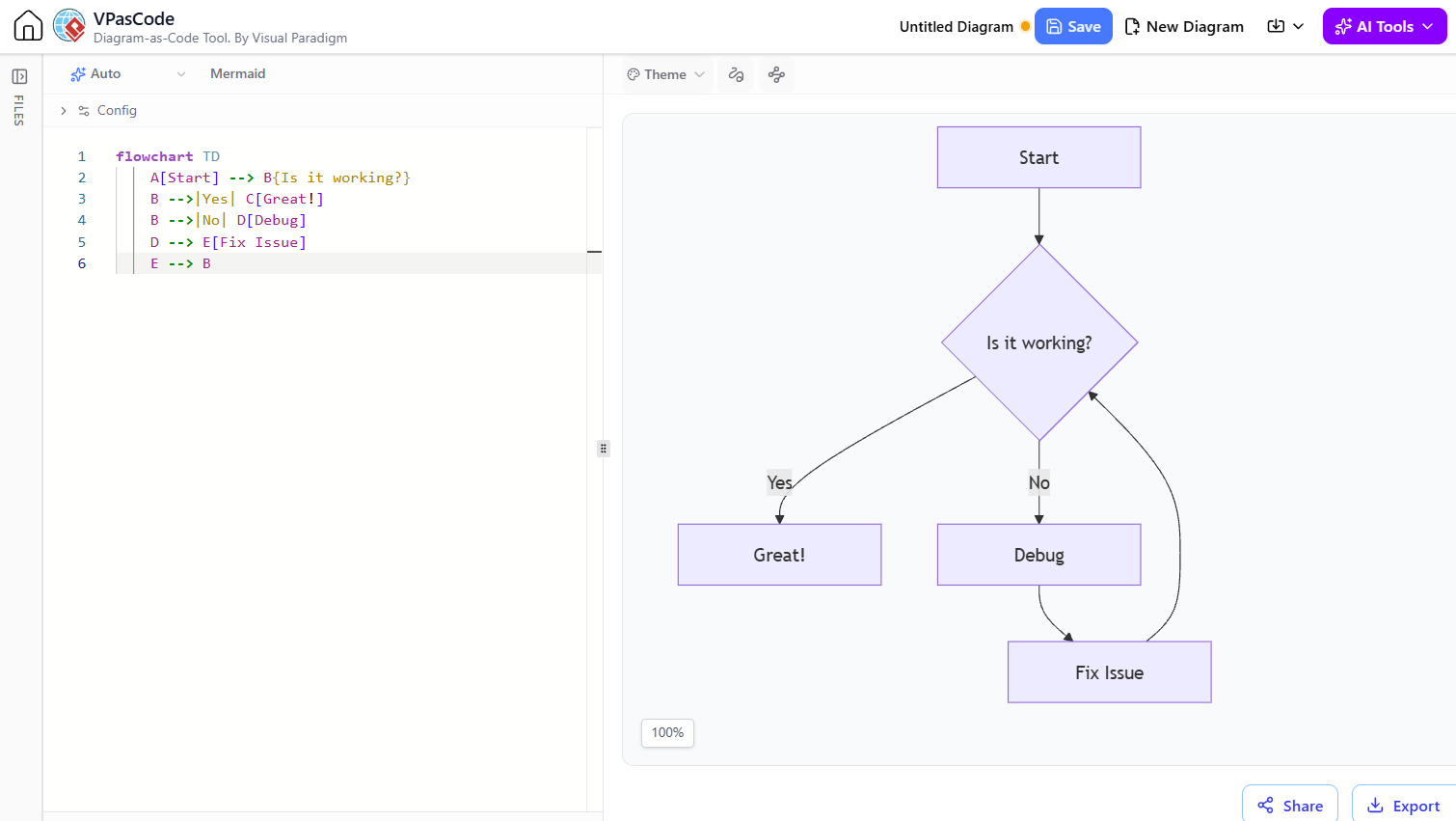
flowchart TD
    A[Start] --> B{Is it working?}
    B -->|Yes| C[Great!]
    B -->|No| D[Debug]
    D --> E[Fix Issue]
    E --> B
Example 2: Sequence Diagram
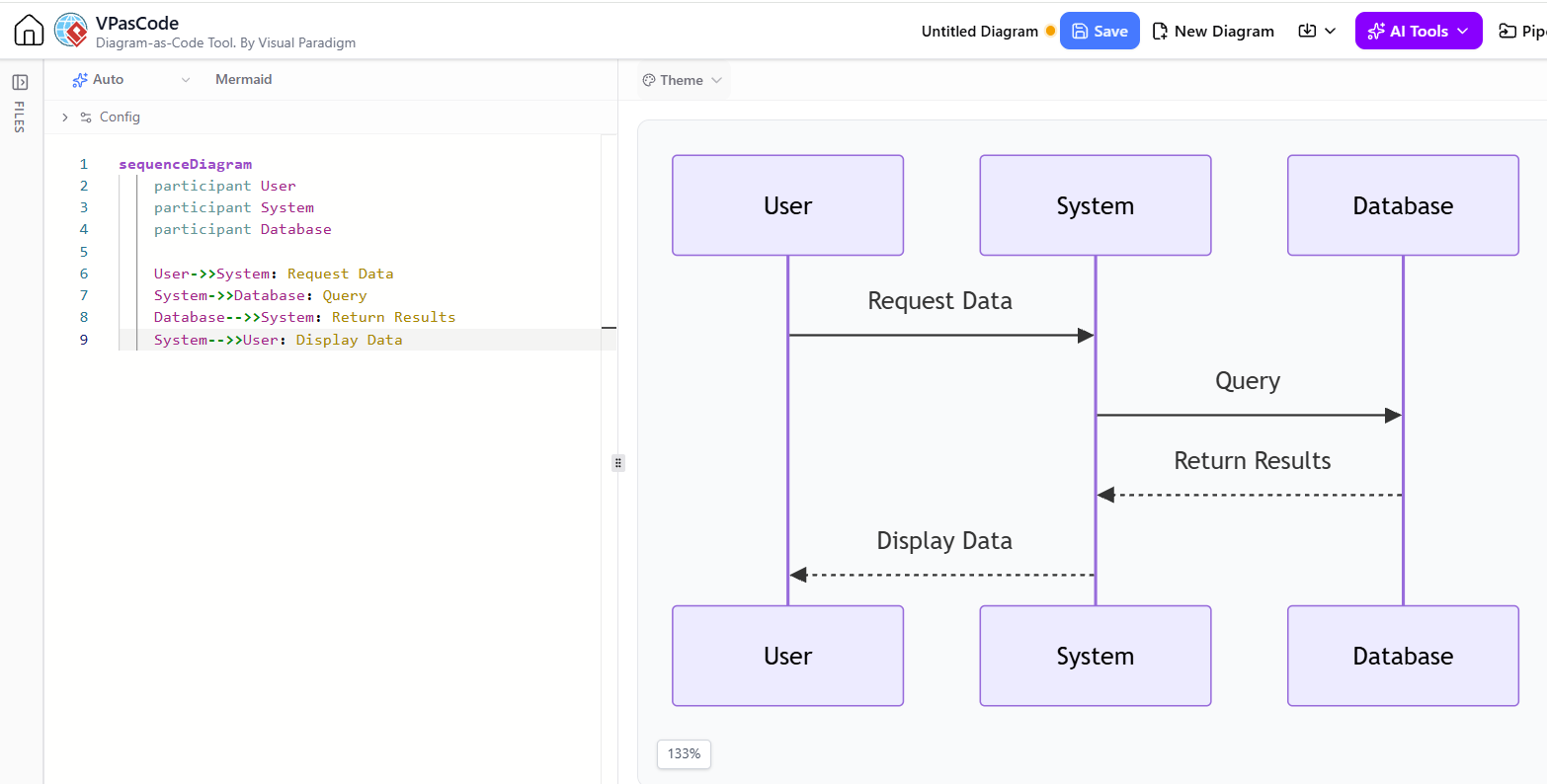
sequenceDiagram
    participant User
    participant System
    participant Database

    User->>System: Request Data
    System->>Database: Query
    Database-->>System: Return Results
    System-->>User: Display Data
Example 3: Entity-Relationship Diagram (ERD)
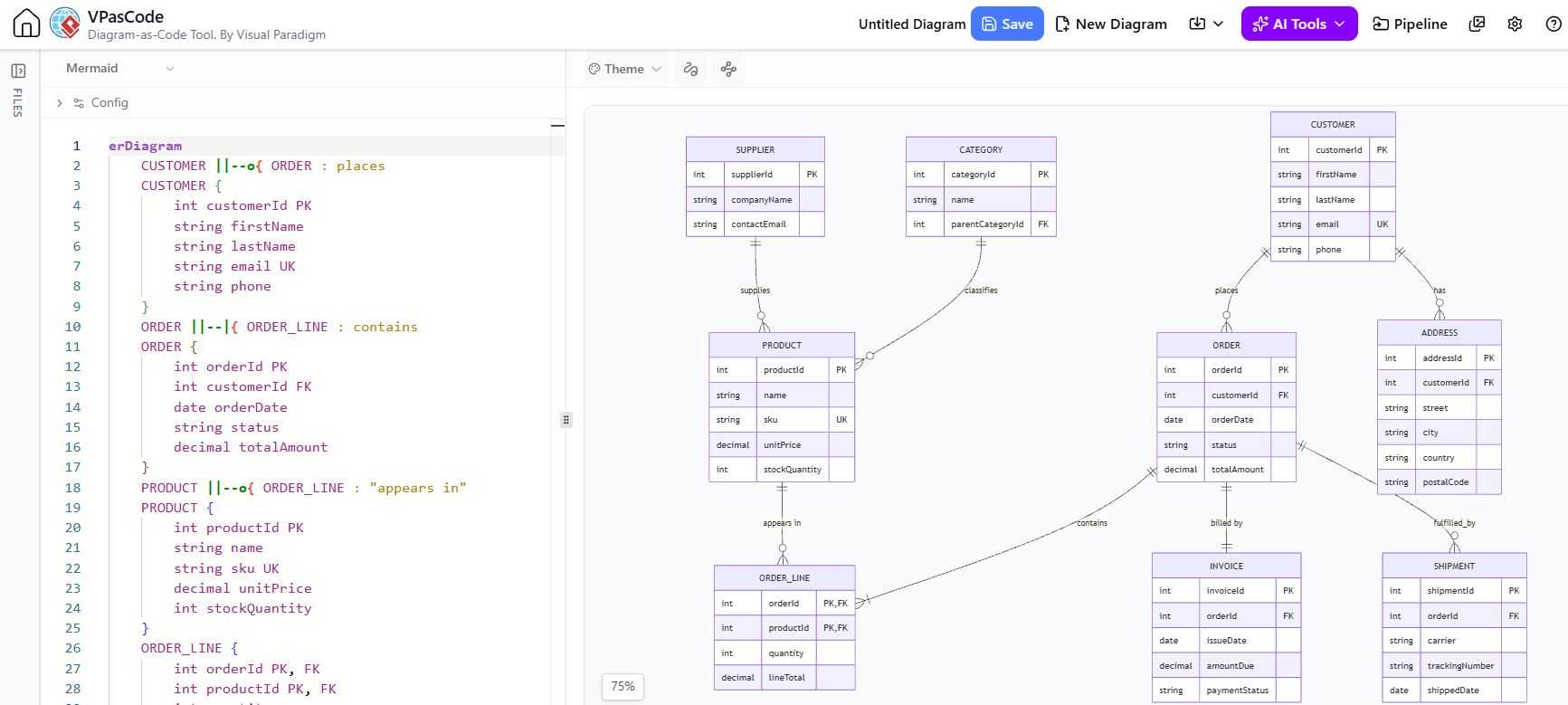
erDiagram
    CUSTOMER ||--o{ ORDER : places
    CUSTOMER {
        int customerId PK
        string firstName
        string lastName
        string email UK
        string phone
    }
    ORDER ||--|{ ORDER_LINE : contains
    ORDER {
        int orderId PK
        int customerId FK
        date orderDate
        string status
        decimal totalAmount
    }
    PRODUCT ||--o{ ORDER_LINE : "appears in"
    PRODUCT {
        int productId PK
        string name
        string sku UK
        decimal unitPrice
        int stockQuantity
    }
    ORDER_LINE {
        int orderId PK, FK
        int productId PK, FK
        int quantity
        decimal lineTotal
    }
    SUPPLIER ||--o{ PRODUCT : supplies
    SUPPLIER {
        int supplierId PK
        string companyName
        string contactEmail
    }
    CATEGORY ||--o{ PRODUCT : classifies
    CATEGORY {
        int categoryId PK
        string name
        int parentCategoryId FK
    }
    ORDER ||--|| INVOICE : "billed by"
    INVOICE {
        int invoiceId PK
        int orderId FK
        date issueDate
        decimal amountDue
        string paymentStatus
    }
    CUSTOMER ||--o{ ADDRESS : "has"
    ADDRESS {
        int addressId PK
        int customerId FK
        string street
        string city
        string country
        string postalCode
    }
    ORDER ||--o{ SHIPMENT : fulfilled_by
    SHIPMENT {
        int shipmentId PK
        int orderId FK
        string carrier
        string trackingNumber
        date shippedDate
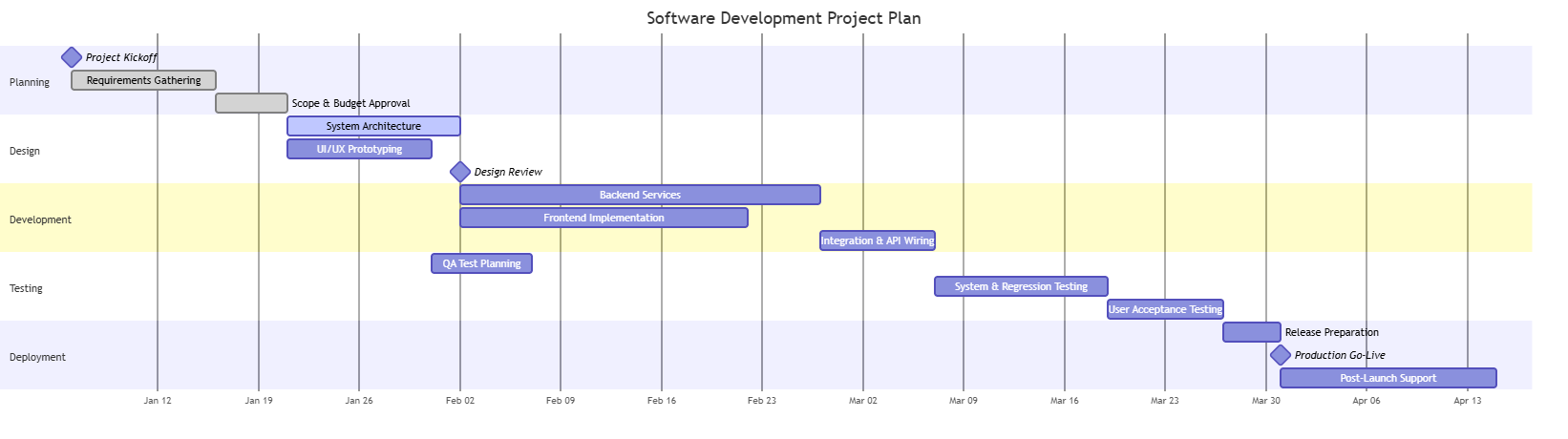
}Example 4: Gantt Chart
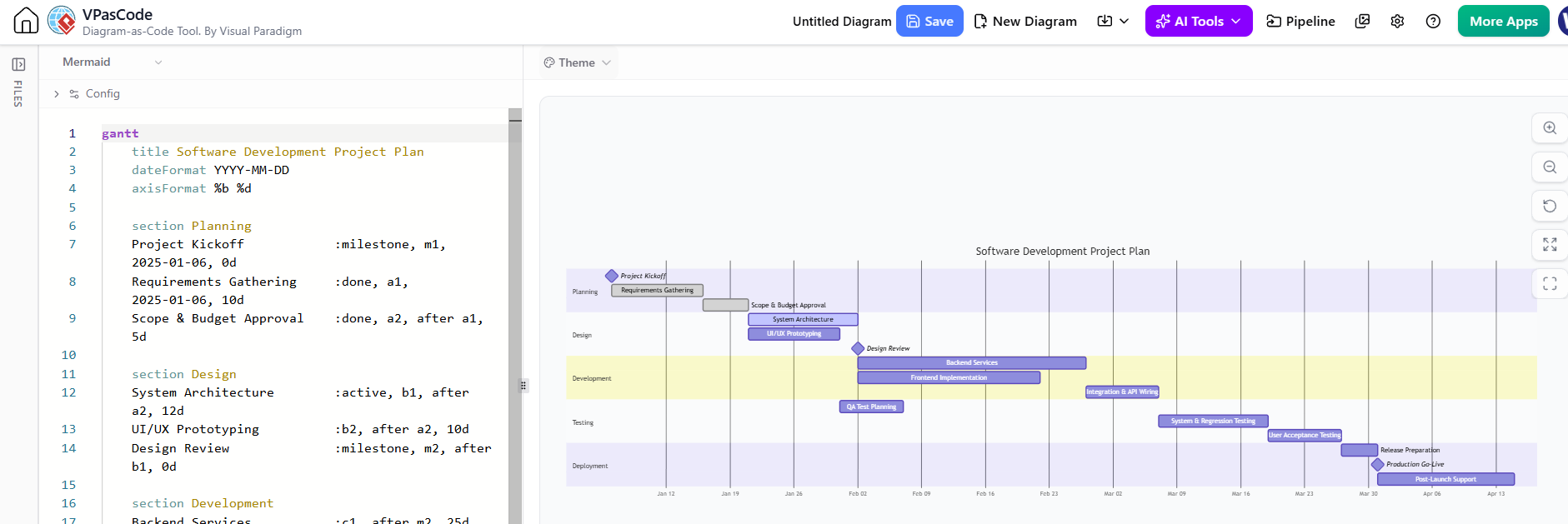
gantt
    title Project Timeline
    dateFormat  YYYY-MM-DD
    section Planning
    Task1           :a1, 2026-11-01, 7d
    Task2           :after a1, 5d
    section Development
    Task3           :2026-11-15, 10d
    Task4           :after Task3, 8d
Tooling: Visual Paradigm VPasCode + AI Assisted Mermaid Generator
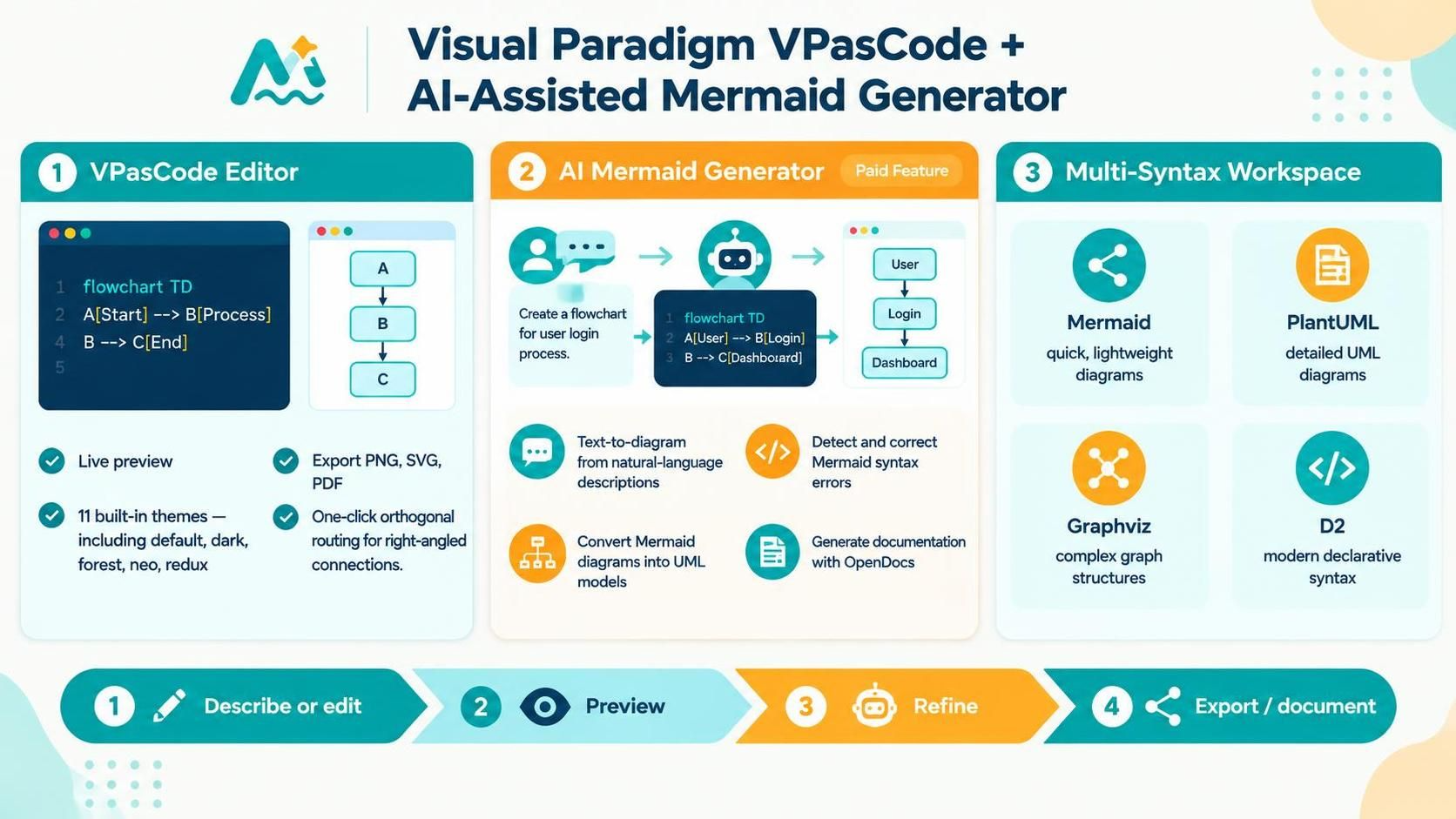
VPasCode Editor Features
-
Live Preview: See your diagram update in real-time as you type.
-
Export Options: Download diagrams as PNG, SVG, or PDF for easy sharing.
-
Theme Selection: Choose from 11 built-in themes like
default,dark,forest,neo, andredux. -
Orthogonal Routing: One-click option to convert curved lines into clean, right-angled connections.
AI Mermaid Generator (Paid Feature)
-
Text-to-Diagram: Describe your diagram in natural language, and the AI generates the corresponding Mermaid code.
-
Syntax Fixing: Automatically detect and correct errors in your Mermaid syntax.
-
UML Model Conversion: Transform Mermaid diagrams into full-fledged UML models for deeper analysis.
-
OpenDocs Integration: Generate comprehensive documentation from your diagrams.
Multi-Syntax Workspace
VPasCode allows seamless switching between different diagram-as-code languages:
-
Mermaid: Best for quick, lightweight diagrams.
-
PlantUML: Ideal for detailed UML diagrams.
-
Graphviz: Suitable for complex graph structures.
-
D2: Modern alternative with declarative syntax.
Conclusion
Visual Paradigm’s VPasCode platform takes Mermaid.js to the next level by offering a robust, user-friendly environment for creating and managing diagrams. With its live preview, advanced styling options, and AI-powered features, VPasCode caters to both beginners and experienced professionals. Whether you’re documenting software architecture, planning projects, or designing business processes, VPasCode provides the tools needed to produce clear, professional diagrams efficiently.
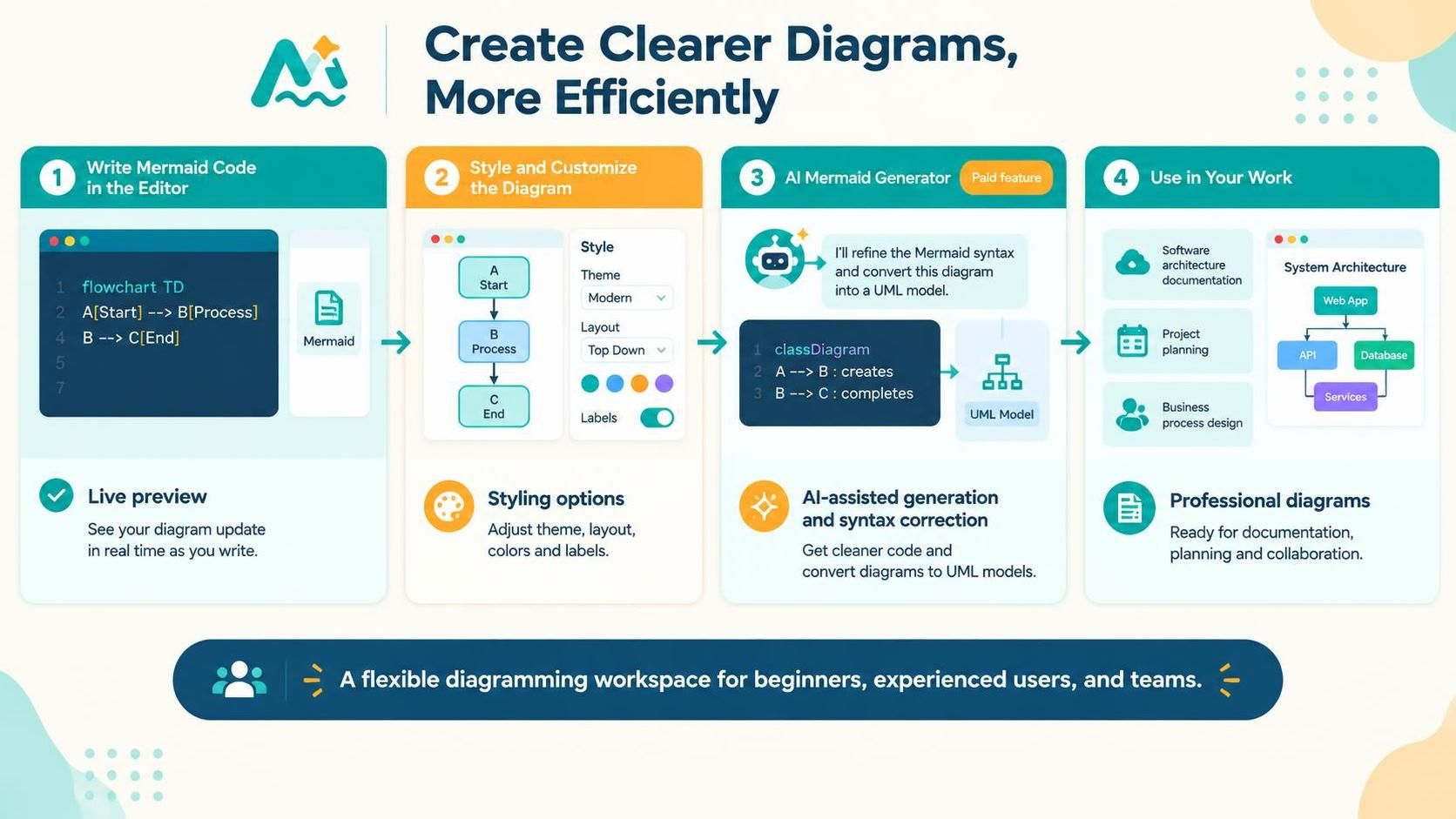
For those seeking even more power, the paid AI Mermaid Generator adds intelligent automation, syntax correction, and model conversion capabilities, making it an invaluable asset for teams focused on scalability and precision.
Recommended Resources
-
Visual Paradigm AI Mermaid Generator: Learn how AI can generate and fix Mermaid diagrams from text prompts.
-
VPasCode Online Editor: Try the free browser-based Mermaid editor with live preview and export options.
-
Mermaid Editor Features Overview: Explore the key features of Visual Paradigm’s Mermaid editor, including themes and orthogonal routing.
-
Expanding Mermaid Support in VPasCode: Discover new diagram types supported by VPasCode, such as Ishikawa, Event Modeling, and Wardley Maps.
-
Orthogonal Style for Mermaid Diagrams: Learn how to apply clean, right-angled line routing to your Mermaid diagrams.
-
Mermaid Diagram Themes in VPasCode: Browse the 11 built-in themes available for customizing your Mermaid diagrams.
-
The Ultimate Showdown: Mermaid vs. VPasCode: Compare standard Mermaid.js with Visual Paradigm’s enhanced features.
-
AI Diagramming Chatbot Demo: Watch a video demonstration of Visual Paradigm’s AI-powered diagram generation.