

A UML profile lets a team tailor UML to a particular domain, platform, or modeling practice—for example, cloud architecture, healthcare systems, or internal engineering standards. It adds a reusable domain vocabulary to UML without replacing or changing UML’s underlying metamodel. The UML specification defines profiles as part of the language; the current formal version listed by OMG is UML 2.5.1.
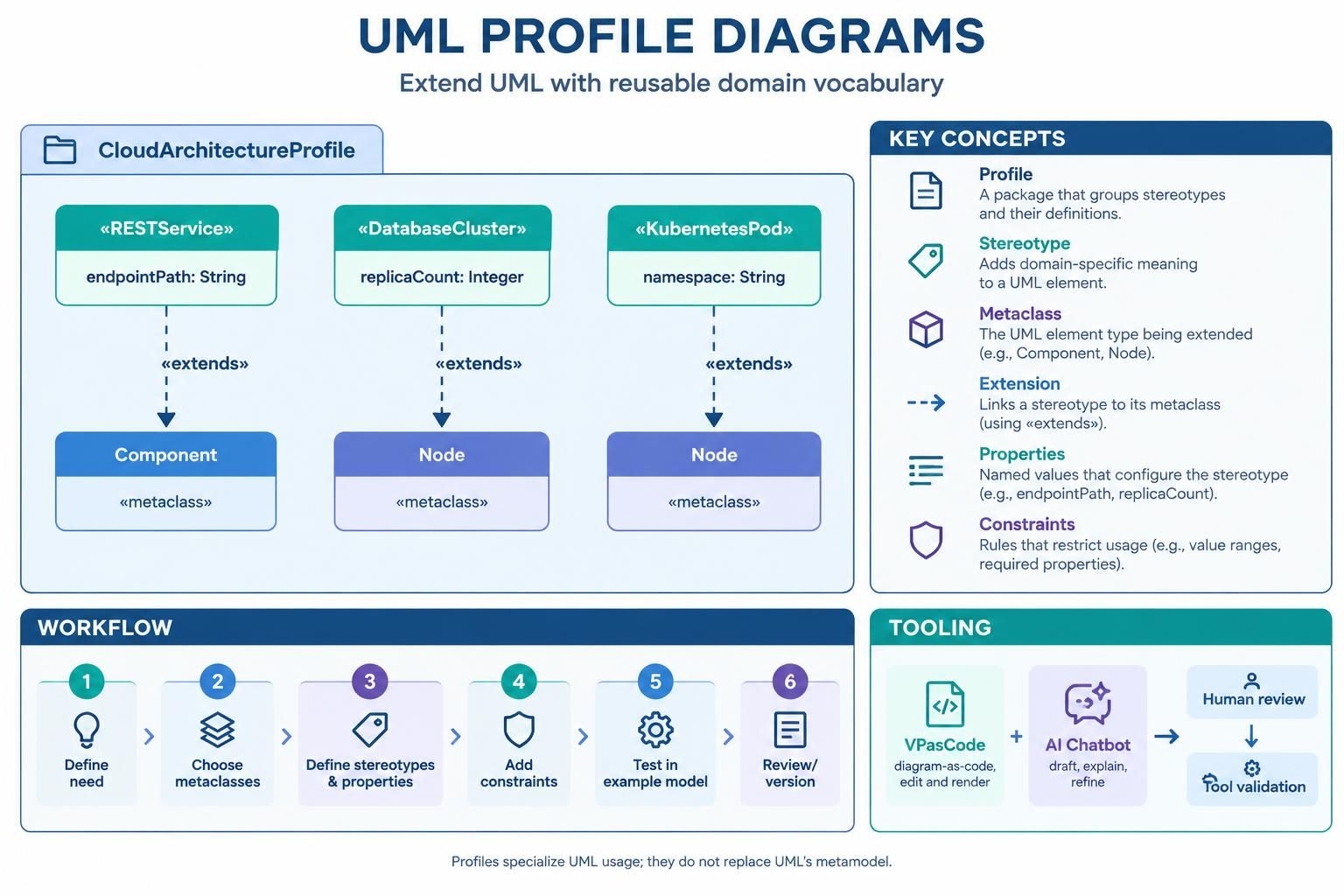
This guide covers the main concepts, a worked example, and a workflow using VPasCode and an AI chatbot.
1. What a profile diagram describes
A profile diagram shows how a profile extends UML. Its central elements are:
-
Profile: A package that groups related extensions.
-
Metaclass: An existing UML element the profile extends, such as
Class,Component,Node, orInterface. -
Stereotype: A domain-specific classification applied to a UML element, such as
«Microservice»or«SensitiveData». -
Extension: The relationship connecting a stereotype to the UML metaclass it extends.
-
Tagged values: Additional typed properties on a stereotype, such as
replicaCount: IntegerorretentionPeriod: Duration. -
Constraints: Rules that specify what must be true of elements using the profile.
Profiles add domain-specific meaning and rules while keeping the standard UML elements beneath them. If your design needs fundamentally new metamodel concepts rather than a constrained extension of UML, a separate metamodel may be more suitable.
An important terminology note
You may see older or informal material call these properties “tagged values.” In a modern profile definition, they are modeled as properties of a stereotype. When a stereotype is applied in a model, those properties carry values—often displayed in braces, such as {replicaCount=3}.
2. The main concepts
Profiles
A profile is the package-level container for related stereotypes and other profile definitions. For example, a CloudDeploymentProfile might define stereotypes for services, databases, and runtime nodes.
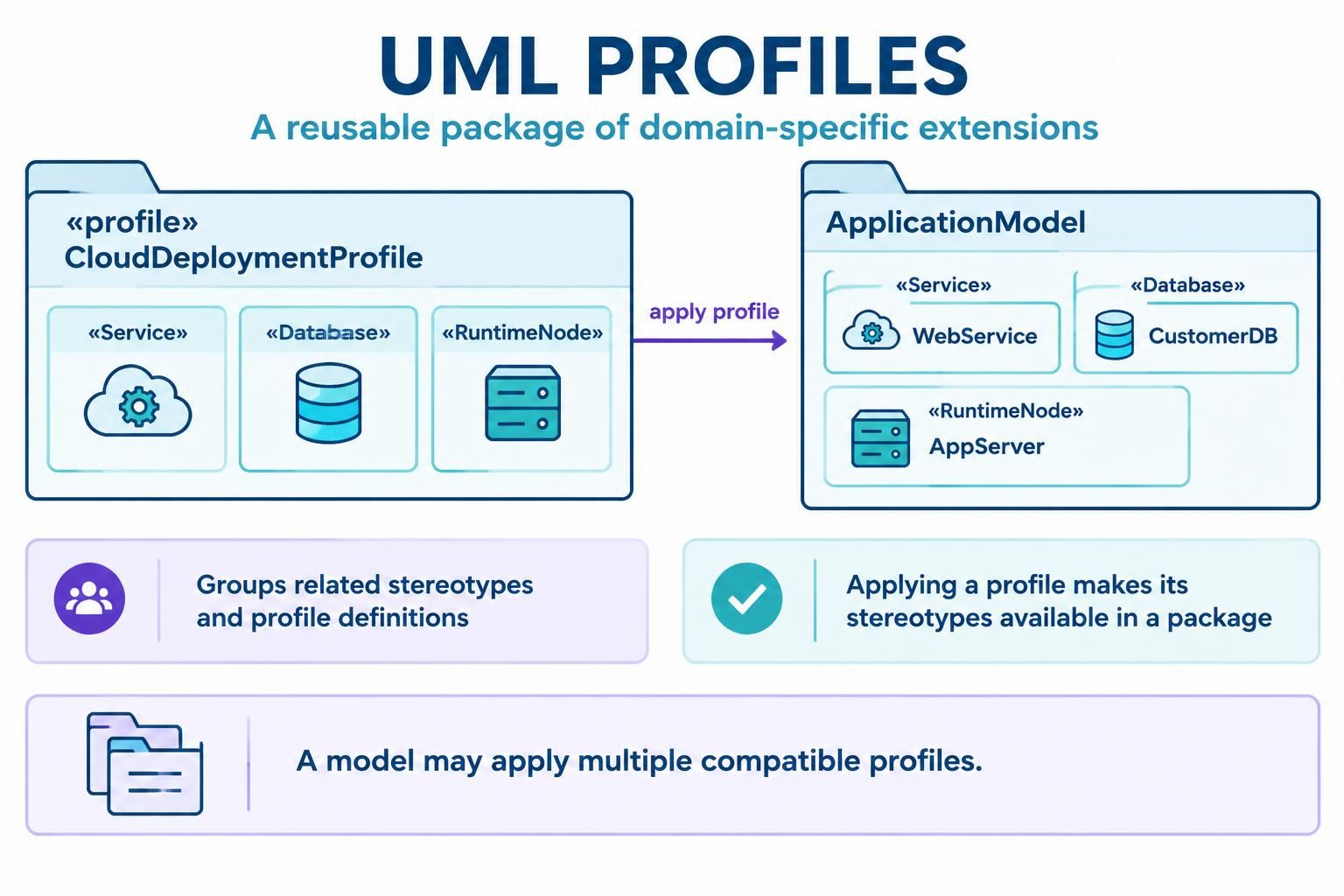
A profile can be applied to a package so its stereotypes are available to the model in that package. A model may use more than one compatible profile
Metaclasses and extensions
A UML metaclass is an element from the UML language itself. A stereotype extends one or more metaclasses, meaning it can be applied to instances of those UML element types.
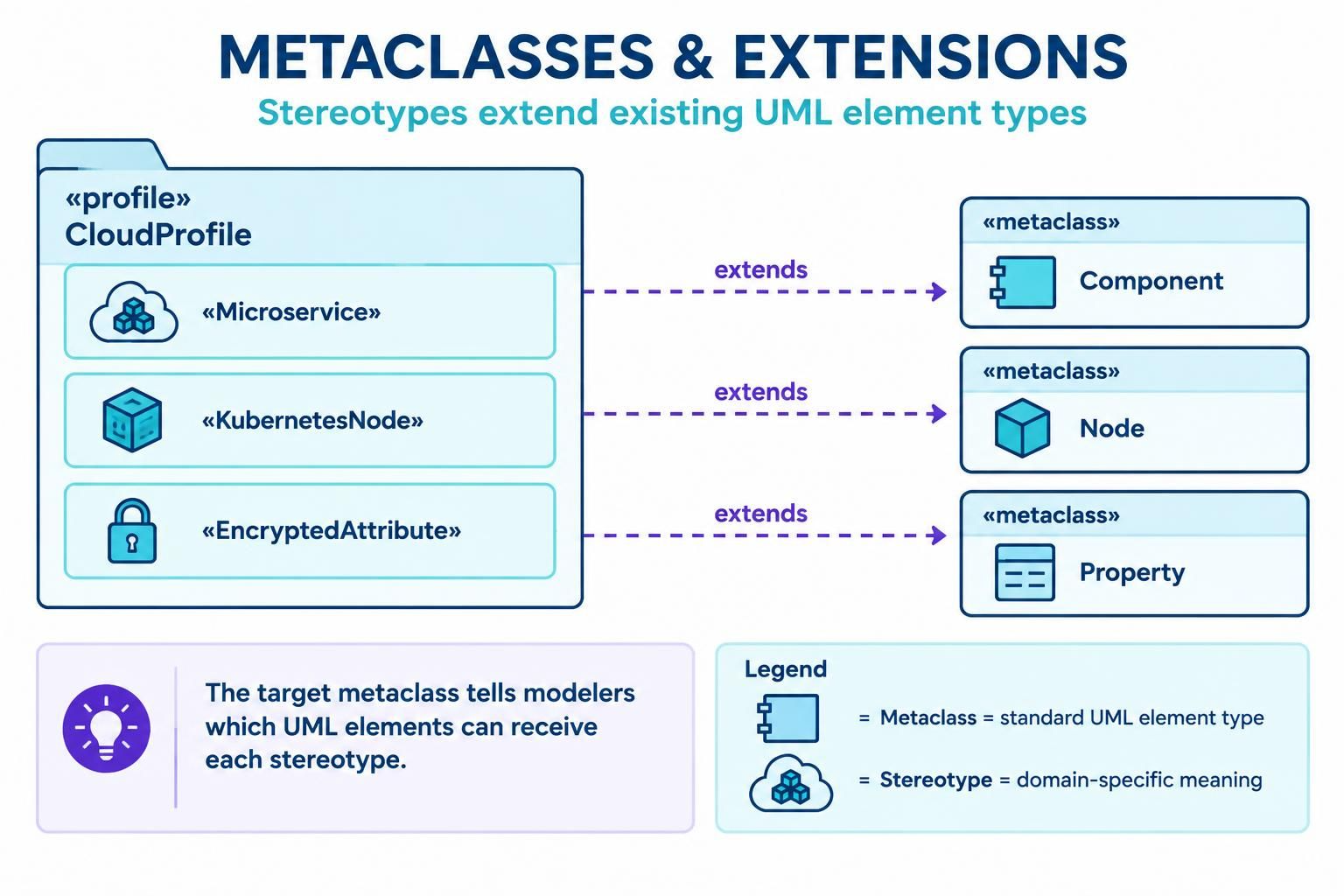
For example:
-
«Microservice»extendsComponent. -
«KubernetesNode»extendsNode. -
«EncryptedAttribute»extendsProperty.
In standard UML notation, the extension is drawn from the stereotype toward the metaclass. The profile diagram should make the target element type clear—otherwise users may not know where the stereotype can be applied.
Stereotypes
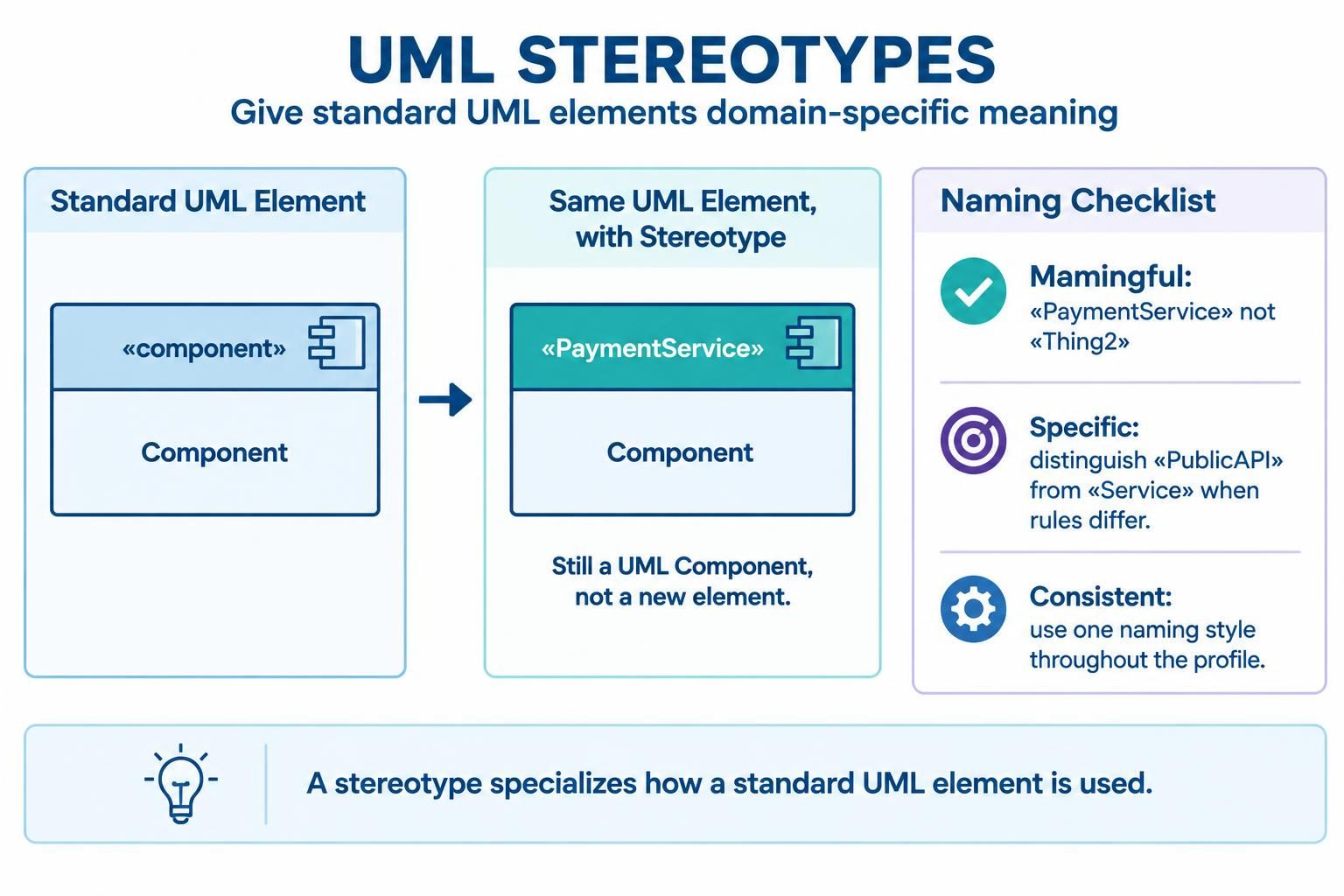
A stereotype gives an existing UML element a more specific domain meaning. It does not create a wholly separate kind of model element; it specializes how a standard UML element is used in the profile.
Good stereotype names are:
-
Meaningful in the domain:
«PaymentService»is clearer than«Thing2». -
Specific enough to guide use: distinguish
«PublicAPI»from a generic«Service»if they have different rules. -
Consistent: choose a naming style and use it throughout the profile.
Tagged values
Tagged values provide structured metadata for stereotyped elements. Give each property a clear type, and define a default only when that default is genuinely meaningful.
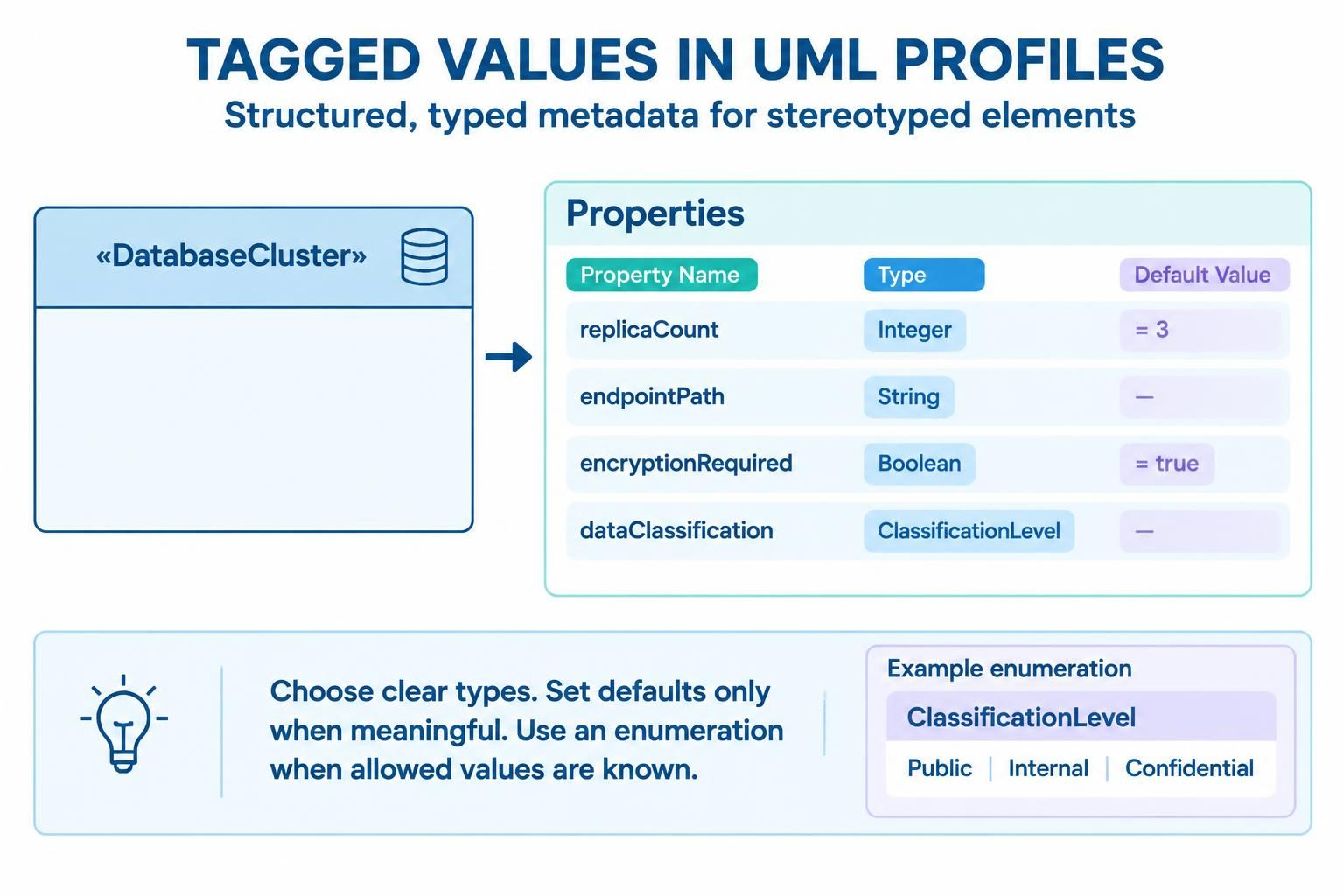
Examples:
-
replicaCount: Integer = 3 -
endpointPath: String -
encryptionRequired: Boolean = true -
dataClassification: ClassificationLevel
Prefer an enumeration or other explicit type over an unconstrained string when the allowed values are known.
Constraints
Constraints express required conditions for profile use. They may be stated in natural language or, where supported by the modeling environment, expressed formally using OCL (Object Constraint Language). For instance: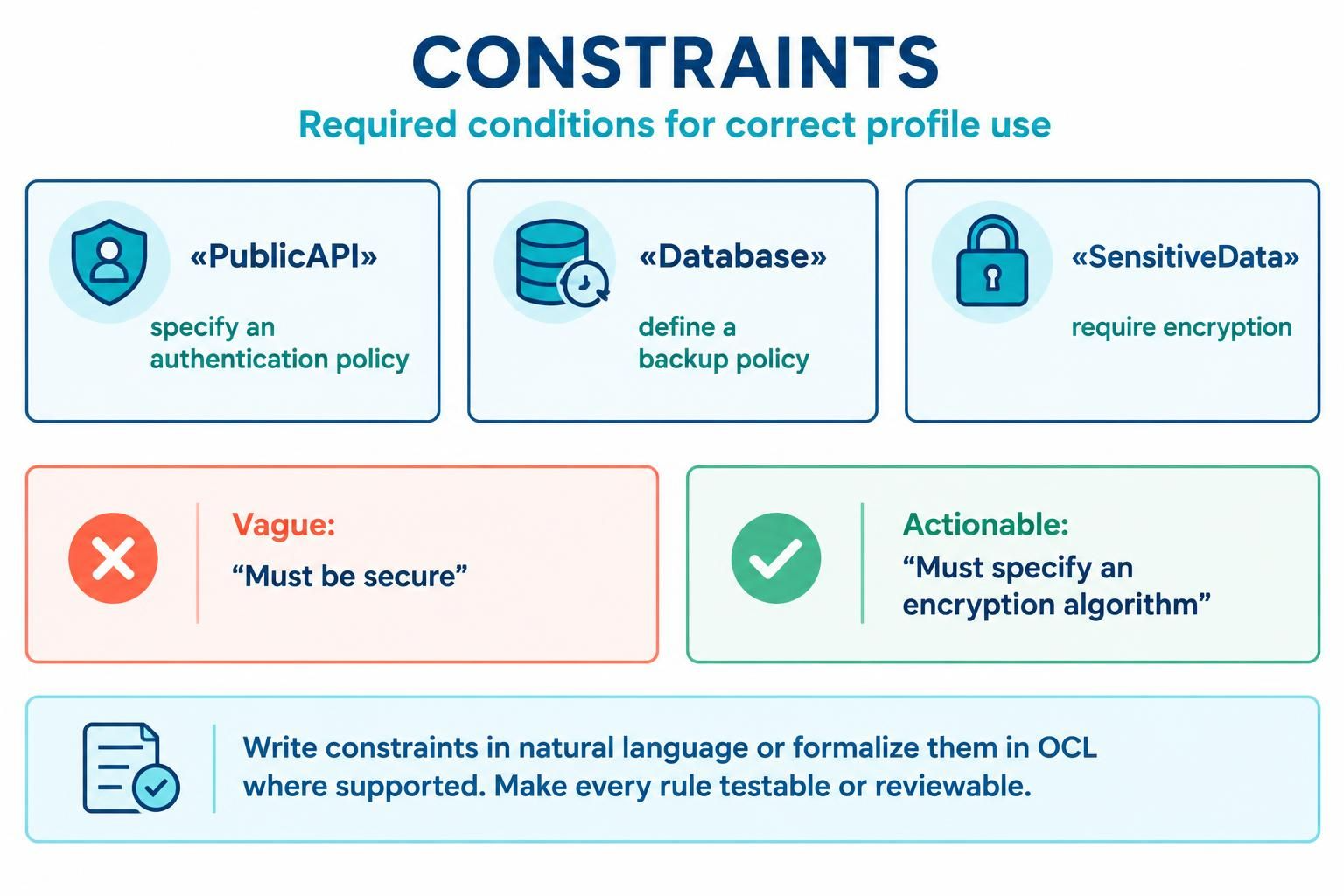
-
A
«PublicAPI»must specify an authentication policy. -
A
«Database»must have a backup policy. -
A
«SensitiveData»element must require encryption.
A constraint should be testable or reviewable. “Must be secure” is too vague; “must specify an encryption algorithm” is more actionable.
3. Worked example: a cloud architecture profile
Imagine a team wants a consistent way to model cloud services and their runtime nodes. The profile might define:
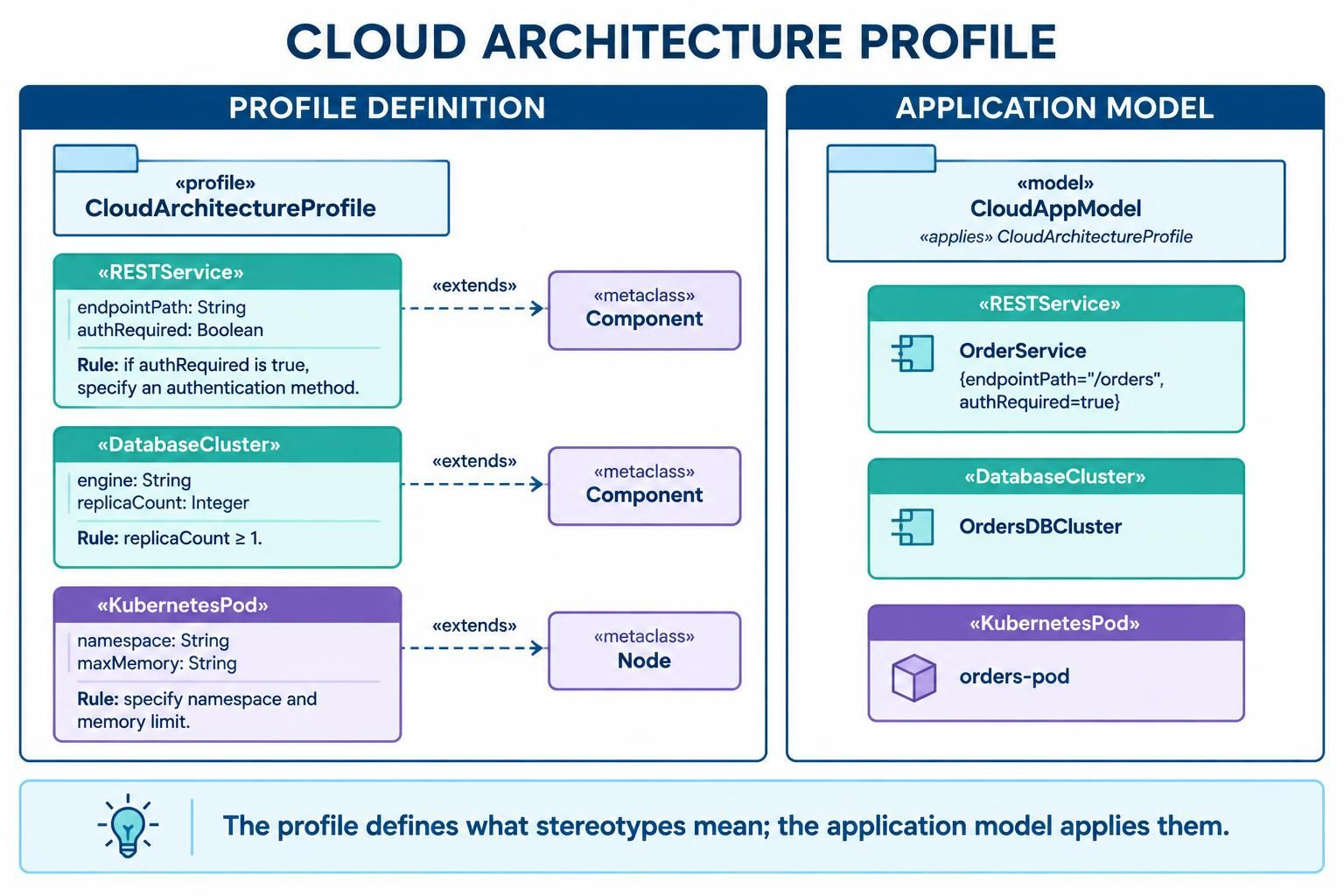
| Stereotype | UML metaclass extended | Example properties | Example rule |
|---|---|---|---|
«RESTService» |
Component |
endpointPath: String, authRequired: Boolean |
If authentication is required, specify an authentication method. |
«DatabaseCluster» |
Component |
engine: String, replicaCount: Integer |
replicaCount must be at least 1. |
«KubernetesPod» |
Node |
namespace: String, maxMemory: String |
Specify a namespace and a memory limit. |
The profile diagram defines these stereotype types and their extensions. A separate application model then uses them—for example, a component marked «RESTService» with {endpointPath="/orders", authRequired=true}.
Keep profile definition and profile use distinct: the profile says what a stereotype means and where it applies; the application model applies that stereotype to real model elements.
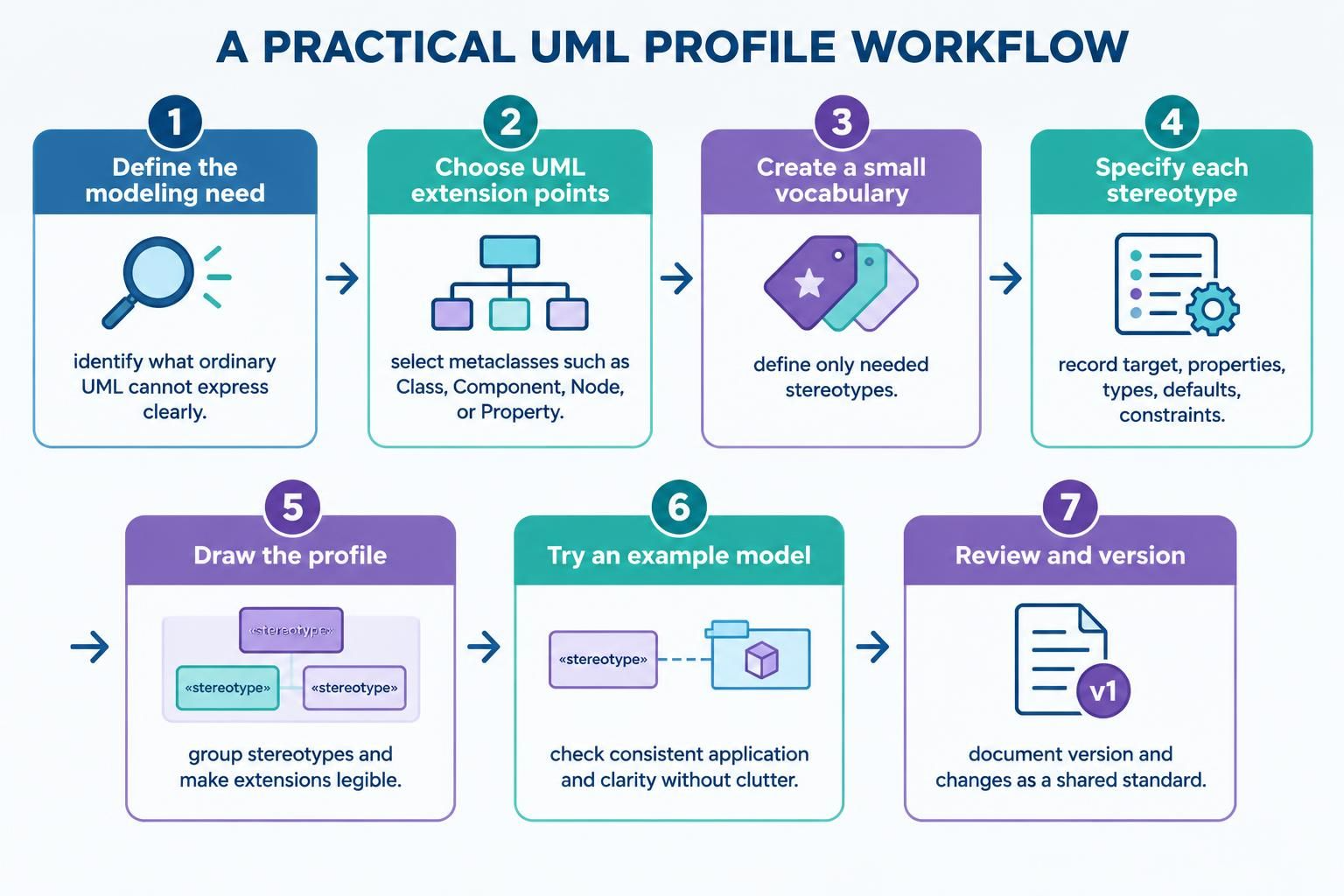
4. A practical design workflow
-
Define the modeling need. Write down what the team cannot express clearly with ordinary UML.
-
Choose UML extension points. Select the appropriate metaclasses—such as
Class,Component,Node, orProperty. -
Create a small vocabulary. Define only the stereotypes needed to represent the domain.
-
Specify each stereotype. Record its target metaclass, properties, property types, defaults, and constraints.
-
Draw the profile. Group stereotypes in a profile package and make extensions legible.
-
Try it in an example model. Check that a modeler can apply the profile consistently and that the stereotypes clarify rather than clutter the model.
-
Review and version it. Treat the profile as a shared modeling standard. Document its version and changes so teams know which definition their models use.
5. Tooling with VPasCode
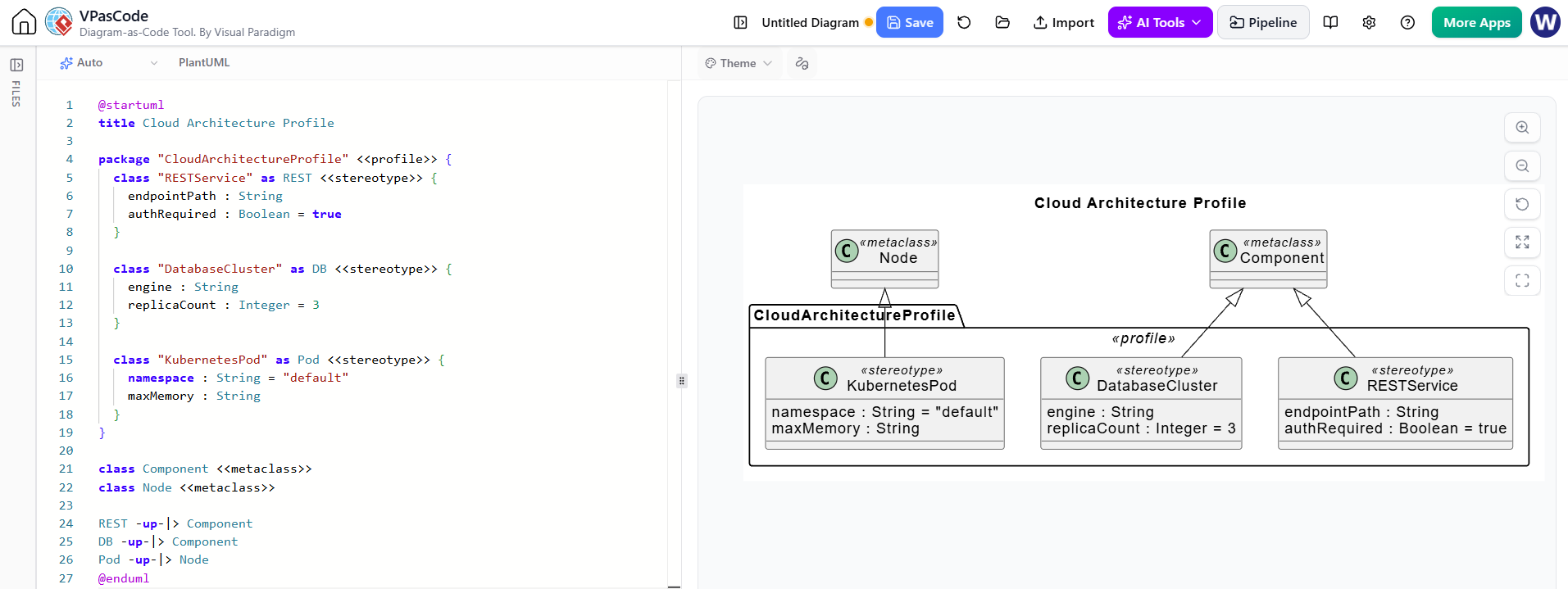
VPasCode is Visual Paradigm’s diagram-as-code workspace. Its profile-diagram guide describes a PlantUML-based notation with profile packages, stereotype declarations, metaclass references, and extension lines. VPasCode also supports live diagram rendering, text editing, and diagram exports.
A profile sketch in that notation might look like:
@startuml
title Cloud Architecture Profile

package "CloudArchitectureProfile" <<profile>> {
  class "RESTService" as REST <<stereotype>> {
    endpointPath : String
    authRequired : Boolean = true
  }

  class "DatabaseCluster" as DB <<stereotype>> {
    engine : String
    replicaCount : Integer = 3
  }

  class "KubernetesPod" as Pod <<stereotype>> {
    namespace : String = "default"
    maxMemory : String
  }
}

class Component <<metaclass>>
class Node <<metaclass>>

REST -up-|> Component
DB -up-|> Component
Pod -up-|> Node
@enduml
Export Profile Diagram From the VPasCode Tool:
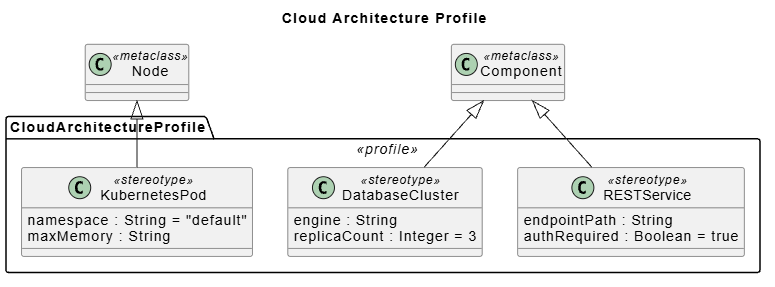
Treat this as a VPasCode-oriented diagram script, not a portable UML interchange file. VPasCode documents a custom PlantUML-based approach for profile diagrams; standard PlantUML documentation does not define native UML profile diagram support. If another tool must import or interpret the profile as a UML model, check that tool’s supported profile and XMI workflows rather than assuming the rendered diagram is sufficient.
Suggested VPasCode workflow
-
Start a profile diagram in VPasCode.
-
Add the profile package and its stereotypes.
-
Add or identify the target metaclasses.
-
Connect each stereotype to the metaclass it extends.
-
Render the diagram and check that the profile structure and labels are readable.
-
Save the source alongside project documentation and export a diagram format appropriate to your documents.
6. Using an AI chatbot to create or refine a profile
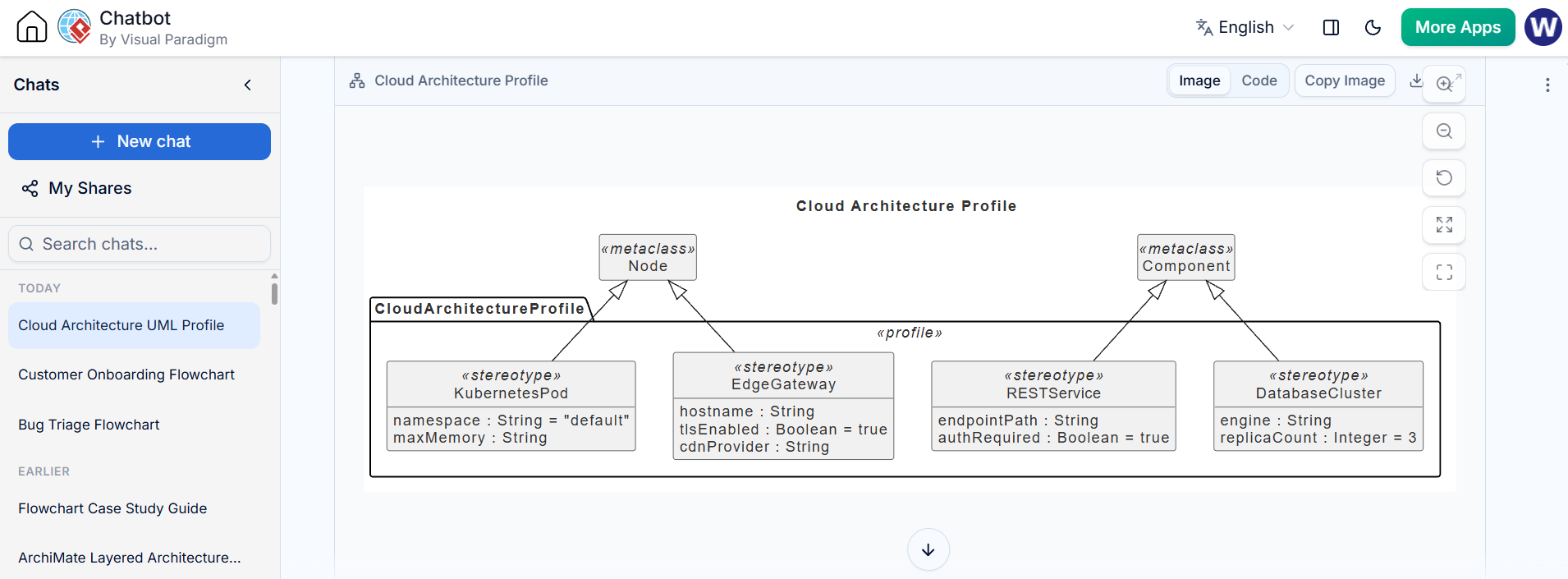
Visual Paradigm’s AI Diagramming Chatbot supports generating UML profile diagrams from natural-language descriptions. Its product information describes a workflow where users prompt the chatbot, receive a diagram with an explanation, and refine the result through follow-up requests. Generated work can then be opened in VPasCode for closer editing.
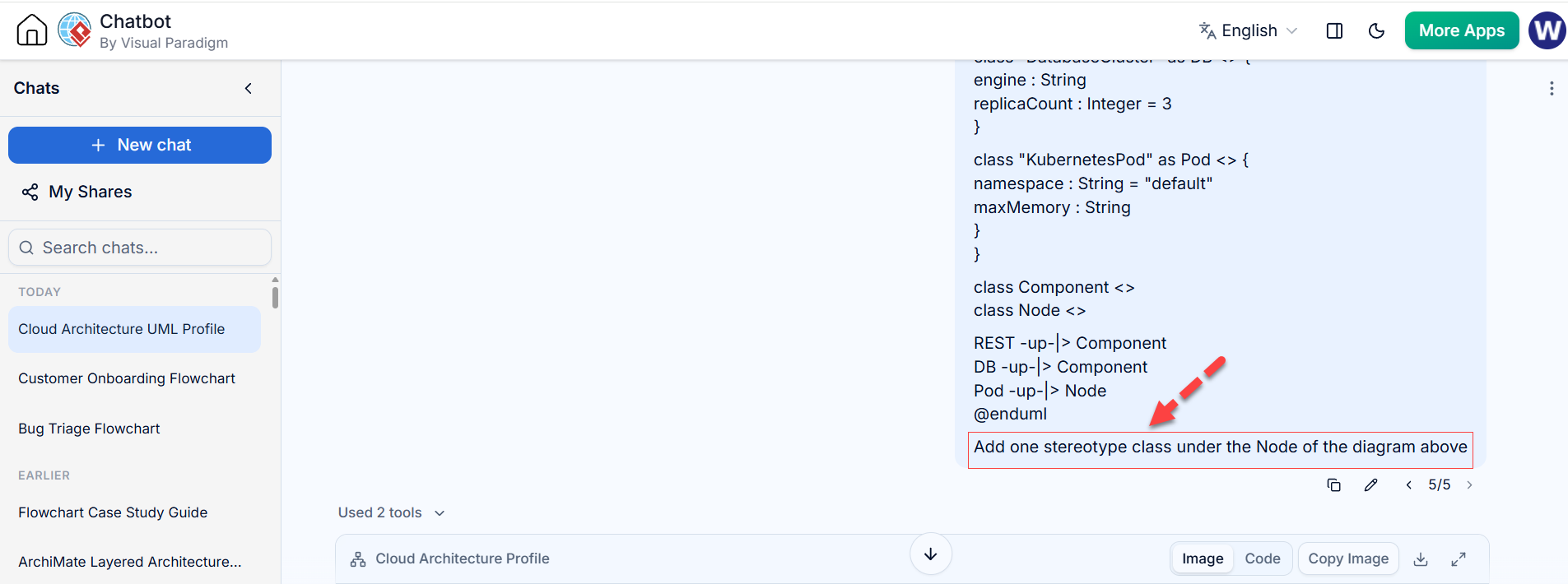
AI is most useful for producing a first draft: suggesting a vocabulary, organizing stereotypes, and generating a diagram scaffold. It should not be treated as the authority on UML semantics, regulatory requirements, or whether a profile is valid in your team’s modeling tool.
A prompt that gives useful results
Create a UML profile diagram for a cloud deployment modeling standard. Define stereotypes for REST services, database clusters, and Kubernetes pods. State the UML metaclass each stereotype extends. Add typed properties with sensible defaults only where appropriate. Include constraints as explicit, reviewable rules. Keep the profile definition separate from an example model, and explain any assumptions.
Then refine in small, verifiable steps:
-
“Show which UML metaclass each stereotype extends.”
-
“Change
replicaCountto an integer and state whether zero is allowed.” -
“Add a constraint requiring authentication details when
authRequiredis true.” -
“Remove properties that duplicate information already modeled by standard UML.”
-
“Explain which parts are profile definitions and which are example applications.”
Review AI-generated output
Check that:
-
Each stereotype has an appropriate UML metaclass target.
-
Properties have sensible types and unambiguous names.
-
Defaults do not silently impose unintended policy.
-
Constraints are precise enough to verify.
-
The profile does not redefine UML concepts in a contradictory way.
-
The target modeling tool can represent and exchange the profile in the form your project needs.
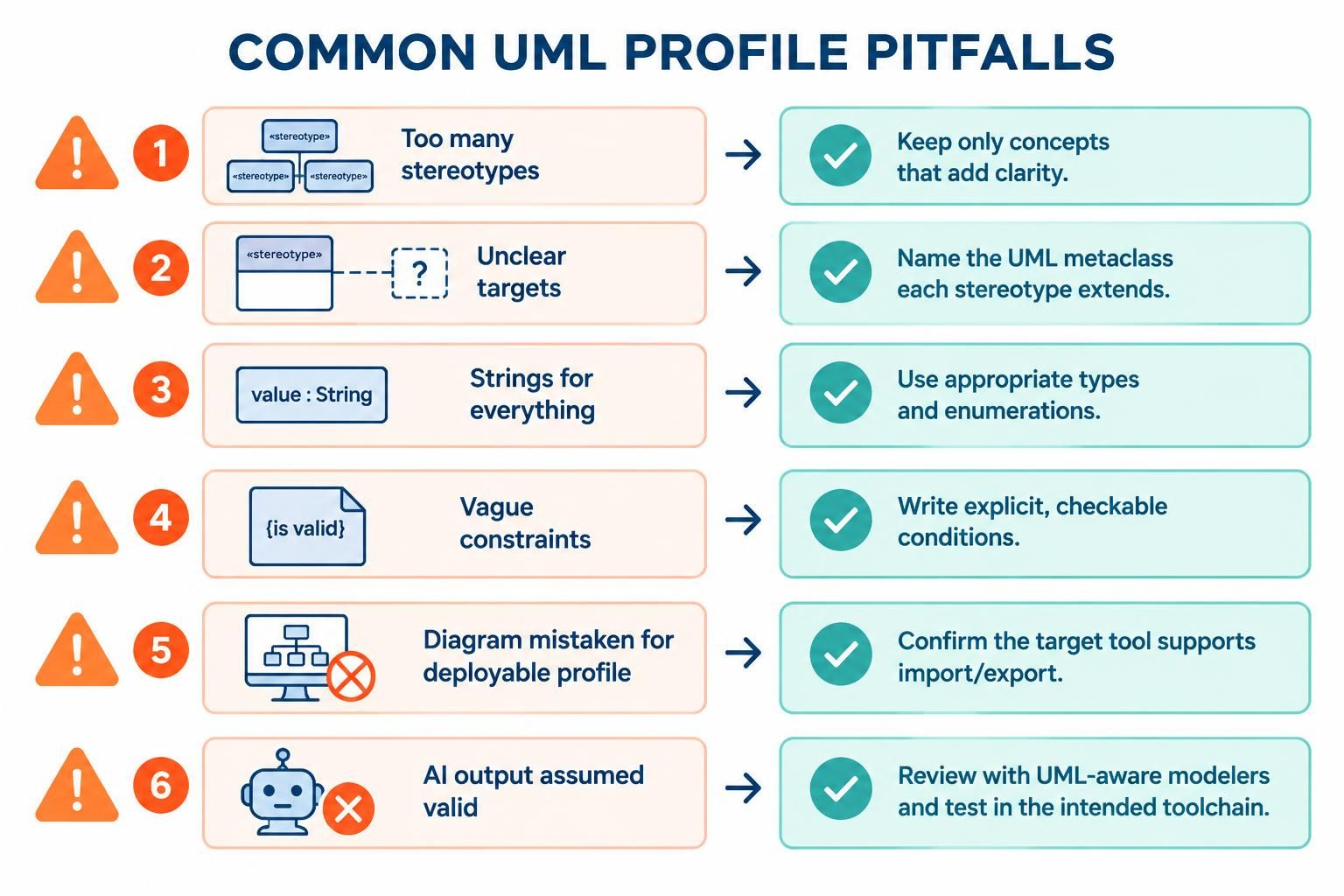
7. Common pitfalls
-
Creating too many stereotypes: A profile should make models clearer, not create a parallel vocabulary for every UML element.
-
Using stereotypes without clear targets: State which metaclass each stereotype extends.
-
Using strings for everything: Use suitable types and enumerations for constrained values.
-
Writing vague constraints: Replace broad aspirations with explicit conditions.
-
Confusing a diagram with a deployable profile: A rendered diagram may document the idea but may not be an importable UML profile for every tool.
-
Treating AI output as validated: Review the profile with UML-aware modelers and test it in the intended toolchain.
8. A concise checklist
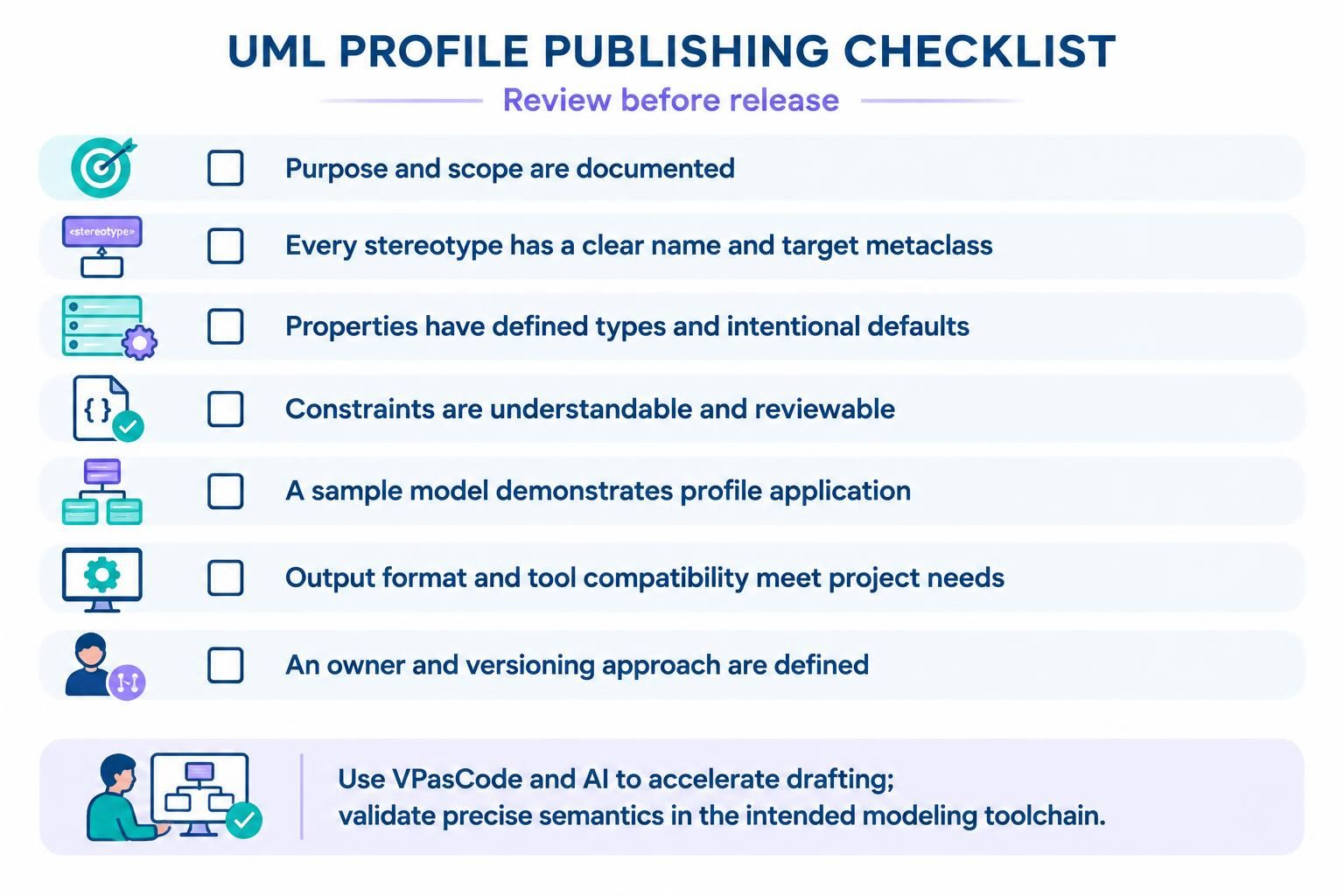
Before publishing a profile, confirm that:
-
Its purpose and scope are documented.
-
Each stereotype has a clear name and target metaclass.
-
Properties have defined types and intentional defaults.
-
Constraints are understandable and reviewable.
-
A sample model shows how the profile is applied.
-
The output format and tool compatibility meet the project’s needs.
-
The profile has an owner and a versioning approach.
Used carefully, a UML profile gives a team a shared, reusable way to express domain-specific concepts while staying grounded in UML. VPasCode and an AI chatbot can speed up drafting and iteration; the important work remains defining precise semantics and validating the result in the intended modeling environment.