


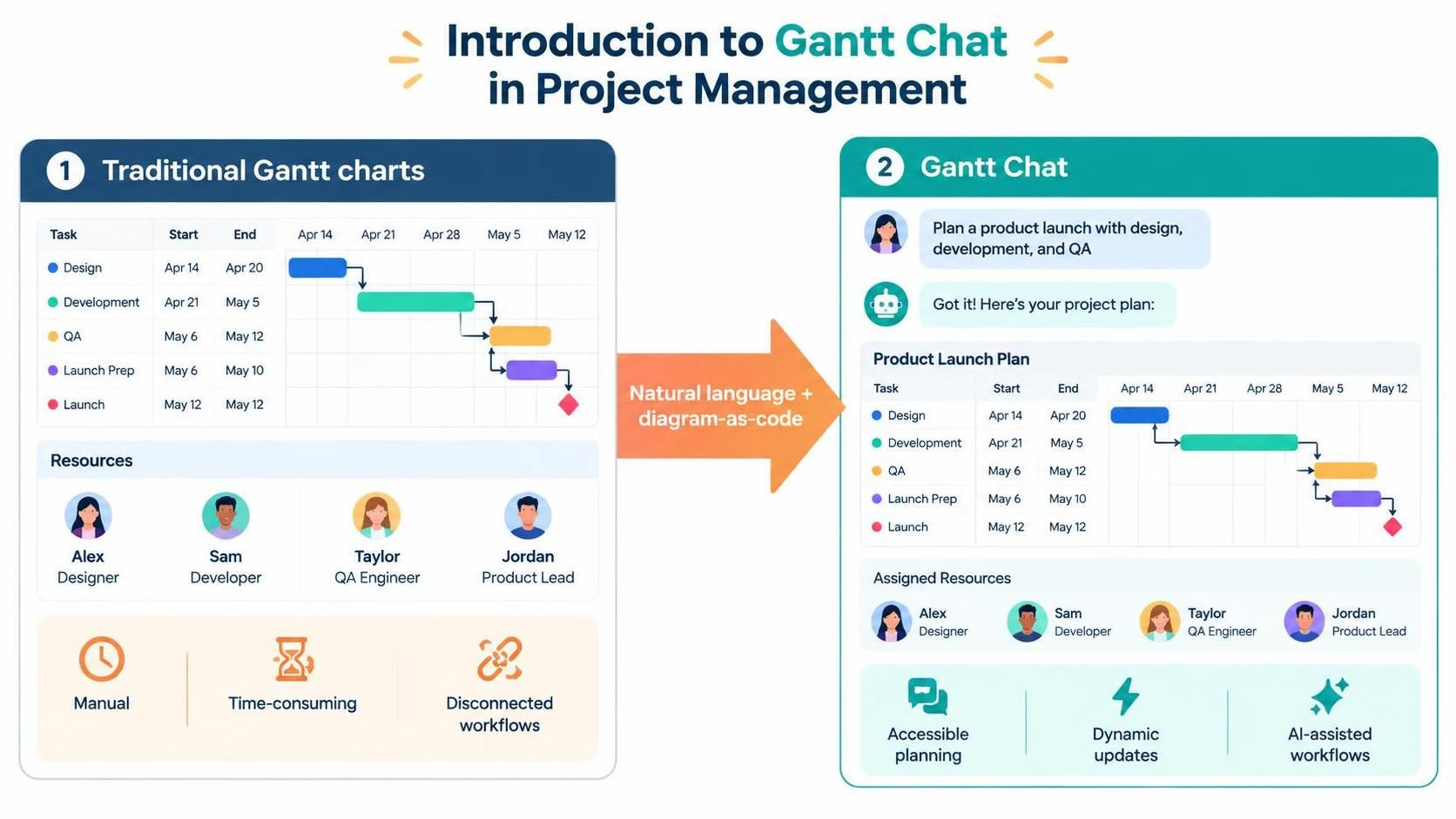
1. Introduction to Gantt Chat in Project Management
Gantt charts have long been the gold standard for project visualization, providing clear timelines, dependencies, and resource allocation views. However, traditional Gantt chart creation is often manual, time-consuming, and disconnected from modern AI-driven workflows. Gantt Chat represents a paradigm shift—combining natural language interaction with diagram-as-code principles to make project planning more accessible, dynamic, and intelligent.
What is Gantt Chat?
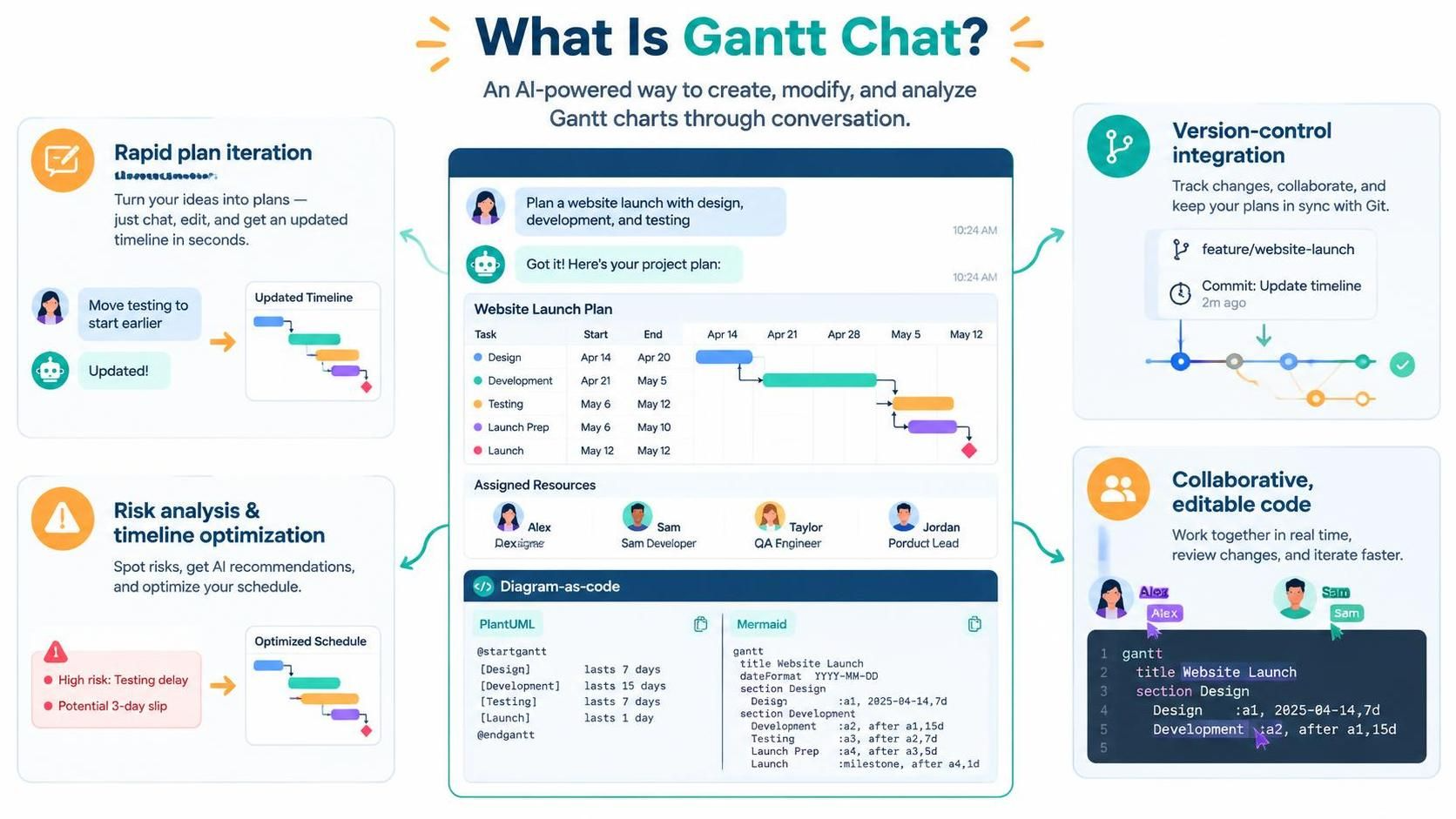
Gantt Chat is an AI-powered approach to creating, modifying, and analyzing Gantt charts through conversational interfaces. Instead of manually dragging bars or configuring complex software, users describe their project plans in natural language, and AI tools generate structured diagrams using code-based formats like PlantUML or Mermaid. This enables:
-
Rapid iteration on project plans
-
Seamless integration with version control systems
-
AI-assisted risk analysis and timeline optimization
-
Collaborative planning through shared, editable code
2. Diagram as Code & AI-Friendly Formats
Why Diagram as Code?
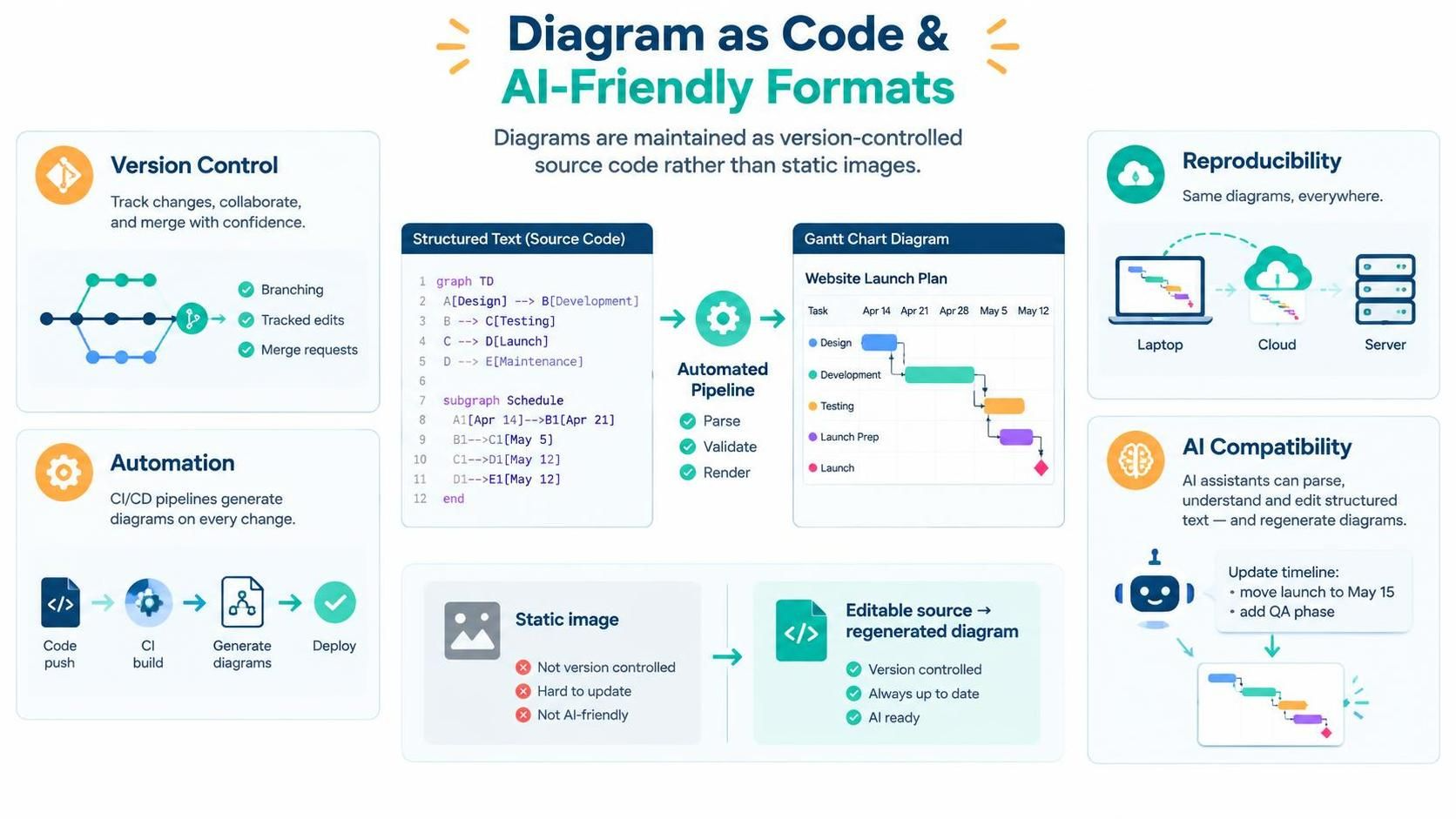
Diagram-as-code (DaC) treats visual diagrams as version-controlled source code rather than static images. This approach offers several advantages:
-
Version Control: Track changes, branch experiments, and merge updates just like software code
-
Reproducibility: Generate identical diagrams across environments without manual adjustments
-
Automation: Integrate diagram generation into CI/CD pipelines
-
AI Compatibility: Structured text formats are easily parsed, modified, and generated by AI models
Key Diagram Formats
PlantUML
PlantUML is a widely adopted open-source tool that uses a simple text-based syntax to create UML diagrams, including Gantt charts. It supports:
-
Task definitions with start/end dates
-
Dependencies between tasks
-
Milestones and constraints
-
Resource assignments
Example: Basic Gantt Chart in PlantUML
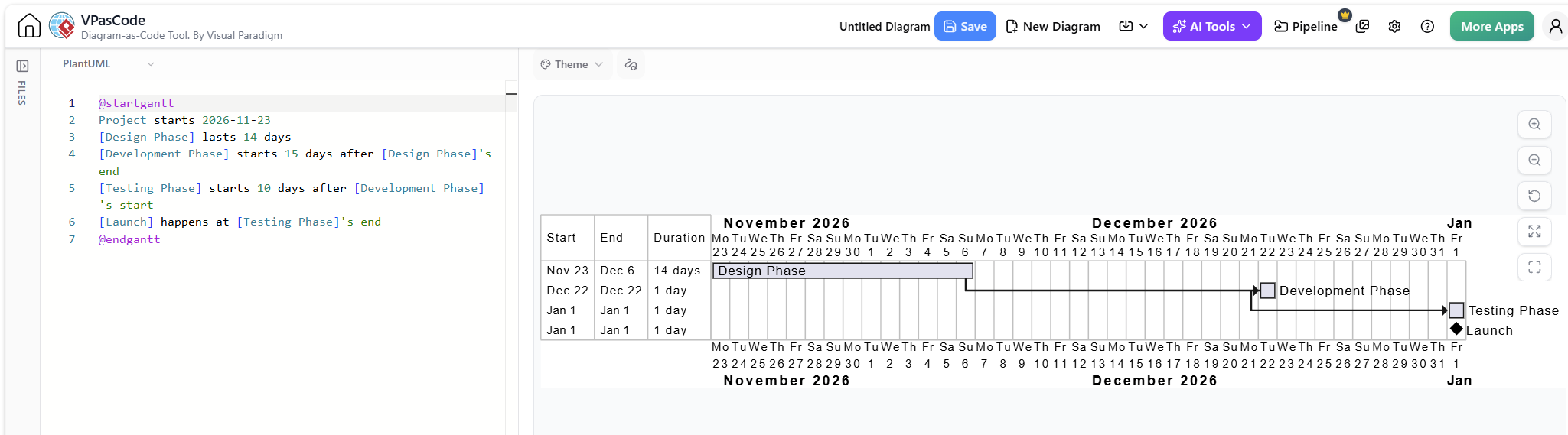
@startgantt
Project starts 2026-11-23
[Design Phase] lasts 14 days
[Development Phase] starts 15 days after [Design Phase]'s end
[Testing Phase] starts 10 days after [Development Phase]'s start
[Launch] happens at [Testing Phase]'s end
@endgantt

Mermaid
Mermaid is a JavaScript-based diagramming tool that renders diagrams from markdown-like text. It’s particularly popular in documentation platforms like GitHub, GitLab, and Notion due to its native support.
Example: Gantt Chart in Mermaid
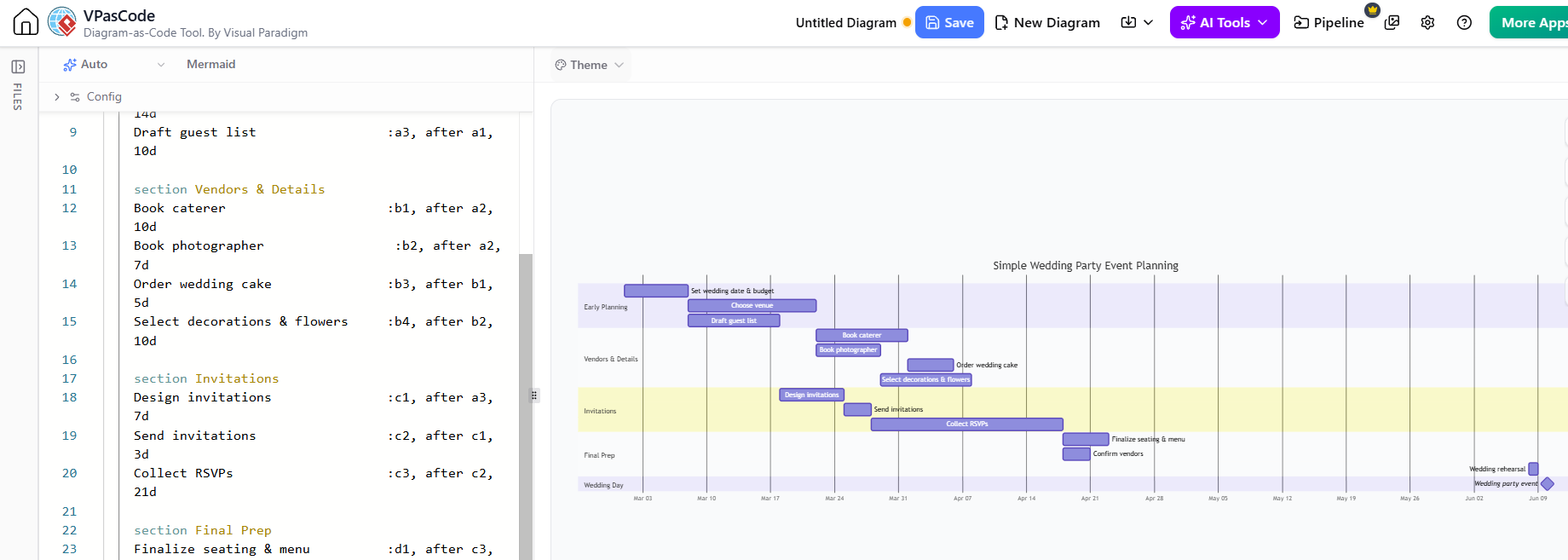
gantt
    title Simple Wedding Party Event Planning
    dateFormat  YYYY-MM-DD
    axisFormat  %b %d

    section Early Planning
    Set wedding date & budget        :a1, 2024-03-01, 7d
    Choose venue                     :a2, after a1, 14d
    Draft guest list                 :a3, after a1, 10d

    section Vendors & Details
    Book caterer                     :b1, after a2, 10d
    Book photographer                 :b2, after a2, 7d
    Order wedding cake               :b3, after b1, 5d
    Select decorations & flowers     :b4, after b2, 10d

    section Invitations
    Design invitations               :c1, after a3, 7d
    Send invitations                 :c2, after c1, 3d
    Collect RSVPs                    :c3, after c2, 21d

    section Final Prep
    Finalize seating & menu          :d1, after c3, 5d
    Confirm vendors                  :d2, after c3, 3d
    Wedding rehearsal                :d3, 2024-06-08, 1d

    section Wedding Day
    Wedding party event              :milestone, e1, 2024-06-10, 0d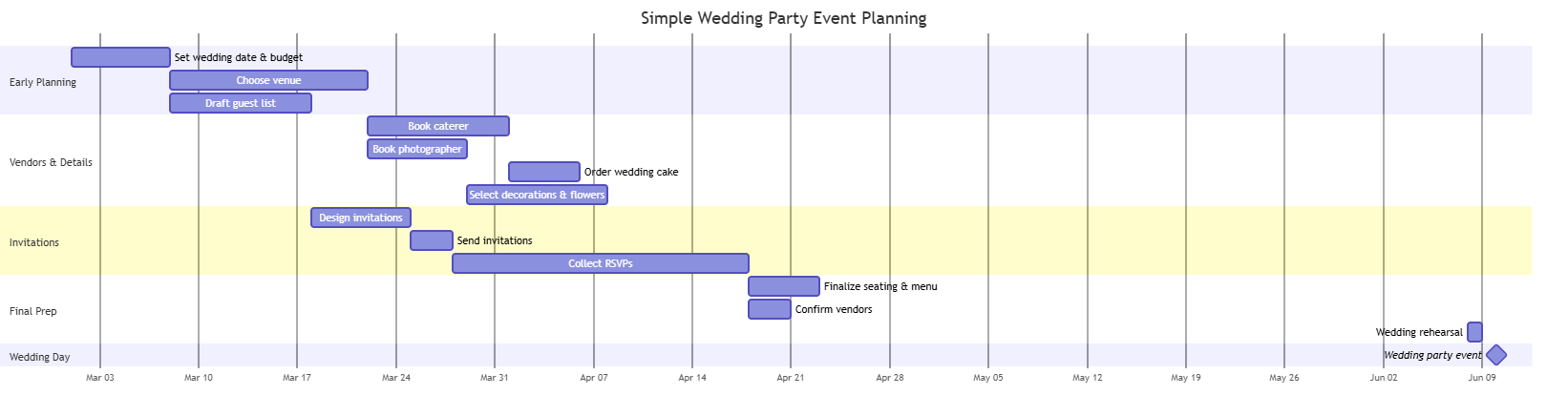
AI-Friendly Characteristics
Both PlantUML and Mermaid are ideal for AI integration because:
-
Structured Syntax: Clear grammar rules enable reliable parsing and generation
-
Deterministic Output: Same input always produces the same diagram
-
Modular Design: Easy to insert, remove, or modify individual elements
-
Human-Readable: Both humans and AI can understand and edit the code
3. Tooling Ecosystem: Visual Paradigm & VPasCode
Visual Paradigm Overview
Visual Paradigm (VP) is a comprehensive modeling and diagramming platform that supports UML, BPMN, ERD, Gantt charts, and more. Its strength lies in combining visual editing with code-based flexibility, making it ideal for teams transitioning to diagram-as-code workflows.
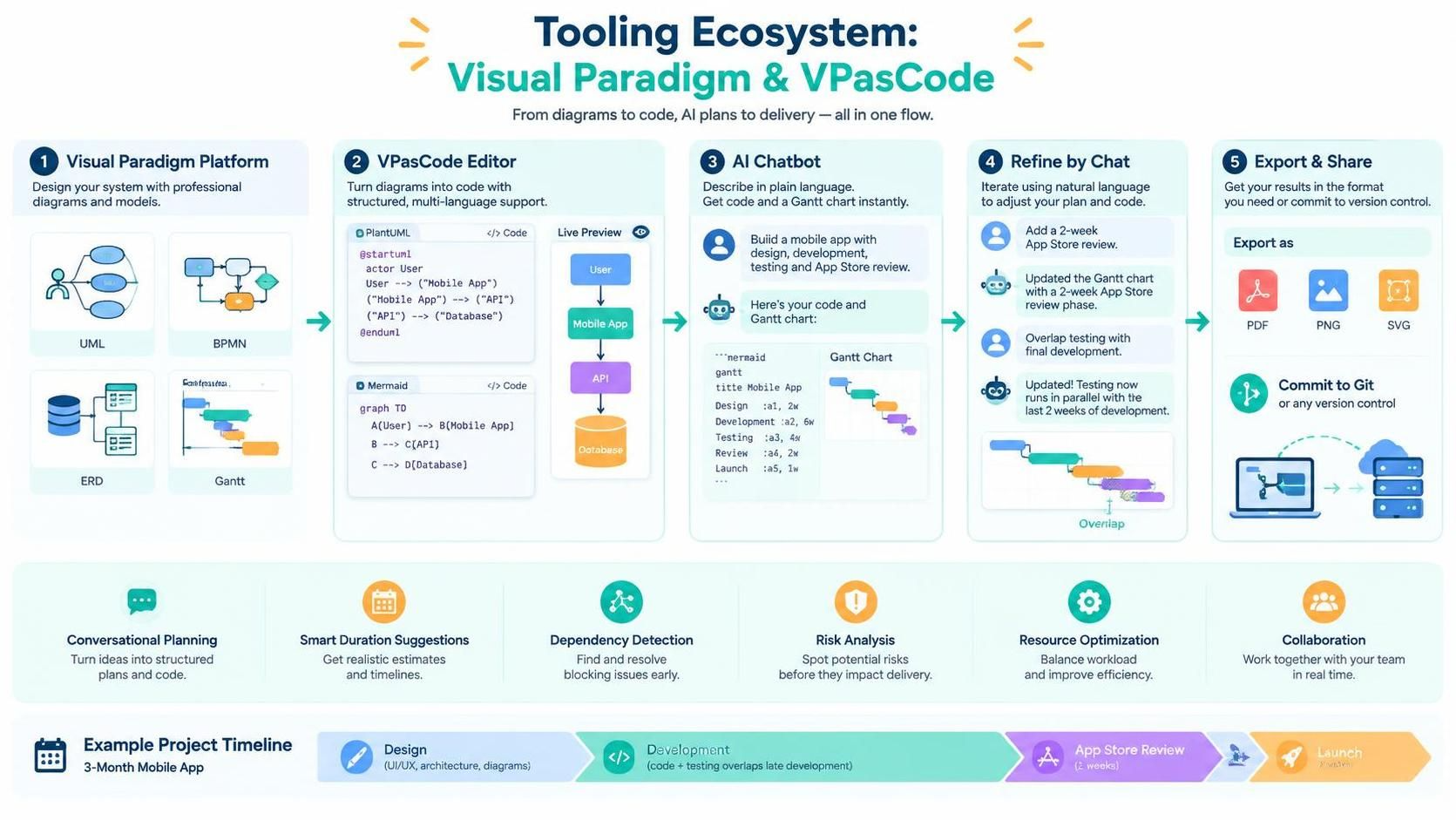
VPasCode Tool
VPasCode is Visual Paradigm’s dedicated tool for diagram-as-code workflows. It enables users to:
-
Write diagrams in PlantUML or Mermaid syntax
-
Render previews in real-time
-
Export to various formats (PNG, SVG, PDF)
-
Integrate with IDEs and version control systems
Visual Paradigm AI Ecosystem
Visual Paradigm has integrated AI capabilities across its platform, creating a cohesive ecosystem for intelligent project management:
AI Chatbot Integration
-
Natural Language to Diagram: Describe your project plan in plain English, and the AI generates PlantUML/Mermaid code
-
Iterative Refinement: Ask follow-up questions like “Add a buffer week before launch” or “Show critical path”
-
Risk Analysis: AI identifies potential bottlenecks, resource conflicts, or unrealistic timelines
Key Features
-
Conversational Planning: Chat with the AI to build, modify, and optimize Gantt charts
-
Smart Suggestions: AI recommends task durations based on historical data or industry benchmarks
-
Dependency Detection: Automatically identifies logical dependencies between tasks
-
Resource Optimization: Suggests resource allocations to balance workload
-
Export & Collaboration: Seamlessly share diagrams with stakeholders via links or embedded visuals
Example Workflow: Gantt Chat with Visual Paradigm AI
-
User Input: “Create a Gantt chart for a 3-month mobile app project with design, development, testing, and launch phases.”
-
AI Response: Generates initial PlantUML code with estimated durations
-
Refinement: User asks, “Add two weeks for App Store review and make testing overlap with final development.”
-
Updated Diagram: AI modifies the code and renders the updated Gantt chart
-
Export: User exports to PDF for stakeholder review or commits the code to GitHub
4. Why Choose Visual Paradigm? Benefits & Standout Features
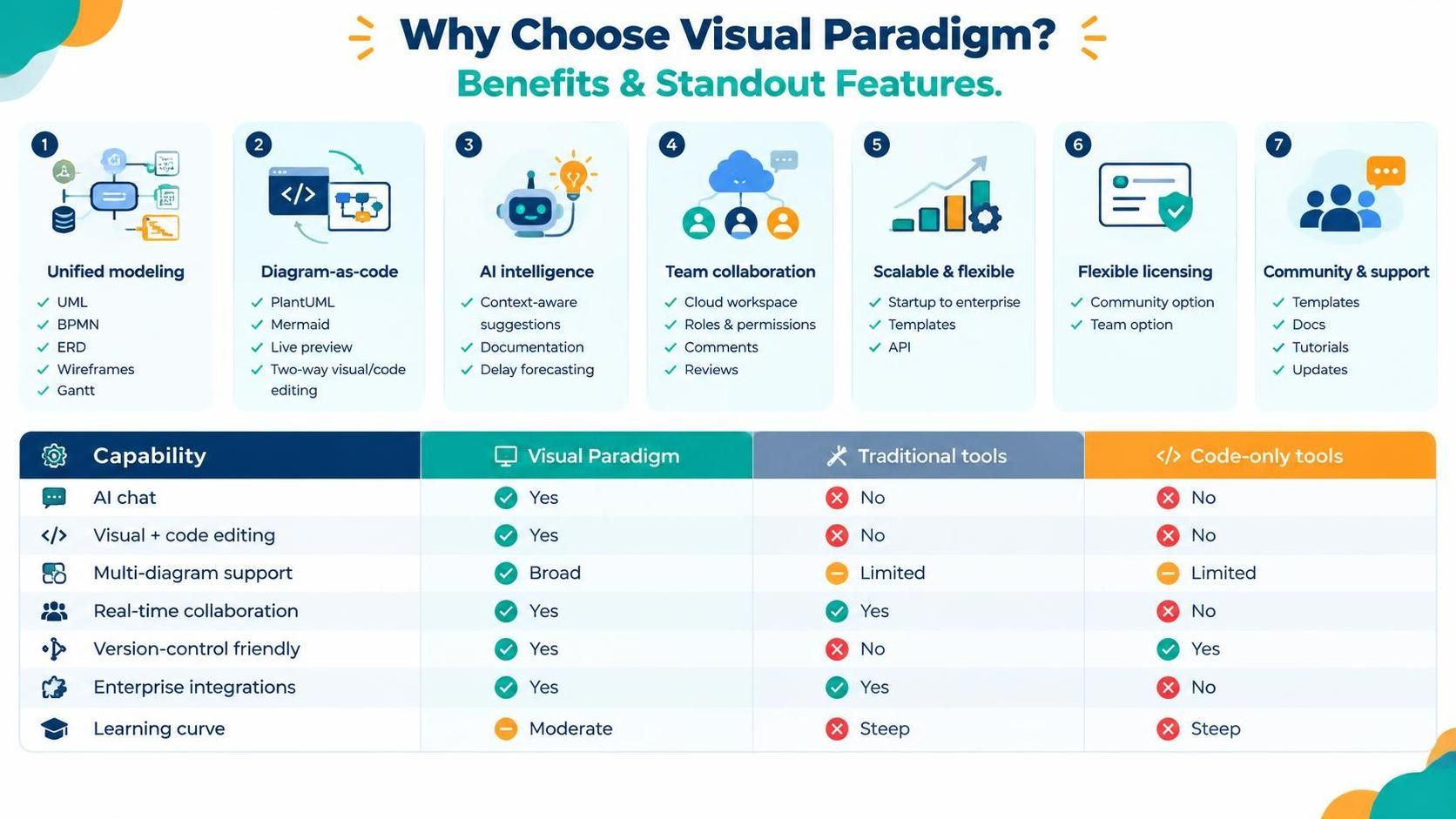
1. Unified Platform for Multiple Diagram Types
Unlike specialized tools that only handle Gantt charts, Visual Paradigm supports UML, BPMN, ERD, wireframes, and more. This makes it ideal for cross-functional teams that need consistent modeling standards across different disciplines.
2. Seamless Diagram-as-Code Integration
-
Native support for PlantUML and Mermaid
-
Real-time preview while editing code
-
Bidirectional editing: changes in visual editor update code, and vice versa
3. AI-Powered Intelligence
-
Context-Aware Suggestions: AI understands project context and provides relevant recommendations
-
Automated Documentation: Generate project documentation from diagrams automatically
-
Predictive Analytics: Forecast delays based on historical patterns
4. Enterprise-Grade Collaboration
-
Cloud-based team workspaces
-
Role-based access control
-
Commenting and review workflows
-
Integration with Jira, Confluence, Slack, and Microsoft Teams
5. Scalability & Flexibility
-
Handles small startup projects to enterprise-scale programs
-
Customizable templates for different industries
-
API access for custom integrations
6. Cost-Effective Licensing
-
Free community edition for individuals
-
Flexible team and enterprise licenses
-
No per-user fees for viewers/stakeholders
7. Strong Community & Support
-
Active user community with shared templates
-
Comprehensive documentation and tutorials
-
Regular updates with new AI features
Standout Differentiators
| Feature | Visual Paradigm | Traditional Tools (MS Project, Smartsheet) | Pure Code Tools (PlantUML CLI) |
|---|---|---|---|
| AI Chat Interface | ✅ | ❌ | ❌ |
| Visual + Code Editing | ✅ | ❌ | ❌ |
| Multi-Diagram Support | ✅ | Limited | Limited |
| Real-Time Collaboration | ✅ | ✅ | ❌ |
| Version Control Friendly | ✅ | ❌ | ✅ |
| Enterprise Integrations | ✅ | ✅ | ❌ |
| Learning Curve | Moderate | Steep | Steep |
5. Practical Use Cases
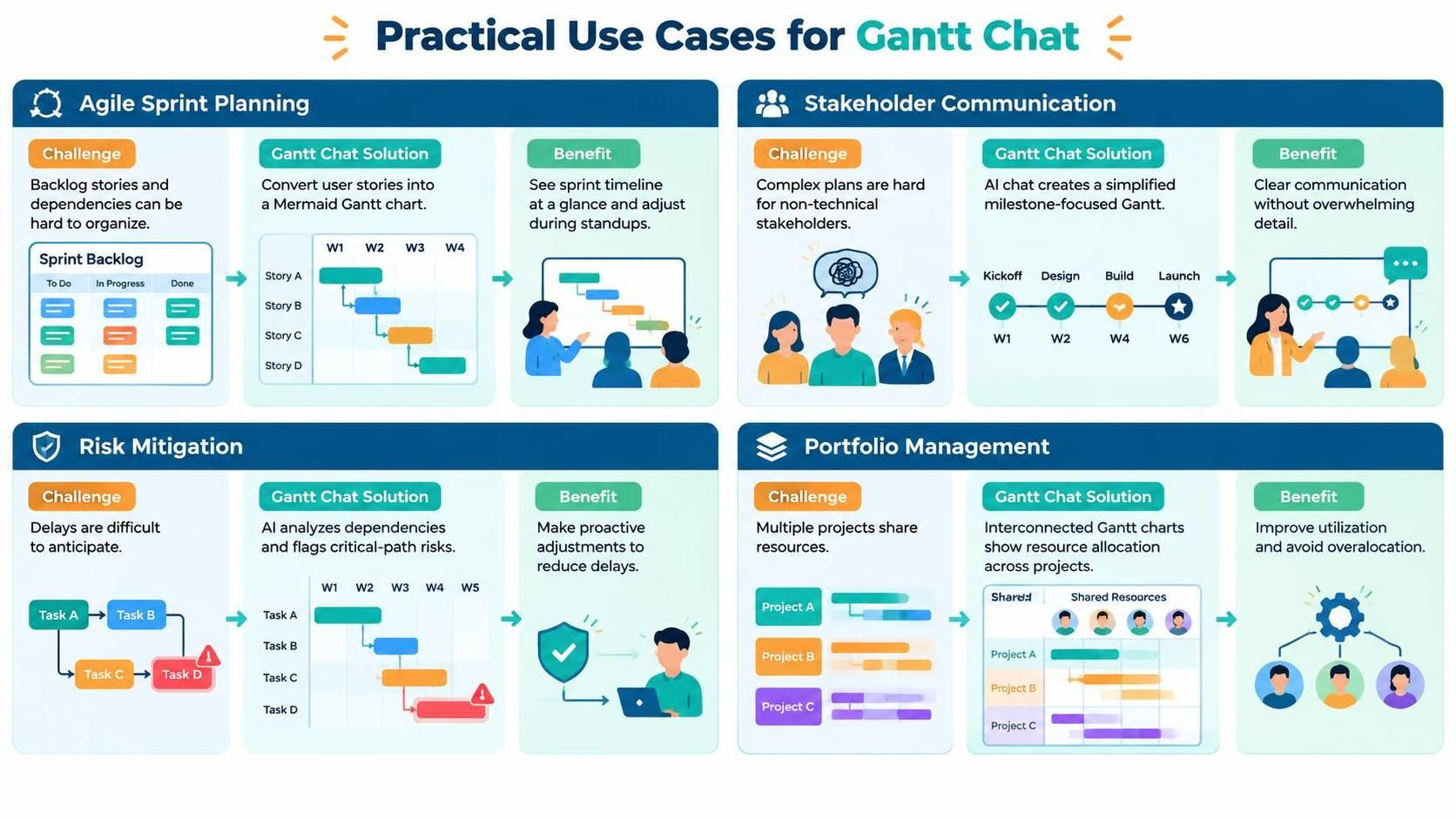
Use Case 1: Agile Sprint Planning
-
Challenge: Quickly visualize sprint backlog with dependencies
-
Solution: Use Gantt Chat to convert user stories into a Mermaid Gantt chart
-
Benefit: Team can see sprint timeline at a glance and adjust during standups
Use Case 2: Stakeholder Communication
-
Challenge: Non-technical stakeholders struggle with complex project plans
-
Solution: Generate simplified Gantt charts via AI chat, focusing on milestones
-
Benefit: Clear communication without overwhelming detail
Use Case 3: Risk Mitigation
-
Challenge: Identify potential delays before they occur
-
Solution: AI analyzes task dependencies and flags critical path risks
-
Benefit: Proactive adjustments reduce project delays
Use Case 4: Portfolio Management
-
Challenge: Manage multiple projects with shared resources
-
Solution: Create interconnected Gantt charts showing resource allocation across projects
-
Benefit: Optimize resource utilization and avoid overallocation
6. Getting Started with Gantt Chat
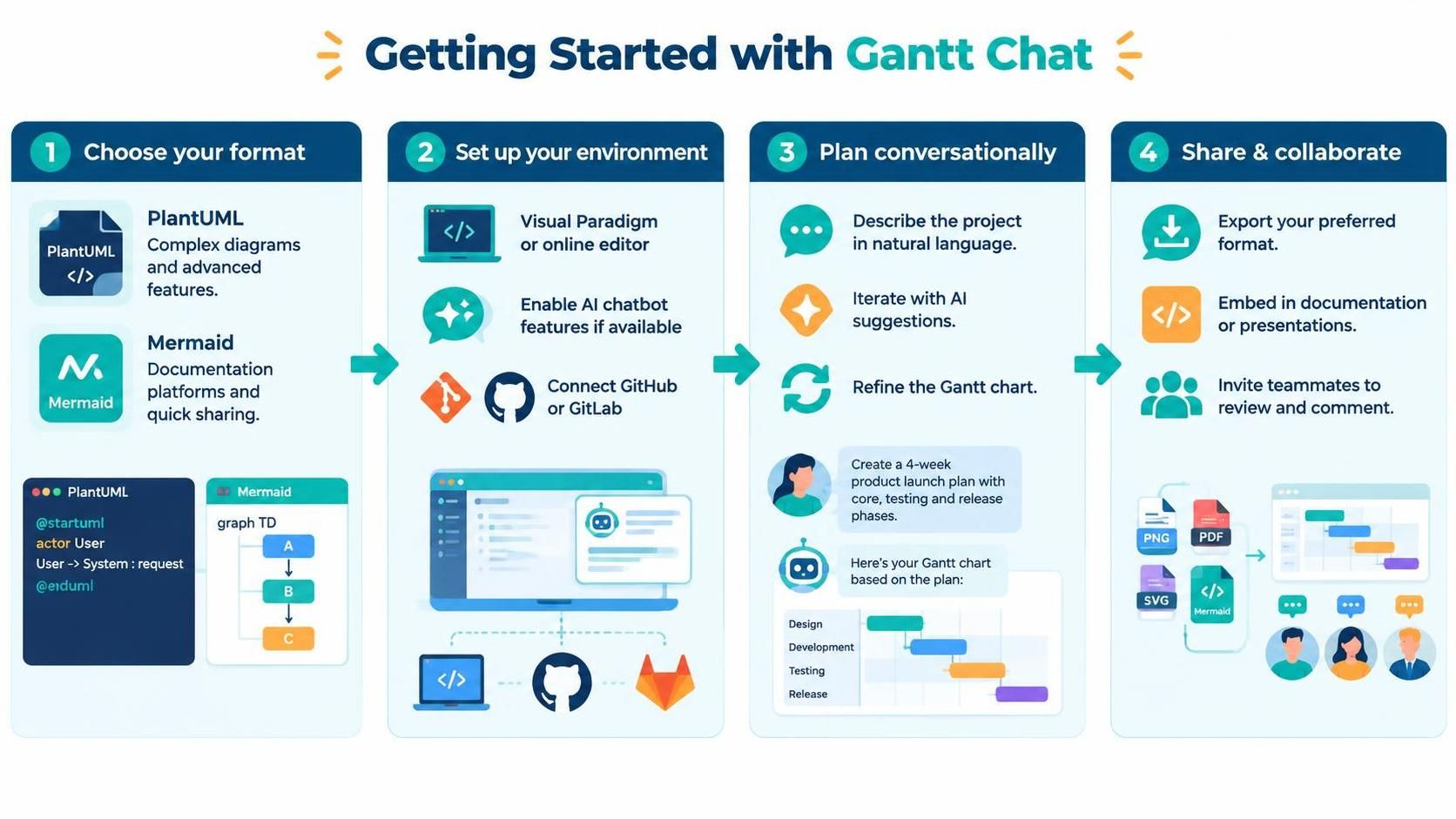
Step 1: Choose Your Format
-
PlantUML: Best for complex diagrams with advanced features
-
Mermaid: Best for documentation platforms and quick sharing
Step 2: Set Up Your Environment
-
Install Visual Paradigm or use the online editor
-
Enable AI chatbot features if available
-
Connect to your version control system (GitHub, GitLab)
Step 3: Start Conversational Planning
-
Describe your project in natural language
-
Iterate with AI suggestions
-
Refine until the diagram meets your needs
Step 4: Share & Collaborate
-
Export to preferred format
-
Embed in documentation or presentations
-
Invite team members to review and comment
7. Conclusion
Gantt Chat represents the future of project management—where AI, diagram-as-code, and conversational interfaces converge to make planning faster, smarter, and more collaborative. Visual Paradigm’s ecosystem, with its VPasCode tool and AI integrations, provides a robust platform for teams ready to embrace this new paradigm.
By combining the precision of code-based diagrams with the accessibility of natural language interaction, Gantt Chat empowers project managers to focus on strategy and decision-making rather than manual chart construction. Whether you’re managing a small agile team or a large enterprise program, adopting Gantt Chat workflows can significantly enhance your project planning efficiency and outcomes.
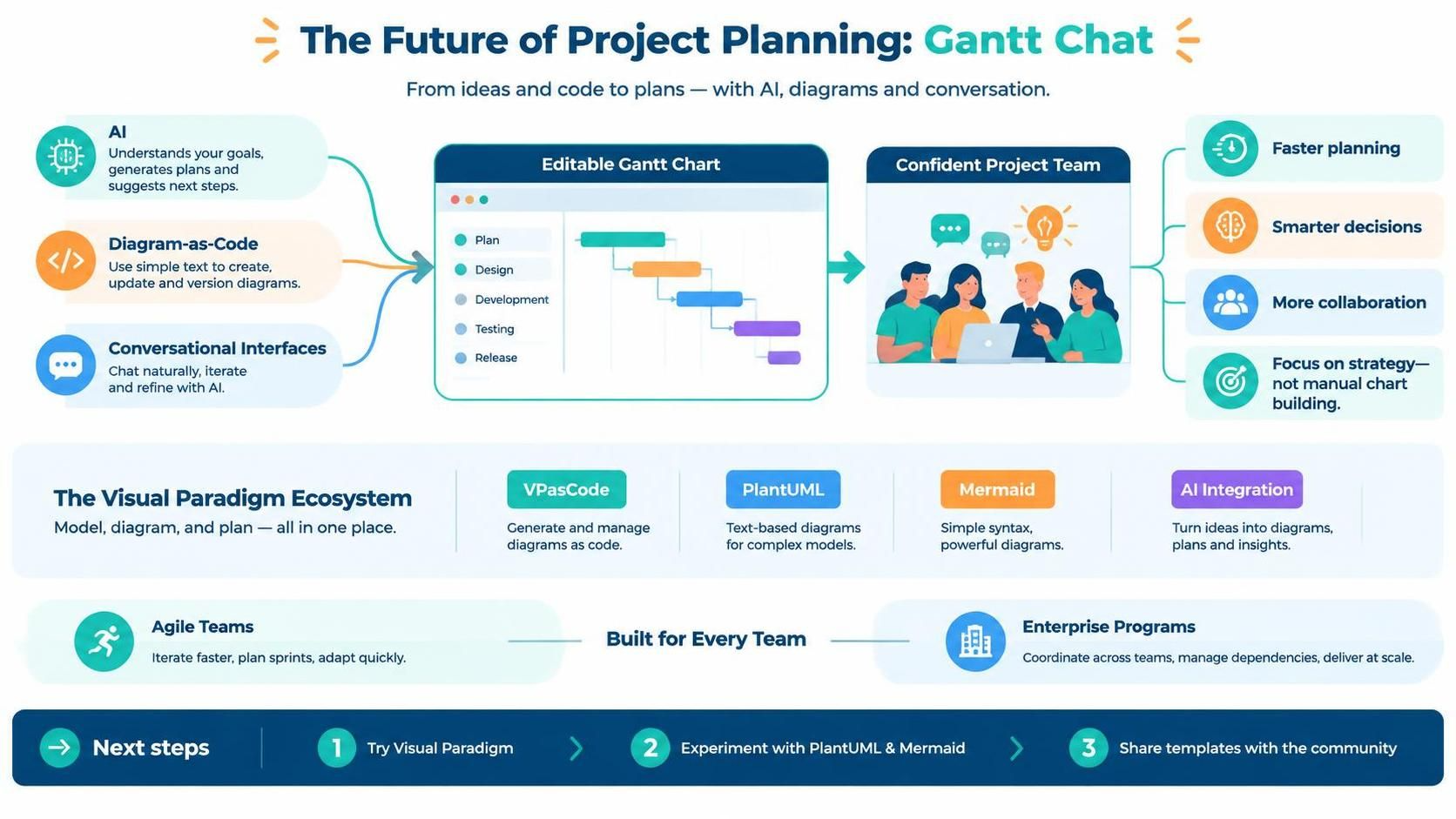
Next Steps:
-
Explore Visual Paradigm’s free trial to test Gantt Chat features
-
Experiment with PlantUML and Mermaid syntax in your next project
-
Join the Visual Paradigm community to share templates and best practices