

Introduction
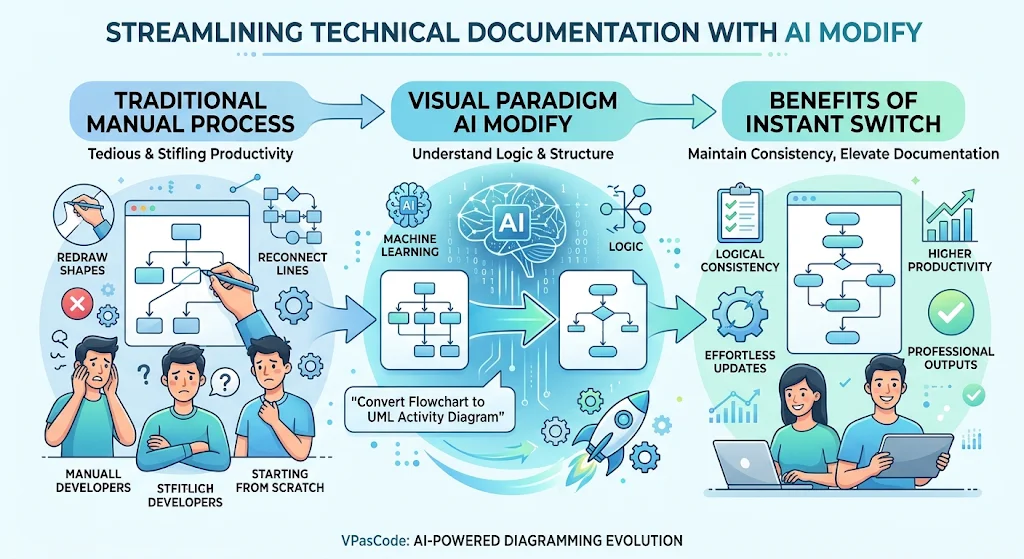
In the fast-paced world of software development and system architecture, documentation is rarely static. A process that begins as a simple brainstorming session often evolves into a complex technical specification. Traditionally, transitioning between different diagramming standards—such as moving from a casual flowchart to a formal UML Activity Diagram—has been a tedious, manual endeavor. It involves redrawing shapes, reconnecting lines, and essentially starting from scratch, which can stifle productivity and discourage necessary documentation updates.
Visual Paradigm’s latest enhancement to AI Modify in VPasCode changes this paradigm entirely. By leveraging artificial intelligence to understand the underlying logic and structure of your existing diagrams, you can now switch diagram types instantly using simple natural language prompts. This guide explores how to leverage this powerful feature to streamline your workflow, maintain logical consistency, and elevate your technical documentation without the overhead of manual reconstruction.
Key Concepts: The Power of AI-Driven Structural Translation
Before diving into the practical steps, it is essential to understand the core concepts that make AI Modify’s type conversion so effective.
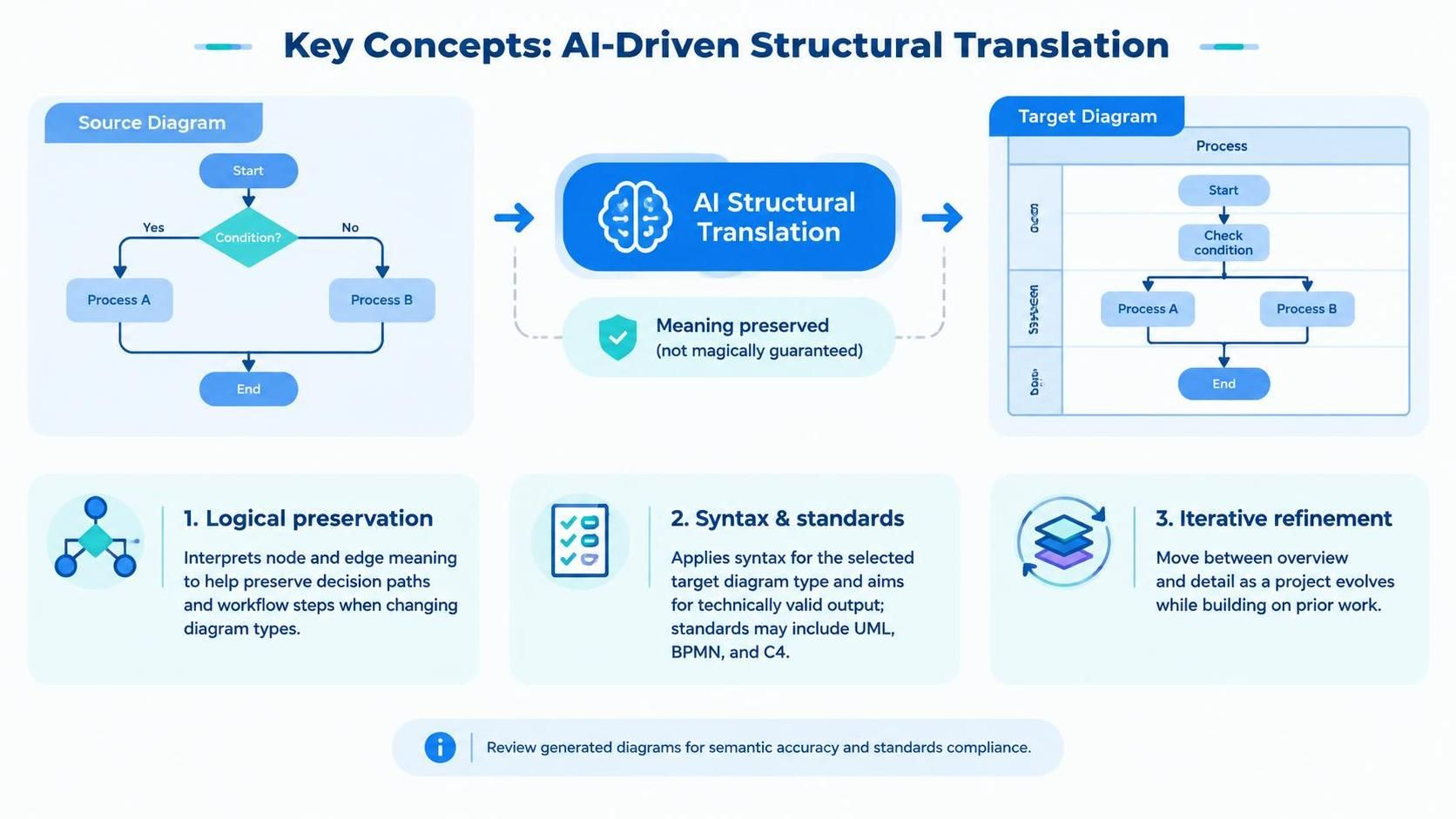
1. Logical Preservation
The primary challenge in converting diagram types is maintaining the integrity of the business logic or process flow. AI Modify does not just change the visual appearance; it interprets the semantic meaning of your nodes and edges. Whether you are converting a linear process into a parallel activity or a simple sequence into a complex state machine, the AI ensures that the original decision paths and workflow steps remain intact.
2. Syntax and Standard Compliance
Different diagram types adhere to specific standards (e.g., UML, BPMN, C4). Manually ensuring compliance with these standards requires deep knowledge of syntax rules. AI Modify automatically applies the correct syntax for the target diagram type, ensuring that your output is not only visually accurate but also technically valid for professional documentation.
3. Iterative Refinement
Diagramming is an iterative process. You might start with a high-level overview and later need to drill down into specific technical details. AI Modify allows for seamless transitions between levels of abstraction and formality, enabling you to refine your diagrams as your project matures without losing previous work.
Practical Example: Converting a Flowchart to a UML Activity Diagram
To illustrate the power of this feature, let’s walk through a common scenario: upgrading a standard process flowchart into a formal UML Activity Diagram. This is particularly useful when moving from initial stakeholder discussions to technical implementation planning.
Step 1: Start with Your Existing Diagram
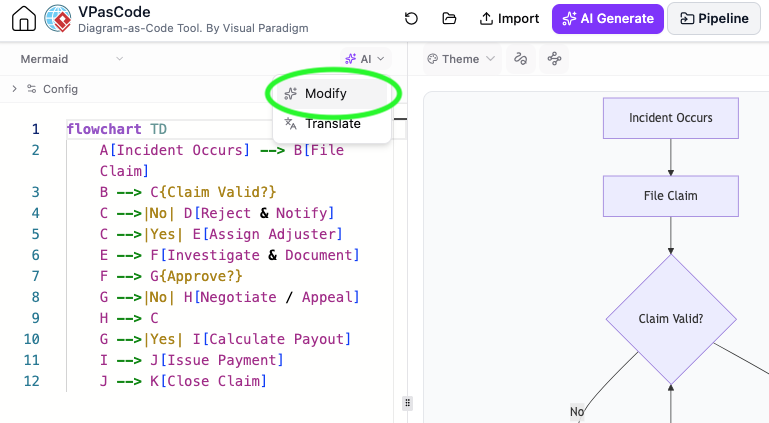
Begin by opening your existing diagram in the VPasCode editor. For this example, we have a standard flowchart outlining an incident claim handling process. The diagram uses basic shapes to represent steps and decisions.
Step 2: Enter Your Prompt
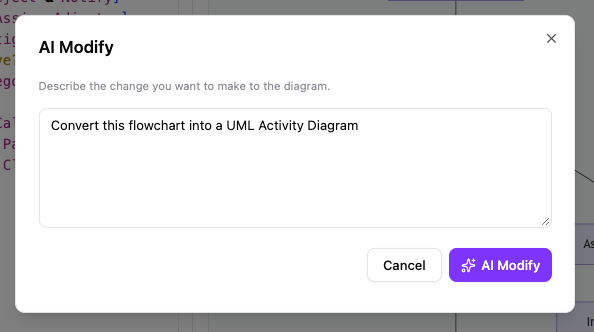
Locate the AI Modify button in the editor interface. Clicking this opens a dialog box where you can communicate with the AI assistant. Instead of manually selecting new shapes, simply type a natural language instruction describing your desired outcome.
For this conversion, enter the following prompt:
“Convert this flowchart into a UML Activity Diagram”
Step 3: Review and Apply the New Diagram
The AI processes your request, analyzing the structure of your current flowchart. It then generates a new version of the diagram using UML Activity Diagram standards. This includes replacing generic flowchart symbols with proper UML action nodes, decision diamonds, and control flows.
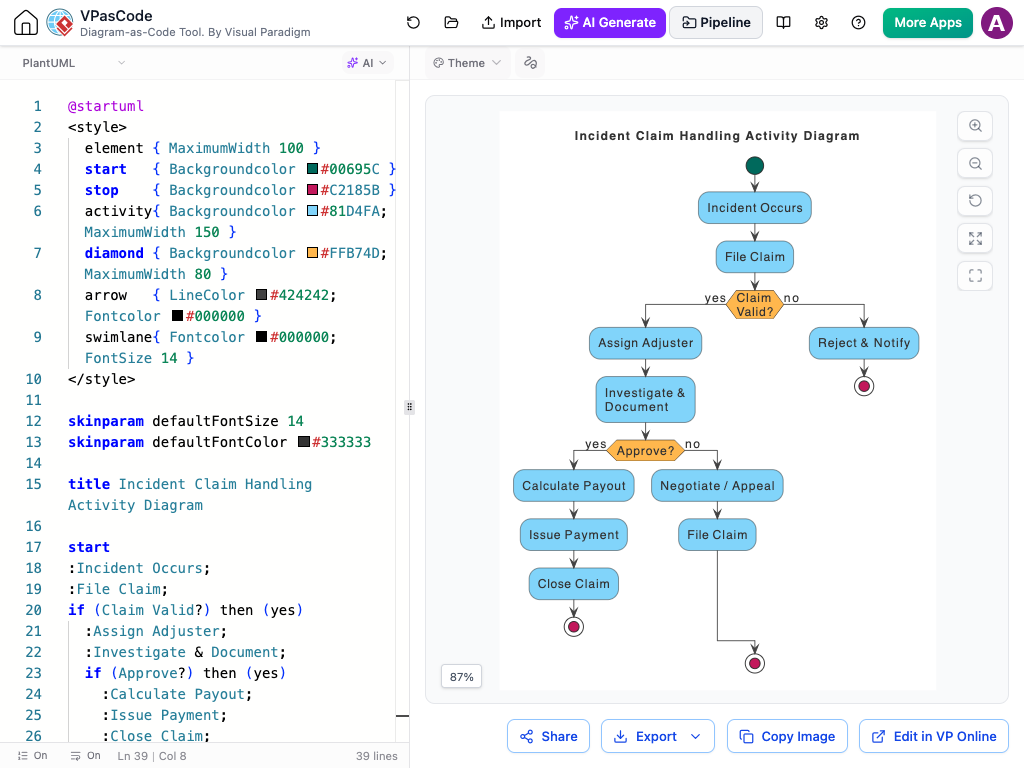
As shown above, the resulting diagram maintains the exact same logical flow as the original but presents it in a format that is universally recognized in software engineering and system architecture contexts.
Why Use AI Modify for Type Conversion?
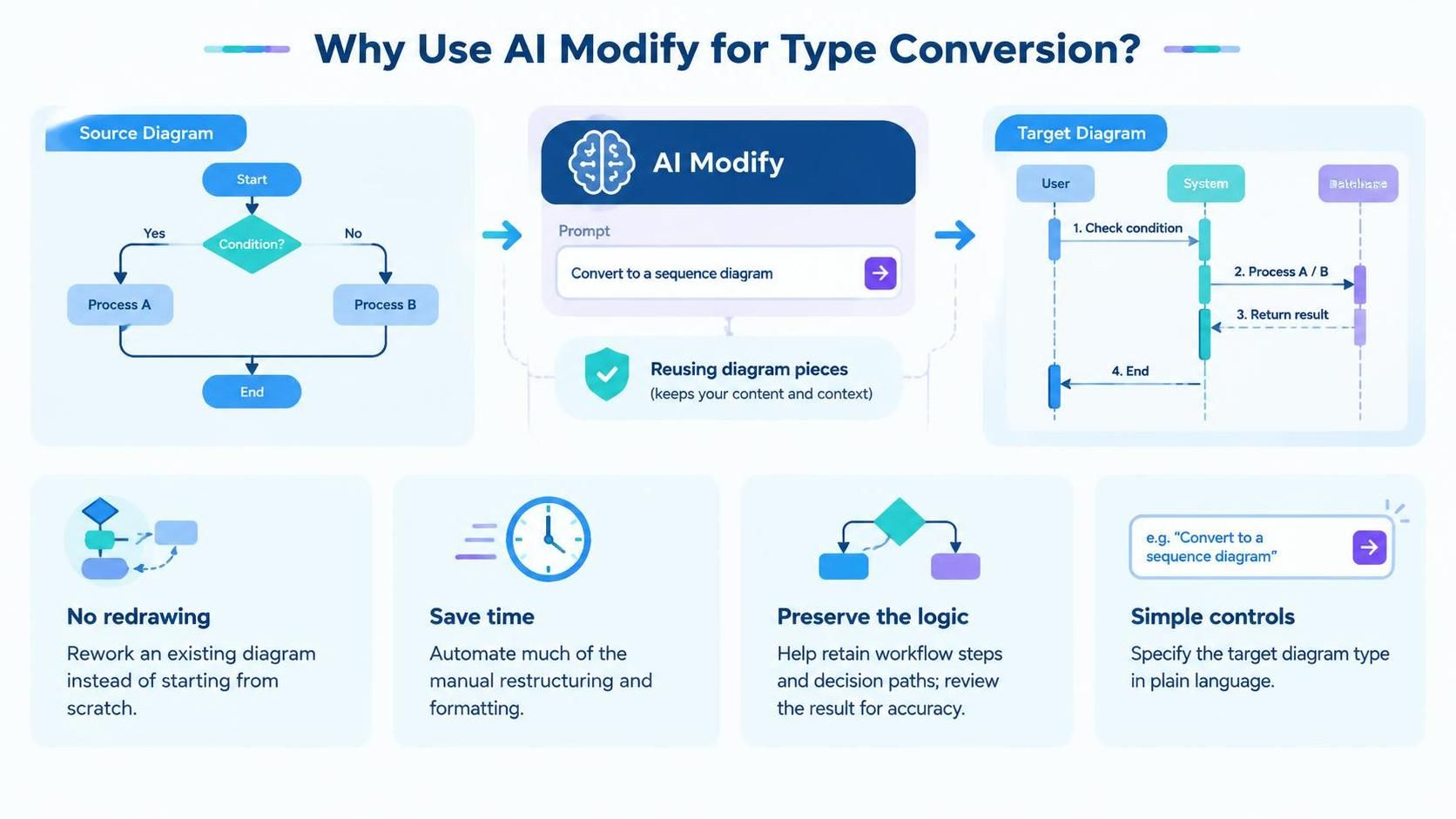
Adopting AI Modify for diagram type conversion offers several distinct advantages over traditional manual methods:
-
No Redrawing Needed: Eliminate the frustration of rebuilding diagrams from scratch. Change from flowcharts, sequence diagrams, class diagrams, or other types without losing your initial effort.
-
Saves Time: What used to take hours of manual adjustment now takes seconds. Instantly upgrade casual sketches into formal technical models, allowing you to focus on design rather than formatting.
-
Keeps Logic Intact: The AI prioritizes the preservation of your original workflow and steps. This reduces the risk of human error during manual translation, ensuring that critical business rules are not accidentally omitted or altered.
-
Simple Controls: There is no steep learning curve for new diagram standards. Just type what type of diagram you need, and let the AI handle the complex restructuring and syntax application.
How to Convert Your Diagram Type
Getting started with AI Modify is straightforward. Follow these steps to convert your next diagram:
-
Open Your Diagram: Launch the VPasCode Editor or access the tool via the AI Chatbot. Load the diagram you wish to modify.
-
Activate AI Modify: Click on the AI Modify button located in the editor toolbar.
-
Type Your Request: In the prompt field, clearly state the desired diagram type. Be specific if needed (e.g., “Convert to BPMN 2.0” or “Change to Sequence Diagram”).
-
Apply Changes: Click apply. The AI will generate the new diagram structure immediately. Review the output to ensure it meets your expectations, and make any minor tweaks if necessary.
Conclusion
The ability to instantly change diagram types represents a significant leap forward in technical documentation efficiency. With Visual Paradigm’s AI Modify, the barrier between informal brainstorming and formal specification is removed. Teams can now iterate faster, maintain higher quality standards, and ensure that their documentation evolves alongside their projects without the burden of repetitive manual work.
By integrating this tool into your workflow, you empower yourself to focus on the substance of your designs rather than the mechanics of drawing them. Whether you are a product manager refining user journeys or a software architect detailing system interactions, AI Modify ensures that your diagrams are always aligned with your current needs.
Try it out today in the VPasCode Editor or the AI Chatbot and experience the future of diagramming.
Recommended Reading and Resources
-
AI Diagram Generation and Code Modification Update: Overview of previous AI enhancements in VPasCode focusing on generation and code-level modifications.
-
VPasCode Editor: Direct access to the web-based editor for creating and modifying diagrams using AI tools.
-
Visual Paradigm AI Toolbox Chatbot: Interface for interacting with Visual Paradigm’s AI assistants for diagramming and modeling tasks.
-
Visual Paradigm Updates Blog: Central hub for all recent releases, features, and tutorials related to Visual Paradigm products.